Installation guide
 Owner’s manual


How many cubic feet is a Kenmore 11020232710 washer?
The Kenmore washer model 11020232710 is typically about 3.2 cu. ft. capacity for this style of Kenmore 110 top-loading washer. For the exact rated capacity for your specific unit, we recommend confirming it in the 11020232710 use & care guide.
Capacity is usually listed in the specifications section or product description area of the manual.
- Check the model number on the lid frame or cabinet label: 11020232710
- Look for “Capacity” or “cu. ft.” in the specs section
- If the manual lists basket volume instead, use the capacity value provided (it is the one used for load sizing)
- Use capacity to choose the right load size and cycle (bulky, normal, deep fill)
If you are comparing washers, most Kenmore 110 top-load units of this design fall into a narrow range.
| Washer type | Typical capacity range | Best for |
|---|---|---|
| Standard top-load (agitator) | 3.0 to 3.6 cu. ft. | Everyday mixed loads |
| Larger HE top-load | 4.0 to 5.5 cu. ft. | Comforters, large families |
Knowing the cubic feet helps us match your washer to the right load size guidance, HE detergent amount, and performance expectations (especially for bulky items). It also helps when comparing replacement parts and service information tied to your exact model.
Last updated: February 2026
How to identify a Kenmore washer model?
Your Kenmore washer model number is the ID we use to match the correct parts and instructions for your exact washer. For Kenmore model 11020232710, the model number format is shown in the 11020232710 owner's manual, and the tag is typically on the washer cabinet (often under the lid on top-load models).
Check these common locations first:
- Under the lid, along the rim of the washer opening (top-load washers)
- On the back panel near the power cord entry
- Along the side or rear of the control console area
- Inside the cabinet area near the tub opening (varies by design)
For this Kenmore washer, the manual lists the model in this format: 110.20232710 (you may also see it printed without the dot as 11020232710). Record the full model number exactly as shown.
| What you see on the tag | What it means | What to do |
|---|---|---|
| 110.20232710 | Model number format used in the manual | Use it to match diagrams and parts |
| 11020232710 | Same model number without punctuation | Use it the same way when searching |
| Serial number | Production identifier | Keep it for service history |
- Copy the model number character-for-character (including dots if present)
- Take a clear photo of the tag before ordering
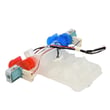
- Use the model number to confirm fit before buying items like a washer lid lock W11307244 or water inlet valve assembly W11210459
Kenmore washers share similar styling across many series, but parts like the lid lock, actuator, and water inlet valve can vary by model. Using the exact model number helps us match the correct Kenmore diagrams, troubleshooting steps, and replacement parts.
Last updated: February 2026
How to hard reset a Kenmore Elite washer?
For the Kenmore washer model 11020232710, a “hard reset” is simply a power reset that clears a stuck control state. Unplug the washer (or switch off the breaker) for about 1 minute, restore power, then press START/PAUSE/Unlock Lid to restart a cycle; see the 11020232710 owner's manual for normal control and lid-lock behavior.
- Press POWER/CANCEL to stop the cycle (if the washer responds).
- Unplug the washer from the outlet (or turn the breaker off).
- Wait 60 seconds.
- Plug the washer back in (or turn the breaker on).
- Close the lid, then press START/PAUSE/Unlock Lid to run a cycle.
These checks solve most “won’t run” complaints on this style of Kenmore top-load washer.
- Confirm the outlet has power; avoid extension cords.
- Make sure the lid is fully closed; the washer will not run with the lid open.
- If the Lid Locked light is on, press START/PAUSE/Unlock Lid and wait for movement to stop before opening.
- If the load is tightly packed or off-balance, remove a few items and redistribute, then press START/PAUSE/Unlock Lid.
- If the lid will not lock or unlock normally, inspect the washer lid lock W11307244 for damage or a loose connection.
| Symptom | Reset helps most when | Likely next step if it returns |
|---|---|---|
| Buttons unresponsive | Control is “stuck” after a pause or power flicker | Check power supply and lid-lock operation |
| Washer pauses and won’t continue | Lid-lock timing delay during spin | Wait for stop, then press START/PAUSE |
| Won’t start at all | Temporary control glitch | Troubleshoot lid closed, power, load balance |
A power reset is safe and fast, and it often clears a false “stopped” condition without replacing parts. If the problem repeats, focusing on lid-lock and load-sensing basics prevents unnecessary control board or motor replacements.
Last updated: February 2026
What is the average lifespan of a Kenmore washer?
A Kenmore washer typically lasts 10 to 15 years with normal household use. For Kenmore model 11020232710, consistent maintenance (proper detergent, correct loading, and periodic cleaning) is what most directly determines whether you land closer to 10 years or closer to 15.
- Load size and balance: frequent overloading or unbalanced loads increase wear on the suspension and drive system.
- Detergent choice: this model is designed for HE (High Efficiency) detergent only; using the wrong detergent can cause excess suds and performance issues.
- Water quality: hard water can accelerate buildup in the tub and inlet components.
- Drain performance: slow draining strains the pump and can leave residue behind.
- Routine care: cleaning and inspection reduce corrosion, odors, and premature part wear.
- Loud banging or persistent out-of-balance shaking during spin
- Burning rubber smell or slipping agitation/spin (often drive-related)
- Repeated no-drain or slow-drain symptoms
- Water not filling correctly or filling very slowly
- Frequent cycle interruptions or lid lock problems
| What you notice | Often involved | Repair impact |
|---|---|---|
| Slipping, squealing, weak spin | Drive belt | Usually moderate |
| Won’t shift between agitate and spin | Actuator | Usually moderate |
| Won’t drain or drains slowly | Drain pump | Moderate to high |
| Severe noise, leaks from below, poor agitation/spin | Gear case | High |
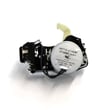
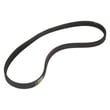
If you are troubleshooting a spin or agitation issue, the washer drive belt WPW10006384 and washer actuator W10913953 are two common starting points for this model.
Knowing the typical 10 to 15 year lifespan helps you decide whether to repair or replace. If your washer is already in that range and needs a high-cost repair (like a gear case), replacement can be the more practical long-term choice.
For model-specific operating and maintenance steps (including HE detergent guidance), follow the 11020232710 owner's manual.
Last updated: February 2026
Does my Kenmore top load washer have a filter?
Yes. Your Kenmore top-load washer model 11020232710 uses small screens at the water inlet valve to catch debris from the household water supply; it does not use a typical, user-cleanable lint filter like many front-load washers. Cleaning the inlet screens often fixes slow fill and rinse issues.
On model 11020232710, the most common filter points are:
- Inlet valve screens inside the hot and cold water inlet ports (at the back of the washer)
- Drain pump trap area (this design typically does not have a front access clean-out)
- Tub and basket (coins, socks, and residue can still collect even without a lint filter)
For model-specific care and cleaning guidance, use the 11020232710 owner's manual.
- Unplug the washer.
- Turn off both hot and cold water faucets.
- Remove the inlet hoses from the back of the washer.
- Look inside each inlet port for a small mesh screen.
- Rinse the screens with water; use a soft brush if needed.
- Reconnect hoses, turn water back on, and check for leaks.
| Symptom | Most likely “filter” issue | What to do |
|---|---|---|
| Slow fill or no fill | Clogged inlet screens | Clean inlet screens; confirm both faucets are fully open |
| Poor rinse, leftover suds | Restricted water flow or too much detergent | Clean inlet screens; use HE detergent and measure correctly |
| Hot and cold temps seem wrong | Hoses reversed | Verify hot hose to hot valve, cold hose to cold valve |
Restricted inlet screens reduce water flow to the inlet valve, which can cause long fill times, weak rinsing, and cycle performance problems. The manual also recommends routine washer care to prevent residue and odor buildup.
If cleaning the screens does not restore normal filling, the inlet valve can be the next suspect. For this model, the matching part is the water inlet valve assembly W11210459.
Last updated: February 2026