 Installation guide
 Owner’s manual
 Error Codes




How long does it take a Frigidaire self-cleaning oven to clean itself?
On the Frigidaire LFEF3011LBD electric range, a self-clean cycle typically runs 2 to 4 hours (you choose the duration based on how dirty the oven is), then the oven needs additional cooling time before the door unlocks. For exact cycle options and button steps, use the LFEF3011LBD owner's manual.
Typical self-clean timing (what to expect)
- Light soil: about 2 hours
- Normal soil: about 3 hours
- Heavy soil: about 4 hours
- Cool-down/door unlock: commonly 30 to 90 minutes after the cycle ends
| Soil level | Clean time you select | What you do after it unlocks |
|---|---|---|
| Light | 2 hours | Wipe out ash with a damp cloth |
| Normal | 3 hours | Wipe out ash; reinstall racks if removed |
| Heavy | 4 hours | Wipe out ash; check corners and door area |
Before you start (best practices)
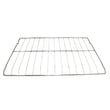
- Remove oven racks, pans, and any foil (many racks discolor if left in).
- Wipe up loose grease and spills first; it reduces smoke and odor.
- Run the kitchen vent hood and crack a window for ventilation.
- Keep kids and pets away; exterior surfaces can get hot.
After the cycle
- Wait for the door to unlock on its own.
- Wipe the gray ash with a damp cloth or sponge.
- If you see residue on the door edge or gasket area, wipe gently; avoid soaking the gasket.
Why it matters
Choosing the right clean time helps prevent excessive smoke, reduces odor, and avoids running a longer high-heat cycle than you need, while still getting the baked-on soil converted to wipeable ash.
Last updated: January 2026
How to reset a Frigidaire Gallery electric stove?
To reset a Frigidaire electric range like model LFEF3011LBD, restore power by turning the range off at the breaker (or unplugging it) for about 30 seconds, then turning power back on. If the oven and all surface burners still do not heat, focus on the power supply and wiring.
Quick reset steps (safe and effective)
- Turn OFF the range breaker (or unplug the cord).
- Wait 30 seconds.
- Turn the breaker ON (or plug back in).
- Set the clock and test Bake and one surface element.
- If the display is blank or heating is still out, stop and check the electrical supply.
If nothing heats after the reset
On the LFEF3011LBD, a total no-heat condition commonly points to a power issue such as a tripped breaker, a loose connection, or incorrect wiring at the terminal block (especially after installation).
What to check first
- Confirm the breaker is a 2-pole range breaker and fully reset (OFF then ON).
- Verify the outlet is a proper range receptacle and the cord is fully seated.
- If recently installed, confirm the range is connected correctly for the home’s wiring type (3-wire vs 4-wire).
- If you smell burning or see discoloration at the cord area, leave power off and inspect connections.
| Symptom | Most likely cause | Best next step |
|---|---|---|
| Display works but oven and burners do not heat | Missing one “hot” leg (only 120V present) | Check breaker and supply wiring |
| Everything dead (no display) | No power to range | Check breaker, outlet, cord |
| One burner not heating | Failed element or switch | Test element and switch |
Why it matters
Electric ranges need the correct 240V supply to heat. A reset clears minor control glitches, but it will not fix a wiring or voltage problem that prevents the bake element, broil element, and surface elements from receiving full power.
Helpful references
- Use the LFEF3011LBD installation guide for power cord and terminal block connection details.
- If the oven will not heat even with correct power, inspect the range bake element 316075103 for visible damage (blistering, breaks) and test it for continuity.
Last updated: January 2026
What does F11 mean on an electric stove?
On a Frigidaire electric range like model LFEF3011LBD, the F11 error code means the oven control is detecting a stuck key or a short in the keypad (touchpad) circuit. Resetting power can stop the beeping briefly, but the keypad or control circuit usually needs service.
What to do first (safe, quick checks)
- Turn off power at the breaker for 1 minute, then restore power.
- If F11 returns or the range keeps beeping, stop using the oven until it’s repaired.
- If you recently cleaned the control panel, let it dry completely; moisture can mimic a pressed key.
- Press each keypad button once to check for one that feels stuck.
- Use the wiring and control-panel guidance in the LFEF3011LBD owner’s manual.
Common causes of an F11 code
- A keypad button is physically stuck down
- Keypad membrane has an internal short (wear, moisture, contamination)
- Ribbon connector between keypad and control is loose or oxidized
- Electronic oven control is misreading keypad input
Parts that are often involved on LFEF3011LBD
These are model-matched parts that commonly relate to F11 symptoms:
| Symptom | Most likely area | Model-matched example part |
|---|---|---|
| Constant beeping, random key presses | Control overlay/keypad area | Range oven control overlay 316220729 or range oven control overlay 316220728 |
| F11 persists after keypad checks | Electronic oven control | Range oven control board and clock 5304518660 |
Why it matters
F11 can disable baking or broiling and cause nonstop beeping. A control that falsely registers key presses can also trigger unexpected oven behavior, so correcting the keypad or control issue restores normal, reliable operation.
Last updated: January 2026




