 Installation guide
 Owner’s manual






What is the most common problem with a GE dishwasher?
For the GE GDT695SMJ5ES dishwasher, the most common issues we see are drain-related problems (standing water, slow draining, odors) and “won’t start” complaints caused by a door-latch or control issue. Many of these start with simple clogs, loading problems, or low water temperature. For model-specific operating and troubleshooting steps, use the GDT695SMJ5ES owner’s manual.
Most common symptoms (and what they usually point to)
- Water standing in the bottom: clogged filters, air gap/disposer restriction, drain hose routing issue
- Dishwasher won’t start or stops: door not fully latched, control lock enabled, power interruption
- Dishes not clean: clogged filters, spray arm blockage, low inlet water temperature
- Leaks: door seal wear, tub gasket issues, overfill or drain restrictions
- Detergent not dispensing well: items blocking the dispenser door, incorrect loading
Quick checks we recommend first (fast, no parts)
- Confirm hot water: incoming water should be at least 120°F.
- Clean the filters: GE recommends periodic filter cleaning; reduced wash performance or gritty dishes are common clues.
- Check the air gap (if you have one): a clogged air gap can cause poor draining.
- Verify the door is fully closed: the cycle won’t start if the latch is not engaged.
- Cancel and drain properly: press and hold Start for 3 seconds (then close the door) to cancel and drain.
When a part is commonly involved
If the basic checks don’t help, these parts are frequent suspects on this model family:
| Symptom | Common part to inspect | Why it matters |
|---|---|---|
| Won’t start / intermittent start | GE dishwasher door latch lock WD21X10490 | The control needs a solid “door closed” signal to run |
| Not cleaning well | Dishwasher spray arm, lower WD22X33499 | Blocked jets reduce water pressure and coverage |
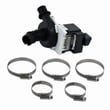
| Not draining | Drain pump asm WD19X24829 | A weak or jammed pump can leave water in the tub |
Why it matters
Drain and start problems can look “major,” but they often come from maintenance items (filters, air gap, drain path) or a simple door-latch signal issue. Fixing the root cause early helps prevent repeat clogs, odors, and cycle interruptions.
Last updated: January 2026
Can a clogged drain cause an FTD error?
Yes. On the GE GDT695SMJ5ES dishwasher, a clogged drain or restricted drain path can trigger an FTD error because the dishwasher expects the tub to be empty before it starts the next fill. If water remains in the sump, the control can interpret that as a drain or fill timing problem.
What to check first (fast, no-parts steps)
- Cancel the cycle so the unit drains, then restart and listen for a strong drain sound.
- Check the sink drain for slow draining; a backed-up sink often means the dishwasher drain will struggle too.
- If you have an air gap, remove the cap and clean out debris.
- Run the garbage disposer (if the dishwasher drains into it) and make sure it is clear.
- Verify the drain hose is not kinked or crushed behind the dishwasher.
- Confirm the drain hose routing matches the high loop or air gap method in the GDT695SMJ5ES installation guide.
Inside-the-tub checks (most common cause)
A partial blockage at the filters or sump area is a frequent reason water stays in the bottom of the tub.
- Remove the bottom rack.
- Remove and rinse the filters with warm water.
- Clear any food debris, labels, or broken glass from the sump area.
- Reinstall filters fully seated and locked.
If your fine filter is damaged or won’t clean up well, replace the user cleanable fine filter WD49X24057.
When a part is likely involved
If the drain path is clear but the dishwasher still leaves water behind, the drain pump or a related restriction can be the issue.
| Symptom | More likely cause | What we recommend |
|---|---|---|
| Hums but drains slowly or not at all | Drain pump jammed or weak | Inspect pump area; replace if needed |
| Drains sometimes, then fails | Intermittent pump or control issue | Check wiring and pump operation |
| Drains fine, but error returns | Sensor/control interpretation | Use GE diagnostics guidance |
For a drain-pump-related repair on this model, the compatible replacement is the drain pump asm WD19X24829.
Why it matters
FTD errors often come down to timing. If the tub cannot empty quickly, the dishwasher can’t start the next fill correctly, which can lead to repeated cycle interruptions and poor cleaning.
Related help
For code definitions and what they mean on GE dishwashers, use our GE dishwasher error codes reference.
Last updated: January 2026
How to do a hard reset on a GE dishwasher?
To hard reset a GE dishwasher like model GDT695SMJ5ES, we recommend cutting power to the dishwasher for a few minutes (breaker OFF, then ON) to reboot the control. You can also cancel a running cycle by holding Start for 3 seconds, then restarting.
Hard reset steps (power reset)
- Turn the dishwasher OFF at the circuit breaker (or unplug it if it’s on a cord).
- Wait 3 to 5 minutes.
- Restore power.
- Press Start and close the door within 4 seconds to begin a cycle.
For model-specific control behavior (Start timing, cancel/drain, lock), use the GDT695SMJ5ES owner’s manual.
Quick reset vs. hard reset
| Reset type | What you do | What it fixes best |
|---|---|---|
| Quick reset (cancel/drain) | Hold Start for 3 seconds, then close the door | Stuck cycle, wrong selection, needs to drain |
| Hard reset (power reboot) | Breaker OFF 3 to 5 minutes | Glitches, unresponsive keypad, odd beeping/lights |
If it still won’t start after the reset
- Confirm the door is fully closed and latched.
- Make sure Control Lock is not enabled (lock/unlock is a 3-second button hold on this series).
- Verify Delay Hours is not set.
- Check any wall switch that supplies power to the dishwasher (common near the disposer switch).
- If the display shows LEAK DETECTED, the cycle will stop and drain and the unit will not run normally.
If the door won’t latch consistently, inspect the latch and strike area; the compatible replacement latch is the GE dishwasher door latch lock WD21X10490.
Why it matters
A true hard reset clears the control’s temporary memory and reinitializes the user interface, which often restores normal operation after a power glitch or an interrupted cycle.
Last updated: January 2026





