 Installation guide
 Owner’s manual
 Error Codes



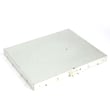


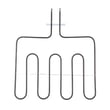
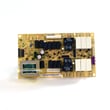
Where can I find my Kenmore 79048193001 oven model number?
You can find the model number label for your Kenmore 79048193001 wall oven on the oven frame behind the door, typically along the door jamb area. If it is not there, check the side trim area or the oven’s outer frame where it meets the cabinet opening; the installation guide shows the key frame and trim locations used during install.
Most common places to check
- Open the oven door and look along the left and right door jamb (front frame)
- Check the lower front frame area just inside the door opening
- Look along the side trim below the oven frame (near mounting screw locations)
- If the oven was recently installed, check paperwork that came with the unit (model/serial tag info is often recorded)
Quick steps to find it fast
- Turn the oven light on so the front frame is well lit.
- Wipe the door jamb and front frame with a dry cloth; grease can hide the print.
- Look for a sticker or metal tag that lists Model and Serial.
- Write the model number exactly as shown (for this unit: 79048193001).
What the label usually looks like
| Item on label | What it helps with | Example for this oven |
|---|---|---|
| Model number | Matching parts and diagrams | 79048193001 |
| Serial number | Production details and revisions | Varies |
| Electrical ratings | Confirming wiring requirements | Varies |
Why it matters
We use the exact model number to match the correct wall oven parts and wiring configuration for your Kenmore Elite wall oven. Even small model number differences can change which bake element, temperature sensor, or control board fits.
Last updated: February 2026
What does PF mean on Kenmore 79048193001 oven?
On your Kenmore Elite wall oven model 79048193001, PF means power failure. It shows up when the oven’s electrical supply was interrupted (even briefly), such as after a blackout, tripped breaker, or loose power connection.
How to clear the PF message
Try these steps in order:
- Press Cancel/Stop to clear the display (some control panels require pressing it twice).
- Set the clock again if the time is flashing.
- Test Bake for 1 to 2 minutes to confirm the oven heats normally.
- If PF returns, reset power at the breaker for 1 minute, then restore power.
- If the display stays blank or PF keeps coming back, check the home circuit for a weak connection.
What usually causes PF on a wall oven
A PF code is almost always related to incoming power, not a cooking setting.
| Common cause | What you may notice | What to check |
|---|---|---|
| Brief outage or flicker | PF appears after power returns | Reset clock, clear code |
| Tripped breaker | Oven dead or intermittent | Reset breaker fully OFF then ON |
| Loose junction box connection | PF repeats, lights flicker | Have wiring inspected by a qualified technician |
| Overheat event opening a safety device | Oven won’t heat after PF | Check for a blown thermal fuse |
Parts that can be involved (when PF repeats)
If power to the oven is stable but PF keeps returning, these parts are commonly checked during diagnosis:
- Wall oven thermal fuse 5304506123 (can open if the oven overheats)
- Terminal block 5304409888 (power connection point that can overheat or loosen)
- Wall oven relay control board 316443949 (can reset or act erratically after power issues)
Why it matters
A one-time PF after a known outage is normal. Repeated PF messages can point to an electrical connection problem that can cause heating issues, nuisance shutdowns, or damage to wiring over time. For wiring and junction box checks, we recommend using a qualified technician.
For control operation details and any model-specific display behavior, use the installation guide.
Last updated: February 2026
Why is my Kenmore 79048193001 oven not heating up?
If your Kenmore Elite wall oven 79048193001 isn’t heating, the most common causes are a failed bake or broil element, an open thermal fuse, a bad oven temperature sensor, or a power supply issue (partial power from a tripped breaker). Use the steps below to isolate the fault.
Quick checks (start here)
- Reset the double breaker fully (OFF, then ON); electric ovens can lose heat with only one leg of power.
- Try Bake and Broil; note whether neither heats or only one mode fails.
- If the oven was recently installed or moved, confirm the junction box wiring matches the approved 3-wire or 4-wire method in the installation guide.
- If the oven was stored in cold conditions, let it sit in its final location for at least 3 hours before powering on (protects the controls).
Parts to check on model 79048193001
- Thermal fuse: an open fuse can cut power to heating circuits; check wall oven thermal fuse 5304506123.
- Oven temperature sensor: a bad sensor can prevent proper heating; check range oven temperature sensor 5304504897.
- Bake element: if Bake doesn’t heat, inspect and test frigidaire range bake element 318601604.
- Broil element: if Broil doesn’t heat, inspect and test frigidaire range broil element 318255807.
What to test with a multimeter
- Thermal fuse: continuity required; no continuity means replace.
- Elements: continuity end-to-end; an open circuit means replace.
- Sensor: resistance at room temp is typically about 1,000 to 1,100 ohms.
| What you see | What to check first |
|---|---|
| Neither Bake nor Broil heats | Breaker, thermal fuse, control/relay output |
| Broil works, Bake doesn’t | Bake element, wiring connections |
| Bake works, Broil doesn’t | Broil element, wiring connections |
Why it matters
Correct diagnosis prevents repeat failures and helps avoid unnecessary replacement of the relay/control board or wiring.
Last updated: February 2026
Why is my Kenmore oven fan not spinning?
On Kenmore Elite wall oven model 79048193001, the convection fan is designed to stop when the oven door is opened, so it may look like it is not working even though it is normal. If the fan never runs during convection bake or roast with the door closed, a failed fan assembly, wiring issue, or control problem is likely; confirm operation steps in the installation guide.
Quick checks (most common)
- Make sure you selected a convection bake/roast mode (standard bake may not run the convection fan).
- Close the oven door fully; on this model family, the convection fan stops when the door opens.
- Cancel the cycle and restart after a minute; listen for the fan ramping up.
- Check for a blade obstruction (foil, fallen rack liner, grease buildup) and clear it.
- If the oven recently ran very hot, note that a cooling fan can run after shutoff; that is separate from the convection fan.
What to inspect if the fan still never runs
Turn off power at the breaker before opening panels.
- Fan blade: If it is loose, rubbing, or jammed, the motor may not be able to start. Consider the range convection fan blade 318398302.
- Fan motor/assembly: If the blade spins freely by hand but never runs under convection, the motor or assembly can be the cause; see the range convection fan assembly 318398203.
- Wiring and connectors: Look for overheated terminals, pinched wires, or loose plugs, especially after a recent installation or service.
- Control issue: If the oven heats but the fan never gets voltage in convection, the relay/control circuit can be involved.
Symptom-to-likely-cause guide
| Symptom | What it usually points to | What to do next |
|---|---|---|
| Fan stops when door opens | Normal operation | Test with door closed in convection mode |
| Hums but does not spin | Jammed blade or weak motor | Check blade clearance; inspect motor/assembly |
| Spins by hand, never starts | Motor/assembly or control not powering it | Inspect wiring; test motor circuit |
| Rattling or scraping | Bent blade or loose mount | Tighten hardware; replace blade if damaged |
Why it matters
A working convection fan circulates hot air for more even baking and roasting. If it is not running, you can see uneven browning, longer cook times, and temperature swings.
Last updated: February 2026





