 Installation guide
 Owner’s manual




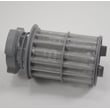
Can I still use my appliance with an E22 error?
We do not recommend running your Bosch SHP65T56UC dishwasher with an E22 error showing; E22 typically points to a drainage or filter restriction that can leave dirty water in the sump and reduce cleaning performance. Clear the restriction first, then run a short cycle to confirm normal draining (see the owner's manual).
What to do first (safe, quick checks)
- Turn the dishwasher off and let the water cool if it was recently running.
- Remove and clean the filter area; rinse debris off with hot water.
- Check the sump area for glass, labels, or food that can block flow.
- Inspect the drain hose for kinks or a clogged high loop/air gap connection.
- Run a rinse cycle and confirm you hear a strong drain at the end.
When E22 points to a part problem
If the filter and hose are clear but the dishwasher still will not drain correctly, a failing drain component is a common next suspect.
| Symptom you notice | Most likely area to check | Related part on this model |
|---|---|---|
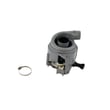
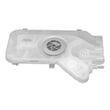
| Standing water after cycle ends | Drain pump or blockage at pump inlet | Dishwasher drain pump 00631200 |
| Drains slowly, sometimes backs up | Drain hose routing or partial clog | Dishwasher drain hose 00744881 |
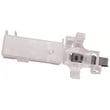
| Water returns to tub after draining | Check valve not sealing | Dishwasher check valve 00611320 |
Why it matters
Running with an E22 condition can leave wash water in the tub, which leads to poor cleaning, odors, and repeated error interruptions. Fixing the drain path first protects the circulation system and helps the dishwasher complete cycles normally.
Helpful reference
For code meaning and what to check next, use our Bosch dishwasher error codes guide alongside the steps in the owner's manual.
Last updated: February 2026
How do I force my Bosch dishwasher to drain?
To force a drain on your Bosch SHP65T56UC dishwasher, cancel the current cycle so the control starts a drain-out. If it will not drain, clear the filter area and check the drain hose for a kink or blockage before restarting a short cycle (see the owner's manual).
Quick steps to force a drain (most Bosch dishwashers)
- Press the Cancel/Drain function (or Start/Reset as labeled) to cancel the cycle.
- Close the door fully and wait while the dishwasher runs the drain pump.
- If the unit beeps and stops, repeat the cancel action once more.
- After draining, run a Rinse or Quick cycle to confirm normal operation.
If it still will not drain
These checks fix most “won’t drain” complaints and help prevent repeat clogs:
- Clean the filter and sump area: remove debris, labels, glass, and food.
- Inspect the drain hose for kinks, crushing, or a clog; confirm the high loop/air gap setup matches the installation guide.
- Check the sink/disposer connection: make sure the inlet is not blocked.
- Listen for the drain pump: a loud hum with no water movement often points to a jam or failed pump.
- If the dishwasher drains slowly or intermittently, the dishwasher drain pump 00631200 is a common fix when the pump is weak or seized.
What to expect during a forced drain
| What you notice | What it usually means | What to do next |
|---|---|---|
| You hear pumping and water leaves | Drain system is working | Restart a short cycle |
| Pump hums but water stays | Blockage or jam | Clean filter, check hose, inspect pump area |
| No pump sound | Control, wiring, or pump issue | Check for error code, then inspect drain components |
Why it matters
A proper drain-out clears dirty water so the next wash fills correctly and helps prevent odor, standing water, and error codes. If you see a code, use our Bosch dishwasher error codes guide to narrow the cause.
Last updated: February 2026
How do I find the model number on my SHP65T56UC?
The model number for your Bosch dishwasher is printed on the appliance’s rating label. On SHP65T56UC dishwashers, that label is typically on the tub frame around the door opening; open the door fully and look along the left or right side edge.
Where to look (fast checklist)
- Open the dishwasher door and inspect the vertical tub frame (the metal edge the door seals against)
- Check both the left and right sides near the front
- Look along the top edge of the tub opening if you do not see it on the sides
- Wipe the area with a damp cloth; labels can be hard to read under residue
- Use your phone camera and zoom in to capture the full label clearly
What the label usually shows
Most Bosch rating labels include these identifiers; write them down exactly as shown:
- Model number (for example, SHP65T56UC)
- FD number (factory date code)
- Serial number
- Electrical ratings (volts/amps)
| Label item | What it’s used for | When you need it |
|---|---|---|
| Model number | Matching parts and diagrams | Any parts lookup |
| Serial number | Identifying production run | Service history, some part revisions |
| FD number | Date code | Confirming compatible updates |
Why it matters
Bosch dishwashers often have similar-looking models with different racks, pumps, and controls. Using the exact model number from the rating label helps ensure you get the correct fit for items like a drain pump, water inlet valve, or control board.
Helpful reference
For diagrams and model identification details, use the SHP65T56UC owner’s manual.
Last updated: March 2026





