 Owner’s manual



What are the specs of the me18h704sfg?
The Samsung ME18H704SFG is a 1.8 cu. ft. over-the-range microwave/hood combo in black stainless steel with convenience features like auto cook, auto defrost, soften/melt, Eco Mode, and a clock/timer. For the complete, model-specific details, use the ME18H704SFG owner’s manual.
Key specs at a glance
- Capacity: 1.8 cu. ft.
- Type: Over-the-range microwave/hood combo
- Finish/color: Black stainless steel
- Auto cook: Yes
- Auto defrost: Yes
- Soften/melt: Yes
- Eco Mode: Yes
- Clock/timer: Yes
What to confirm in the manual (important for fit and installation)
Some specs vary by configuration and are best confirmed for your exact kitchen setup:
- Overall width, height, and depth
- Cutout and mounting requirements (cabinet depth, top cabinet clearance)
- Venting configuration (recirculating vs. outside venting)
- Electrical requirements (dedicated circuit guidance)
| Spec type | What you get | Where to verify |
|---|---|---|
| Feature set | Auto cook, defrost, Eco Mode, timer | Control panel section in the manual |
| Fit details | Dimensions and clearances | Installation and dimension diagrams |
| Venting | Ducting options and parts needed | Venting section |
Why it matters
Getting the right specs helps prevent clearance issues over the range, avoids venting mismatches, and ensures the microwave performs correctly (especially airflow and mounting stability).
Last updated: February 2026
How do you hard reset a Samsung microwave?
To hard reset a Samsung microwave like model ME18H704SFG, we typically restore power by unplugging it (or switching the breaker off) for a few minutes, then powering it back on. This clears many control glitches and clock or display issues.
Hard reset steps (power cycle)
- Unplug the microwave from the outlet (or turn the dedicated breaker OFF).
- Wait 3 minutes.
- Restore power (plug back in or turn breaker ON).
- Set the clock and test a simple function (light, vent fan, then a short heat cycle with a cup of water).
- If the display shows an error again, repeat once after a 10-minute power-off.
What a hard reset fixes (and what it does not)
A reset helps when the electronic control locks up, the keypad stops responding, or the display acts erratically. It does not fix failed heating or door-safety problems.
| Symptom after reset | Most likely category | What we check next |
|---|---|---|
| Display works again | Control glitch | Monitor for repeat issues |
| Runs but does not heat | High-voltage/heating circuit | See why is my microwave not heating |
| Dead, no display | Power supply or internal fuse | Outlet, breaker, then fuse testing |
| Starts then stops when door moves | Door interlock circuit | Door switches and mounts |
If it still will not heat after a reset
Microwave/hood combos can run (light, fan, turntable) and still not heat if a high-voltage component fails. Because high voltage is dangerous even when unplugged, we recommend service by a qualified technician for internal testing.
Common parts involved on ME18H704SFG include:
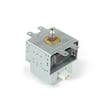
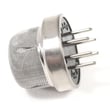
- Microwave magnetron OM75P-21-ESGN
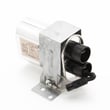
- Microwave high-voltage diode DE91-70063D
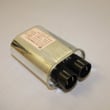
- Microwave high-voltage capacitor DE96-00269A
Why it matters
A hard reset is the fastest, no-parts step to clear a control-board glitch before you spend time troubleshooting the door interlock switch, thermostat, or high-voltage system. For model-specific operating details and settings, use the ME18H704SFG manual.
Last updated: February 2026
What are the common problems with ME18H704SFG?
Common problems we see with the Samsung ME18H704SFG microwave/hood combo include a door that will not latch, no heat even though it runs, a dead unit (no power), a unit that will not stop running, and a turntable that will not rotate. Use the ME18H704SFG owner’s manual to match symptoms to the correct checks.
Most common symptoms and what they usually point to
- Door will not close or unit will not start: door latch alignment, door interlock switch, or interlock support issues
- Runs but does not heat: high-voltage components (magnetron, diode, capacitor) or a thermal cut-off
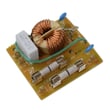
- Completely dead (no display, no response): power supply issue, noise filter, control board, or internal fuse (if equipped)
- Will not shut off: stuck keypad/control panel, control board relay issue, or door switch problem
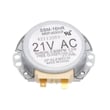
- Tray will not turn: turntable motor or coupler/drive alignment
Quick checks you can do safely
- Confirm the outlet has power (test with a lamp) and reset the kitchen breaker.
- Make sure the door closes firmly and the latch area is not blocked by grease or debris.
- Try a simple reset: unplug for 2 minutes, then plug back in.
- If the fan runs after cooking, allow it to finish; many over-the-range units run the vent fan to cool components.
- If the turntable is off-center, reseat the roller ring and tray so they sit flat.
Parts that commonly solve these problems (when diagnosis confirms)
| Symptom | Common part area | Example model-matched part |
|---|---|---|
| No heat | Magnetron circuit | Microwave magnetron OM75P-21-ESGN |
| Door issues or won’t start | Interlock system | Microwave door interlock switch 3405-001034 |
| Overheats or stops mid-cycle | Safety thermostats/cut-offs | Range thermal cut-off DE47-20034A |
Why it matters
Microwave heating and door-interlock circuits are safety-critical. Correctly identifying whether the issue is door-related, power-related, or high-voltage heating-related prevents repeat failures and helps you choose the right Samsung replacement part the first time.
For deeper symptom-based troubleshooting, use why is my microwave not heating when the unit runs but food stays cold.
Last updated: February 2026
How to set clock on Samsung microwave ME18H704SFG?
To set the clock on your Samsung ME18H704SFG microwave/hood combo, use the Clock or Settings control on the keypad, enter the time with the number pad, then confirm to save. The exact key names vary by control panel version; follow the step-by-step sequence in the ME18H704SFG manual.
Steps that work on most Samsung over-the-range microwaves
- Press Clock (or Settings, then select Clock).
- Choose 12-hour or 24-hour format if prompted.
- Enter the current time using the number pad.
- Press Start/Enter or OK to save.
- If the display shows AM/PM, set it as prompted (some versions toggle with Clock).
If the clock keeps resetting after you set it
- Confirm the time with Start/Enter or OK; the clock will not store without a final confirmation.
- Check for a loose plug or a tripped breaker causing brief power interruptions.
- After a power outage, set the clock again; flashing time indicates the control lost power.
- If the display is erratic or buttons do not respond, the control system can be the cause; the microwave electronic control board DE92-03624B manages the display and keypad inputs.
Quick reference
| Symptom | Most common cause | What to do |
|---|---|---|
| Time flashes | Recent power loss | Set clock again |
| Time enters but won’t save | Missing final confirmation | Press Start/Enter or OK |
| Some keys don’t respond | Keypad or control issue | Try power reset; inspect control components |
Why it matters
The clock setting confirms the keypad and display are communicating correctly, and it supports timed cooking features. A clock that will not save is a strong sign the control is not registering inputs consistently.
Last updated: February 2026


