 Owner’s manual
 Error Codes





How to find Kenmore Range Model?
For your Kenmore electric range, the model number is on the model and serial number label. On model 91195292991, you will typically find that label in the oven door jamb area (open the oven door and look around the frame) or on the frame behind the storage drawer. The 91195292991 owner’s manual also shows the model and serial number location.
- Open the oven door and check the door jamb and front frame
- Pull out the bottom storage drawer and look on the frame behind it
- Check the back panel near the vent area (if you can safely access it)
- Look for a sticker or metal tag that says Model and Serial
Most Kenmore range labels include:
- Model number (example: 91195292991)
- Serial number
- Electrical rating information
We use the full model number to match the correct parts and diagrams for your range, especially for items like the bake element, oven temperature sensor, and surface element control switch. Even small model number differences can change which parts fit.
- Wipe the area with a damp cloth; grease can hide the print
- Use a flashlight and look along the frame edges
- Remove the storage drawer fully and check both side rails
| Location | How to access | Most common on this style |
|---|---|---|
| Oven door jamb | Open oven door | Yes |
| Behind storage drawer | Pull drawer out | Yes |
| Back panel near vent | Access rear safely | Sometimes |
Last updated: January 2026
How do I reset my Kenmore electric range?
To reset your Kenmore electric range model 91195292991, turn the oven control to OFF, then disconnect power to the range for at least 30 seconds and restore power. This clears many control glitches and is the recommended reset step when an F error code appears.
- Turn the OVEN CONTROL KNOB to OFF.
- Unplug the range, or switch OFF the range circuit breaker.
- Wait 30 seconds (60 seconds is fine if the display is still acting up).
- Restore power.
- Set the clock if the display shows PF (power failure).
- Test BAKE and BROIL to confirm normal operation.
Your manual notes that an F plus a number indicates a function error.
- Write down the full code (example: F1, F3, etc.).
- Reset power (steps above).
- If the code happened during self-clean, check the door latch: make sure it is moved to the right as far as it will go, let the oven cool about 1 hour, then retry.
For code lookups and what they typically mean, use Kenmore glass touch module electric range error codes.
| What you see | What it means | What to do |
|---|---|---|
| PF flashing | Power was interrupted | Touch CLOCK, set time |
| Display blank | Time-of-day blackout | Touch CLOCK twice |
| Oven shuts off after long use | 12-hour automatic shutoff | Reactivate/deactivate per manual |
A proper reset restores the control’s normal logic after a power surge, keypad glitch, or self-clean interruption. It also helps you confirm whether the issue is a temporary control error or a problem that needs service.
For control features like time-of-day blackout and automatic shutoff, follow the steps in the 91195292991 owner's manual.
Last updated: January 2026
Why did my Kenmore stove stop working?
If your Kenmore range model 91195292991 suddenly stopped working, the most common cause is a power problem (tripped breaker, blown fuse, or unplugged cord). Start with the home power supply, then check for a failed heating component such as the bake element or a control issue using the troubleshooting steps in the 91195292991 owner's manual.
- Reset the range by turning the range breaker OFF for 1 minute, then back ON.
- Confirm the power cord is fully plugged in.
- Check the home circuit breaker or fuse (the manual lists “No power to range” as a primary cause when the cooktop, oven, and controls will not work).
- If the cooktop works but the oven does not heat, suspect an oven heating circuit problem (bake element, sensor, wiring, control).
- If the display is dead and nothing works, focus on power supply, terminal block, cord, or house wiring.
| What stopped working | Most likely direction | What to check next |
|---|---|---|
| Nothing works (no lights, no heat) | Power supply issue | Breaker/fuse, cord, terminal connections |
| Cooktop works, oven will not heat | Oven heating circuit issue | G.e. range bake element WB44T10010, sensor, wiring |
| Oven heats poorly or is erratic | Temperature sensing/control issue | Wall oven temperature sensor WB23X5340, control settings |
If your surface elements still heat but baking does not, these model-compatible parts are common fixes:
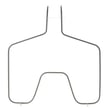
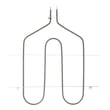
- G.e. range bake element WB44T10010 (primary heat source for bake)
- Wall oven temperature sensor WB23X5340 (reports oven temperature to the control)
- Range wire harness connections (look for loose or overheated terminals)
A range that “stops working” can be a simple breaker reset, but it can also be a failed heating component that overheats wiring or prevents safe operation. Starting with the power checks saves time and helps you avoid replacing the wrong part.
Last updated: January 2026




