 Installation guide
 Owner’s manual
 Error Codes



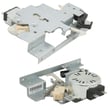

How to replace Whirlpool wall oven control panel?
To replace the control panel on your Whirlpool RBD305PVB02 double wall oven, we shut off power, remove the oven door(s) for safer handling, pull the oven forward enough to access the top/front panel area, then transfer the wiring to the new panel one connector at a time before reassembling.
Safety first (built-in oven)
- Turn off the breaker and confirm the display is off.
- The oven door is heavy; use two people when lifting or sliding the oven.
- Protect the cabinet edges and flooring with cardboard or a blanket.
- Label wires or move them one plug at a time to avoid miswiring.
- If any wiring looks overheated or brittle, stop and repair the wiring before powering back on.
Basic replacement steps (high level)
- Disconnect power at the breaker.
- Remove the oven door(s) using the hinge latches and lift-off method described in the owner's manual.
- Remove trim as needed and slide the oven forward enough to reach the control panel area (support the oven as you pull it out).
- Access the control panel and remove the mounting screws.
- Transfer wiring from the old panel to the new panel one connector at a time.
- Reinstall the panel, slide the oven back, reinstall trim and doors, then restore power.
What to check before you buy a control panel
Control-panel symptoms can also be caused by power supply or overheating. Check these first:
- Loose or burned power connections at the terminal block
- Cooling fan not running (can overheat controls)
- Error codes or temperature issues caused by a bad sensor
- Signs of heat damage at connectors or the wire harness
Common related parts for this model
| Symptom | Often involved part | Example part on this model page |
|---|---|---|
| Dead/intermittent display | Power connection issue | Terminal block WPW10245259 |
| Oven overheats, controls act up | Cooling airflow problem | Oven blower assembly WPW10176670 |
| Temp swings, long preheat | Sensor out of range | Wall oven temperature sensor WPW10131825 |
Why it matters
The control panel is the user interface and often houses the electronics that manage bake, broil, and timing. Correct wiring and solid power connections prevent repeat failures and nuisance “PF” power-failure messages after reassembly.
Last updated: February 2026
What are the parts of an electric oven?
An electric oven like the Whirlpool RBD305PVB02 is built from heating, sensing, airflow, door, and electrical-connection components that work together to create and control heat safely. Common parts include the broil element, temperature sensor, cooling fan, door hardware, and the terminal block where power connects.
Core electric oven parts (what they do)
- Heating parts: bake element (lower oven) and broil element (upper oven) generate heat for baking and broiling.
- Temperature control: the oven temperature sensor tells the control system the actual oven temperature.
- Airflow and cooling: a cooling fan and blower move air to protect controls and cabinetry from heat.
- Door system: hinges, glass panels, gasket retainers, and bumpers help the door seal and operate smoothly.
- Safety controls: a high-limit thermostat helps prevent overheating.
- Electrical connection: the terminal block and wire harness carry incoming power to the oven.
Parts you will commonly replace on RBD305PVB02
These are some of the most frequently serviced components for this model:
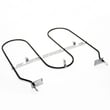
- Range broil element WP9760771
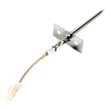
- Wall oven temperature sensor WPW10131825
- Wall oven cooling fan WPW10016550
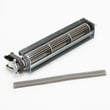
- Oven blower assembly WPW10176670
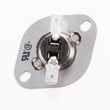
- Range high-limit thermostat WP9759243
- Terminal block WPW10245259
Quick guide: symptoms and likely parts
| Symptom | What to check first | Example part on this model |
|---|---|---|
| Broil does not heat | Broil element, wiring | WP9760771 |
| Oven temp is inaccurate | Temperature sensor | WPW10131825 |
| Control area gets very hot | Cooling fan or blower | WPW10016550, WPW10176670 |
| Oven shuts down or overheats | High-limit thermostat, airflow | WP9759243 |
| Door won’t close/seal well | Hinge, glass, bumpers | WP9760575, W10401225 |
Why it matters
Knowing the major oven parts helps you troubleshoot faster and order the right replacement the first time. For example, a bad temperature sensor can mimic a control problem, and a failed cooling fan can cause heat-related shutdowns.
Where to confirm what your oven uses
For model-specific diagrams, electrical connection notes, and installation requirements, use the installation guide for Whirlpool RBD305PVB02.
Last updated: February 2026
What are the symptoms of a bad oven control board Whirlpool?
On the Whirlpool RBD305PVB02 double wall oven, a failing electronic oven control (control board) typically shows up as a dead or flickering display, keypad buttons that do not respond (or respond on their own), error codes, or heating that is erratic (no heat, intermittent heat, or overheating). Confirm basic power and wiring first, then diagnose the control circuit.
Common symptoms we see
- Display is blank, dim, flickers, or resets randomly
- Beeping with no clear reason, or the oven starts and stops by itself
- Keypad inputs do nothing, lag, or select the wrong function
- Oven will not heat, heats unevenly, or overheats past the set temperature
- Error codes appear repeatedly (often after a power event or self-clean)
- Cooling fan or door lock behavior is abnormal during bake or self-clean
Quick checks before replacing parts
Electrical issues can mimic a bad board. Use the wiring and connection guidance in the installation guide and check these items:
- Verify the breaker is fully on (cycle it off, then on)
- Confirm the junction box connections are tight and not heat-damaged
- Look for burned wiring at the power connection area; a melted connection can cause resets
- Inspect for signs of overheating at the terminal connection point
- If the oven recently ran self-clean, let it cool completely and retry after restoring power
What to check and what it points to
| What you notice | Most likely direction | What to test next |
|---|---|---|
| Display dead, no response | Power supply or connection issue | Terminal connections, wiring, breaker |
| Heats but temperature is wrong | Sensor or control issue | Sensor resistance, harness, then control |
| Random beeping, random starts | Control board or keypad issue | Ribbon/connector seating, then control |
| Error codes plus poor temperature control | Sensor circuit issue | Temperature sensor and wiring |
Parts that commonly relate to these symptoms
If temperature regulation is the main problem (too hot, too cool, long preheat), the sensor circuit is a top suspect on this model. We commonly replace the wall oven temperature sensor WPW10131825. If you see heat damage or intermittent power, also inspect the power connection components such as the terminal block WPW10245259.
Why it matters
A control board problem can cause unsafe overheating, nuisance shutoffs, or unreliable baking results. Checking power connections and the temperature sensor first prevents replacing an expensive electronic part when the real issue is a loose connection or a drifting sensor.
Last updated: February 2026






