 Owner’s manual



Is the Samsung 4.5 front load washer any good?
The Samsung WA48J7700AW is a top-load washer (not a front-load), and washers in this class are a strong choice when you want fast loading, large-load flexibility, and simpler day-to-day upkeep. For the exact cycles, options, and care steps for your unit, use the WA48J7700AW owner's manual.
What “good” means for this Samsung top-load washer
Here is what customers typically like most about Samsung top-load designs like WA48J7700AW:
- Large tub capacity for towels, bedding, and family-size loads
- Easy loading and unloading (no bending to a front door)
- Strong spin performance when the load is balanced and the washer is level
- Straightforward maintenance compared with many front-load designs
- Good results when you match cycle, water temp, and detergent amount to the load
Common complaints and the best ways to prevent them
Most “not good” experiences come from setup, loading, or maintenance issues:
- Vibration or walking: level the cabinet and keep loads balanced; replace worn feet if needed
- Out-of-balance stops: avoid mixing one heavy item with light items; add similar items to balance
- Filling problems: check inlet screens and hose kinks; a failing valve can also cause slow fill
- Draining issues: clear clogs in the drain path; a weak pump can leave water behind
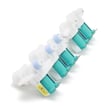
If you suspect a fill or drain component is failing, model-matched parts such as the Samsung washer water inlet valve DC97-15459G and washer drain pump DC97-16778A are common fixes.
Quick check: setup issue vs. washer issue
| Symptom | Most common cause | Best first step |
|---|---|---|
| Shakes during spin | Not level, uneven load | Re-level; redistribute load |
| Stops and rebalances often | Mixed load types | Wash similar items together |
| Slow or no fill | Clogged screens, bad valve | Clean screens; test fill |
| Won’t drain well | Clog, weak pump | Check drain hose; inspect pump |
Why it matters
A top-load washer can clean extremely well, but performance depends on correct leveling, proper loading, and keeping the fill and drain systems clear. Following the model-specific guidance in the WA48J7700AW owner's manual helps prevent vibration, balance errors, and water-handling problems.
Last updated: February 2026
What is error code 4E2 on Samsung washer?
Error code 4E2 (sometimes shown with related codes like 4C2, CE, or 14C2) on the Samsung WA48J7700AW points to a hot/cold water supply mix-up. In most cases, the hot and cold fill hoses are connected to the wrong inlets, so the washer senses incorrect incoming water temperature.
How to fix 4E2 on a Samsung WA48J7700AW
- Turn off the washer and shut off both water supply valves.
- Verify the hose connections at the wall and at the washer.
- Connect cold to cold and hot to hot (typically blue to blue, red to red).
- Turn the valves back on fully and check for leaks.
- Run a quick cycle and confirm the code clears.
Quick checks that usually solve it
- Make sure the cold hose is on the washer’s cold inlet.
- Make sure the hot hose is on the washer’s hot inlet.
- Confirm both supply valves are fully open.
- Straighten any kinked fill hoses.
- If you recently moved the washer, re-check connections before replacing parts.
When it is not the hoses
If the hoses are correct and 4E2 returns, the washer can still be reacting to a fill or temperature sensing problem. The most common next step is to inspect the inlet screens for debris and verify strong water flow.
| What you observe | Most likely cause | What we recommend |
|---|---|---|
| Code appears right after start | Hoses swapped or valve off | Correct hose hookup; open valves |
| Slow fill, weak flow | Clogged inlet screens or supply issue | Clean screens; verify pressure |
| Code persists with correct hoses | Inlet valve not operating correctly | Consider replacing the inlet valve |
If you need a replacement inlet valve for this model, use the exact match: Samsung washer water inlet valve DC97-15459G.
Why it matters
When hot and cold are reversed (or one side is restricted), wash temperatures and cycle performance suffer, and the washer may stop to prevent improper operation. Fixing the water hookup is the fastest way to restore normal filling and temperature control.
For model-specific connection details and diagrams, follow the WA48J7700AW manual.
Last updated: February 2026
What is the capacity of the WA48J7700AW?
The Samsung WA48J7700AW top-load washer is typically a large-capacity model; most washers in this class are around 4.5 to 5.0 cu. ft. For the exact rated capacity for your specific unit, we recommend confirming it in the WA48J7700AW owner's manual.
How to confirm the exact capacity
Capacity is usually listed in the specifications section of the manual and sometimes on the model and serial tag.
- Check the Specifications or Product information section in the WA48J7700AW owner's manual
- Look for a cu. ft. value (example: 4.8 cu. ft.)
- Check the model and serial label (often under the lid or on the cabinet opening)
- If you are comparing models, match the full model number exactly (WA48J7700AW)
Typical capacity ranges (helpful for planning loads)
Here is a practical way to think about capacity for a Samsung top-load washer like WA48J7700AW.
| Washer capacity class | Typical cu. ft. range | Best for |
|---|---|---|
| Standard | 3.5 to 4.4 | Smaller households, lighter loads |
| Large | 4.5 to 5.0 | Mixed loads, towels, bedding |
| Extra-large | 5.1+ | Bulky items, frequent large loads |
Why it matters
Knowing the correct capacity helps us choose the right cycle settings, avoid overloading (which can cause out-of-balance spinning), and set realistic expectations for items like comforters and large towel loads.
Last updated: February 2026
What is the lifespan of a Samsung front load washer?
A Samsung front-load washer typically lasts 10 to 15 years with normal household use and basic maintenance. For your Samsung WA48J7700AW, you will usually reach the longer end of that range by keeping the tub clean, using the right detergent amount, and avoiding chronic overloading; see the WA48J7700AW owner’s manual for model-specific care guidance.
What affects washer lifespan most
- Load size and balance: frequent overloading or washing heavy, unbalanced items speeds up wear on the suspension and drive system.
- Drain health: slow draining strains the pump and can leave water behind.
- Water quality: hard water can increase detergent buildup and odors.
- Detergent use: too much detergent causes residue that leads to odors and extra rinsing.
- Ventilation: leaving the lid open between loads helps prevent mildew.
Maintenance that helps you hit 10 to 15 years
| What to do | How often | Why it helps |
|---|---|---|
| Run a tub-clean cycle (or hot wash with washer cleaner) | Monthly | Reduces residue, odors, and buildup |
| Check pockets and remove debris | Every load | Prevents clogs and pump damage |
| Inspect fill hoses for bulges or leaks | Every 6 months | Prevents water damage and valve issues |
| Keep the washer level | As needed | Reduces vibration and bearing wear |
When a “shorter lifespan” is usually a fixable problem
If your washer is underperforming, these common symptoms often point to a repair, not replacement:
- Won’t drain or drains slowly: check for a clog; a failing pump may require the washer drain pump assembly dc97-19289f.
- Won’t fill or fills slowly: verify water supply valves are fully open; the inlet valve can be a culprit.
- Excessive vibration or banging: re-level the cabinet and reduce load size.
Why it matters
A washer that is maintained and kept draining and filling correctly runs cooler, vibrates less, and puts less stress on high-cost components like the motor, control board, and suspension. That is what extends real-world service life.
Last updated: February 2026
What is the most common problem with Samsung washing machines?
Excessive vibration or shaking during spin is the most common issue we see with Samsung washers like model WA48J7700AW; it’s usually caused by an unbalanced load, the washer not being level, or worn suspension components. Drain and spin failures are also very common, often tied to a restricted pump or hose (leaving clothes too wet).
Quick checks that fix the majority of complaints
- Rebalance the load (mix large and small items; avoid washing one heavy item alone).
- Confirm the washer is level and solid on the floor; adjust legs as needed.
- Run a spin-only cycle with an empty tub to see if vibration is still present.
- If clothes are soaking wet, check for slow draining (listen for the drain pump running).
- Inspect the drain hose for kinks, crushing, or an overly deep standpipe insertion.
- Review model-specific operating and leveling guidance in the WA48J7700AW owner’s manual.
When it points to a part problem (common symptoms)
If basic load and leveling checks do not change the behavior, these symptoms often indicate a repair is needed:
| Symptom | Most likely area | What typically happens next |
|---|---|---|
| Loud buzzing or humming during drain | Drain pump or obstruction | Pump struggles; water drains slowly or not at all |
| Washer stops before high spin; clothes wet | Drain system restriction | Unit cannot reach target spin speed |
| Repeated out-of-balance behavior with normal loads | Suspension or vibration sensing | Tub movement increases during spin |
| No fill or very slow fill | Water inlet valve or supply | Long fill times; fill-related errors |
For drain-related failures on this model, a common replacement is the washer drain pump assembly dc97-19289f.
Why it matters
Vibration and drain problems do more than cause noise or wet laundry; they can prevent the washer from completing the cycle correctly and can accelerate wear on the tub support, drive system, and electronic controls.
Last updated: February 2026





