 Owner’s manual
 Error Codes







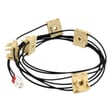
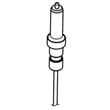
How do I fix the C F2 error on my Samsung oven?
The C-F2 (or C F2) error on a Samsung FX710BGS gas range points to a communication problem between the touchpad (key panel) and the oven control board. We fix it by resetting power first, then checking the keypad connection; if the code returns, the touchpad or control board typically needs replacement.
Step-by-step fixes to try first
- Power reset: turn the range off at the breaker for 2 to 5 minutes, then restore power.
- Cancel and restart: press Cancel/Off, wait 30 seconds, then try Bake again.
- Check for stuck keys: wipe the control panel dry and make sure no button is being held down.
- Remove power and reseat connections: unplug the range (or switch off the breaker), then reseat the ribbon connector from the touchpad to the control.
- Look for moisture or heat damage: steam from boiling pots can get into the control area and trigger intermittent keypad faults.
For model-specific control panel and error-code behavior, follow the troubleshooting steps in the FX710BGS owner's manual.
What usually causes C-F2 on a range
| Likely cause | What you may notice | Typical fix |
|---|---|---|
| Stuck or shorted touchpad key | Beeping, random inputs, error returns quickly | Replace touchpad/control panel assembly (as applicable) |
| Loose keypad ribbon connection | Error comes and goes, especially after cleaning | Reseat connector; inspect for corrosion |
| Failing oven control board | Error persists after reset and connection check | Replace control board |
| Moisture/grease intrusion | Error after heavy cooking or cleaning | Dry out area; improve ventilation; avoid wet cleaning methods |
Parts that commonly relate to this symptom
C-F2 is a control communication issue, not a heating circuit failure. If you also have “won’t heat” symptoms, check the ignition side too.
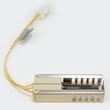
- If the oven is not lighting reliably, inspect the igniter and burner for proper ignition.
- A weak igniter can prevent the bake burner from lighting even when the display looks normal.
Relevant model parts include:
Why it matters
When the touchpad and control board cannot communicate correctly, the range may disable baking for safety and to prevent unintended operation. Fixing the root cause restores reliable temperature control and normal oven operation.
Last updated: January 2026
How to reset Samsung oven gas?
To reset a Samsung gas freestanding range like model FX710BGS, we recommend a hard power reset first: turn the range off, switch the circuit breaker off for 1 to 5 minutes, then restore power and retest Bake. For model-specific reset and lock steps, use the FX710BGS owner's manual.
Quick reset options (most effective first)
- Hard reset (recommended): Turn off the breaker for 1 to 5 minutes, then turn it back on.
- Cancel/Stop reset: Press Cancel/Off once to clear an active cooking cycle.
- Control lock check: Press and hold the Lock or Control Lock key (often 3 seconds) to toggle the lock off.
- Clock reset: If the display is acting odd after a power event, set the clock again.
- Retry ignition: Start Bake and listen for the igniter to heat and the burner to light.
If the oven still will not heat after a reset
A reset clears control glitches, but it will not fix a failed heating or ignition part. On a gas range, the most common no-heat causes are an oven igniter that is weak, a temperature sensor problem, or a control issue.
| Symptom | What it usually points to | Common next step |
|---|---|---|
| No heat, no ignition sound | Power/control issue | Verify outlet power and breaker; retry Cancel/Off |
| Igniter glows but burner will not light | Weak igniter | Consider replacing the Samsung range oven burner igniter DG94-00520A |
| Oven heats but temperature is inaccurate | Sensor or calibration | Check sensor resistance and calibration steps in the manual |
| Door-related behavior (light, beeps, won’t start) | Door switch/lock logic | Inspect door switch and latch alignment |
Why it matters
Resetting is the fastest way to clear a stuck keypad, control lock setting, or a minor control-board glitch. If the oven still will not ignite after a proper reset, focusing on the ignition system (igniter, gas valve operation, wiring) prevents repeated failed preheats and inconsistent baking.
Helpful DIY guidance
- Use oven wont heat troubleshooting gas range problems video to walk through safe, step-by-step checks.
Last updated: January 2026
What are the most common issues with FX710BGS?
The most common issues we see with the Samsung FX710BGS gas freestanding range involve ignition problems (surface or oven), uneven or inaccurate oven temperatures, and control or power symptoms like no heat or intermittent operation. Many of these problems trace back to a few serviceable parts and basic checks in the owner's manual.
Common symptoms and what they usually point to
- Oven will not ignite or takes a long time to light: weak igniter, gas flow issue, or valve/control problem
- Oven temperature is off or bakes unevenly: temperature sensor drift, burner issues, or airflow problems
- Surface burner clicks but won’t light: spark/ignition issue, dirty burner ports, or moisture
- No spark on multiple burners: spark module or wiring concern
- Convection fan not running: fan motor issue
Parts that commonly resolve these issues
If your symptoms match, these model-compatible parts are common fixes:
- Samsung range oven burner igniter DG94-00520A for slow or no oven ignition
- Samsung range oven temperature sensor DG32-00002B for inaccurate oven temperature
- Range spark module DG96-00297A when multiple surface igniters stop sparking
- Samsung range bake burner DG62-00066A if the bake flame is weak, uneven, or won’t sustain
- Range oven control board DE92-02588C for erratic operation or functions not responding
Quick checks we recommend before replacing parts
- Confirm the range has power (clock/display on) and gas supply is on.
- For surface burners, remove caps and clean burner ports; dry thoroughly.
- For oven ignition, watch for glow at the igniter during bake.
- Check for error codes and follow the troubleshooting steps in the manual.
- If you smell gas without ignition, stop and have a qualified technician diagnose the gas system.
Symptom-to-part cheat sheet
| Symptom | Most likely area | Common part match |
|---|---|---|
| Oven won’t light | Ignition | DG94-00520A |
| Oven temp inaccurate | Sensing | DG32-00002B |
| No spark on several burners | Ignition module | DG96-00297A |
| No bake heat but igniter glows | Burner/gas delivery | DG62-00066A |
Why it matters
Gas ignition and temperature control problems affect cooking results and can create unsafe operating conditions. Using the correct FX710BGS-COMPATIBLE parts helps restore reliable ignition, stable flame, and accurate baking.
Last updated: March 2026





