Owner’s manual
 Error Codes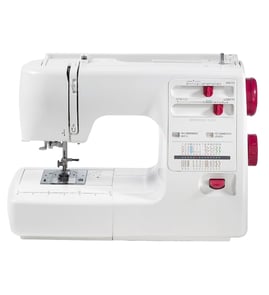

What sewing machine brands are most reliable?
Brother, Janome, Bernina, Juki, Pfaff, and Husqvarna Viking are widely regarded as reliable sewing machine brands; the best choice depends on how often you sew, the fabrics you use, and whether you want a simple mechanical machine or an electronic model like the Brother SC9500. For long-term reliability, consistent maintenance and correct threading matter as much as brand.
Reliable brands by shopper type
- Beginner and everyday home sewing: Brother, Janome
- Quilting and precision stitching: Janome, Bernina, Pfaff
- Heavy-duty and high-speed sewing: Juki
- Feature-rich electronic machines: Brother, Husqvarna Viking
What to look for (more important than the logo)
- Solid internal drive components (less flex, steadier stitch quality)
- Easy access for cleaning lint from the bobbin area and feed dogs
- Readily available consumables (needles, bobbins, presser feet)
- Stable speed control and smooth motor response
- Clear error guidance for electronic models (when applicable)
Quick comparison: how these brands typically fit
| Brand | Typical strengths | Best for |
|---|---|---|
| Brother | Value, user-friendly features, good stitch selection | Beginners, general sewing, electronic features |
| Janome | Durability, smooth feeding, strong mechanical feel | Frequent sewing, quilting |
| Bernina | Premium build, precision, long-term performance | Advanced sewing, investment machines |
| Juki | Power, speed, industrial-style reliability | Heavy fabrics, high-volume sewing |
| Pfaff | Integrated dual feed on many models, precision | Slippery layers, quilting |
| Husqvarna Viking | Modern features, good fabric handling | Garment sewing, feature-focused users |
Why it matters
“Reliable” usually means fewer timing issues, steadier tension, and less downtime. Even a top brand can stitch poorly if the needle is wrong for the fabric, the machine is threaded incorrectly, or lint builds up around the hook and bobbin case.
Helpful resources for Brother electronic models
- Use the owner's manual for SC9500 threading paths, bobbin setup, and cleaning points.
- If your machine displays a code or beeps, check Brother electronic error codes for common causes and fixes.
Last updated: February 2026
Can a beginner use a computerized sewing machine?
Yes. A beginner can absolutely use a computerized sewing machine like the Brother SC9500; the built-in stitch selection and consistent speed control make it easier to learn clean seams and avoid common mistakes compared with many purely mechanical machines.
What makes a computerized machine beginner-friendly
- Speed control helps you sew slowly and steadily while you build confidence.
- Push-button stitch selection reduces guesswork versus manual dials.
- Consistent stitch formation helps when you are learning tension basics.
- Needle positioning features (such as needle up/down on many electronic models) make turning corners and stopping easier.
- On-screen or indicator guidance can simplify stitch choice and settings.
Beginner setup checklist (fast wins)
- Thread the upper path exactly as shown in the SC9500 owner's manual.
- Insert a new needle matched to fabric weight (universal needle for woven cotton is a common starting point).
- Use quality all-purpose thread and a correctly wound bobbin.
- Start with a straight stitch on scrap fabric; then test zigzag.
- Sew at a moderate speed until you can guide fabric without pulling.
Common beginner issues and quick fixes
| Symptom | Most common cause | What we do first |
|---|---|---|
| Skipped stitches | Bent/dull needle, wrong needle type | Replace needle, rethread top thread |
| Birdnesting under fabric | Upper thread not seated in tension | Rethread with presser foot up |
| Thread breaks | Tension too tight, snagged thread path | Check threading path, reduce tension |
| Machine beeps or shows an error | Setup issue or jam | Clear jam, power cycle, rethread |
If your SC9500 shows an error code
Use the code to narrow the fix quickly; our Brother electronic error codes guide walks through the most common electronic alerts and what they typically point to.
Why it matters
Beginners improve faster when the machine removes variables. Features like controlled speed and easy stitch selection let you focus on fabric handling, threading, and seam accuracy.
Last updated: February 2026
Which is better, a sewing machine, Brother or Janome?
Brother and Janome are both strong choices; neither is universally “better.” For a Brother SC9500 electronic sewing machine owner, Brother typically stands out for user-friendly features and value, while Janome is often chosen for a heavier-duty feel and consistent stitch performance. Use your fabric types, budget, and feature needs to decide.
How to choose between Brother and Janome
Focus on what you sew most and what you want the machine to do day to day.
- Light to medium fabrics and everyday projects: Brother is a great fit.
- Thicker fabrics and frequent long sessions: Janome is often preferred.
- Feature-per-dollar (decorative stitches, convenience features): Brother usually wins.
- “Mechanical feel” and durability reputation: Janome is commonly favored.
- Learning curve: Brother models are often easier for beginners.
Quick comparison (what most sewists notice)
| What you care about | Brother (like SC9500-STYLE machines) | Janome (typical strengths) |
|---|---|---|
| Ease of use | Very approachable controls and features | Straightforward, often more “traditional” feel |
| Value | Strong feature set for the price | Strong build feel for the price tier |
| Fabric range | Great for most home sewing | Often better for heavier materials |
| Maintenance tolerance | Needs regular cleaning and correct threading | Also needs maintenance, often feels more forgiving |
If you already own a Brother SC9500
Before switching brands, we recommend dialing in setup and maintenance first because many “brand” complaints are actually threading, needle, or tension issues.
- Re-thread the upper path with the presser foot up.
- Install a fresh needle matched to fabric (universal, ballpoint, denim).
- Clean lint from the bobbin area and feed dogs.
- Use quality thread and a correctly wound bobbin.
- Confirm settings and basic operation in the SC9500 owner's manual.
Why it matters
Choosing the right brand affects stitch quality, how well fabric feeds, how often you fight tension or thread breaks, and whether the motor and drive system feel comfortable for your typical projects.
Related help
If your Brother is showing an error or acting “electronic,” use Brother electronic error codes to match symptoms to the right fix.
Last updated: February 2026
What is the lifespan of a Brother sewing machine?
A Brother sewing machine typically lasts 20 years with normal home use and basic maintenance. For the Brother SC9500 electronic sewing machine, regular cleaning, correct needle and thread setup, and avoiding jams are the biggest factors that keep the motor, gears, and timing running smoothly; see the SC9500 owner's manual for model-specific care steps.
Typical lifespan ranges (what we see most often)
- Light home use: about 20 to 25 years
- Moderate weekly use: about 15 to 20 years
- Heavy use (long sessions, thick materials often): about 10 to 15 years
- Poor maintenance or frequent thread jams: about 5 to 10 years
What shortens the life of an electronic sewing machine
- Sewing heavy fabrics without the right needle size and stitch settings
- Running with lint packed in the bobbin area and feed dogs
- Repeated needle strikes (bent needle hitting the needle plate or hook)
- Forcing fabric (can throw off timing and wear drive components)
- Storing in humidity or heat (can affect electronics and lubrication)
Maintenance that extends lifespan
- Clean lint from the bobbin area and under the needle plate on a routine schedule
- Replace needles regularly (a dull needle increases load and causes skipped stitches)
- Use quality thread and the correct bobbin type for the machine
- Stop immediately if the machine locks up; clear the jam before continuing
- Use the correct presser foot and tension settings for the fabric
Quick “is it wearing out?” checklist
| Symptom | Most common cause | What to do first |
|---|---|---|
| Skipping stitches | Dull/bent needle, wrong needle type | Replace needle, rethread top and bobbin |
| Knocking/clicking | Hook area jam, needle strike | Remove thread bits, check needle plate |
| Sluggish running | Lint buildup, binding, belt wear | Clean, then inspect drive system |
| Error code/display issue | Electronic fault or jam detection | Check Brother electronic error codes |
Why it matters
A sewing machine usually fails early from friction and overload (lint, jams, wrong needle, forcing fabric), not from age alone. Keeping the SC9500 clean and correctly set up reduces strain on the motor, drive train, and stitch-forming parts.
Last updated: February 2026
What accessories come with the SC9500?
Brother SC9500 accessory bundles vary by production run and retail kit; the authoritative list for your exact machine is the “included accessories” section and diagrams in the SC9500 owner's manual. Use that list to inventory what you have and identify anything missing before you buy replacements.
What’s usually in the box
Most Brother electronic sewing machines like the SC9500 include a core set of feet and basic tools used for setup, stitching, and routine care:
- General-purpose (zigzag) presser foot
- Buttonhole foot
- Zipper foot
- Button-sewing foot
- Bobbins (one may be installed plus spares)
- Needle set (sometimes includes a twin needle)
- Seam ripper and a small cleaning brush
How we recommend confirming your exact accessory list
Use the manual’s pictures and names so you match the correct item style (especially feet and bobbins).
- Check the accessory storage compartment and any packaging inserts
- Lay out all feet, bobbins, needles, and tools
- Match each item to the manual’s “included accessories” list
- Note any part names that are missing so you can search consistently
Quick identification guide
| Accessory type | What to match | Why it matters |
|---|---|---|
| Presser feet | Foot shape and intended stitch | Wrong foot can cause skipped stitches and poor feeding |
| Bobbins | Correct bobbin style for the bobbin case | Incorrect bobbins cause tension issues and thread breaks |
| Needles | Needle type and size | Correct needles prevent fabric damage and improve stitch quality |
Why it matters
Using the correct presser foot, bobbin type, and needle set for the stitch and fabric prevents thread nesting, reduces jams, and helps the SC9500 maintain consistent stitch quality.
Last updated: February 2026