


How many hours a day should you run a dehumidifier?
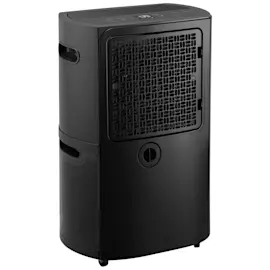
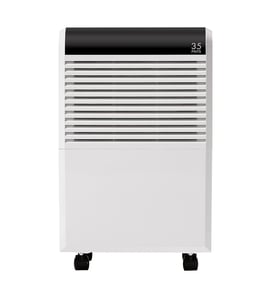
For a GE ADEL50LZQ1 dehumidifier, we typically run it as long as needed to hold your target humidity (usually 30% to 50% RH); in many homes that works out to about 6 to 12 hours per day, while very damp spaces may need near-continuous run time for the first 24 to 48 hours.
A practical run-time guide
Use your room conditions to set expectations:
- Normal maintenance: 6 to 12 hours/day is common.
- After a leak or flooding: plan on 24 to 48 hours of heavy run time, then reassess.
- Basements and humid climates: longer daily cycles are typical.
- Cool rooms (below about 65°F): run time can increase and you may see coil frost.
- If the bucket fills fast: you either need more run time, better drainage, or a larger-capacity setup.
Recommended settings and what to watch
A dehumidifier should cycle on and off once it reaches the setpoint. If it never seems to shut off, focus on airflow and moisture sources.
| Goal | Suggested humidity setting | What “good” looks like |
|---|---|---|
| Comfort and general dryness | 45% to 50% | Unit cycles; room feels less clammy |
| Musty odors or damp basement | 40% to 45% | Less odor; fewer condensation spots |
| Fast drying after water event | 35% to 40% (short-term) | Bucket fills quickly; then slows |
Quick checks that reduce run time
These steps often cut run time immediately:
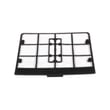
- Clean or replace the air filter; a clogged filter reduces airflow and moisture removal (use the dehumidifier air filter WK85X21721).
- Keep doors and windows closed while running.
- Make sure the unit has clearance around the air intake and exhaust.
- Empty the bucket regularly or use continuous drain if your setup supports it.
- Address moisture sources (wet carpet, seepage, unvented laundry area).
Why it matters
Right-sizing run time protects comfort and energy use. Running long enough to reach 30% to 50% RH helps prevent condensation and musty odors, while avoiding overly dry air that can irritate skin and wood furnishings.
Last updated: January 2026
Why do most dehumidifiers stop working?
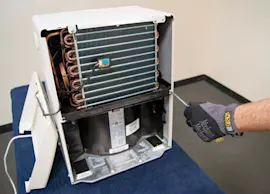
Most dehumidifiers (including GE model ADEL50LZQ1) stop working because a safety or control condition is met (bucket full, poor airflow, coil icing, or the humidity setpoint is already reached) or because a wear item or control has failed. We start with airflow, drainage, and settings before suspecting sealed-system problems.
Most common causes to check first
- Bucket not seated or “full” switch triggered: reseat the bucket and confirm the float moves freely.
- Dirty or restricted airflow: clean/replace the filter and keep the intake and exhaust clear.
- Room conditions: cold basements can cause frost on the coil, which pauses moisture removal.
- Humidity setting: if the setpoint is higher than the room humidity, the unit cycles off normally.
- Drain setup issues (if using a hose): kinks, clogs, or poor slope can stop collection and trigger shutoff.
A quick win for this model is servicing the filter: dehumidifier air filter WK85X21721.
Fast troubleshooting checklist (10 minutes)
- Unplug the unit for 5 minutes, then restore power.
- Empty and reseat the bucket; verify the float is not stuck.
- Inspect the filter; wash or replace if dusty.
- Confirm airflow clearance (typical target: 12 to 18 inches around vents).
- Run in a warmer space (above about 65°F) to rule out coil icing.
- Set humidity lower (example: 45% to 50%) and run on continuous if available.
What the symptom usually points to
| Symptom | Most likely cause | Best next step |
|---|---|---|
| Runs but collects little/no water | Dirty filter, low room humidity, cold room/icing | Clean filter; warm room; adjust setpoint |
| Shuts off quickly | Bucket switch/float, bucket not seated | Reseat bucket; free the float |
| Leaks water | Bucket crack, poor drain hose routing, internal overflow | Inspect bucket and drain path; use how to stop dehumidifier leaks |
| Won’t run at all | Power issue, control problem, safety switch | Check outlet/GFCI; reset; inspect bucket switch |
Why it matters
Airflow and drainage problems make the compressor and fan work harder, reduce moisture removal, and can lead to icing or repeated shutoffs. Keeping the filter clean and the bucket/drain working correctly prevents most “dead dehumidifier” complaints.
Last updated: January 2026
How do I find the model number on my ADEL50LZQ1?
The model number for your GE dehumidifier is printed on the appliance’s rating label. On most GE dehumidifiers like model ADEL50LZQ1, you will find that label on the cabinet (often on the back or side) or behind the water bucket area.
Where to look on a GE ADEL50LZQ1 dehumidifier
Check these common label locations:
- Back of the cabinet near the power cord
- Side panel near the bottom edge
- Behind the water bucket (remove the bucket and look on the inner cabinet wall)
- Near the air intake grille area
- On the underside of the bucket opening lip
What the label looks like
The rating label usually includes the model number and other ID details.
| Label field | What it’s used for |
|---|---|
| Model number | Matching parts and diagrams to your exact unit |
| Serial number | Identifying production run and version changes |
| Electrical ratings | Verifying voltage/amps for safe operation |
Why it matters
GE often makes small design changes within a product line. Using the exact model number helps us match the correct replacement parts, such as the dehumidifier air filter WK85X21721 or the dehumidifier water bucket WK10X24673, so the fit and function are right the first time.
Quick tips to avoid mix-ups
- Write the model number exactly as shown (letters and numbers)
- Take a clear photo of the label before ordering parts
- If the label is worn, clean it gently with a damp cloth and let it dry
Last updated: March 2026