Owner’s manual
 Error Codes



How to remove bottom shelf from LG refrigerator?
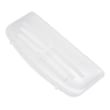
To remove the bottom shelf in your LG LBC22520SW refrigerator, tilt up the front edge of the shelf, lift it up to unhook it from the rear slots, then pull the shelf straight out. This matches the shelf removal method shown in the owner's manual.
Steps to remove the shelf
- Remove any food items from the shelf.
- Grip the shelf with both hands.
- Tilt the front of the shelf upward.
- Lift the shelf up to disengage the hooks from the slots.
- Pull the shelf out of the refrigerator.
If your shelf is a sliding shelf (on some versions)
Some LBC22520SW configurations use a sliding glass shelf in a metal frame.
- Pull the shelf forward to the stop position.
- Tilt the front up and pull it past the stop.
- Lift the shelf up and out.
| Shelf style | What you do first | What releases it |
|---|---|---|
| Standard shelf | Tilt front up | Hooks unseat from rear slots |
| Sliding shelf | Pull to stop | Past-stop release, then lift out |
Why it matters
Removing the shelf the right way prevents cracked glass, bent shelf rails, and broken shelf hooks. It also helps keep the shelf level when you reinstall it so it does not slip or spill items.
Reinstall tip
Tilt the front up, guide the shelf hooks into the slots at the height you want, then lower the front so the hooks drop fully into place. Confirm the shelf is level side to side.
Last updated: February 2026
Why does my LG freezer keep icing up at the bottom?
Ice building up on the bottom of the freezer in your LG LBC22520SW is typically caused by a clogged or frozen defrost drain; defrost water cannot flow to the drain pan, so it refreezes into a sheet of ice. Clearing the drain and restoring airflow usually stops the repeat icing (see the LBC22520SW owner's manual).
Most common causes
- Defrost drain tube is blocked with ice or debris
- Drain opening is frozen over after a heavy door-open period
- Food packages block vents, reducing airflow and increasing frost and meltwater
- Door not sealing well, letting humid air in (creates excess frost)
Fix: clear the defrost drain (safe DIY steps)
- Unplug the refrigerator to prevent shock.
- Remove the freezer drawer/bins and take out the ice sheet (warm towel helps).
- Manually defrost the drain area until you can see the drain opening.
- Flush the drain with hot water (a turkey baster works well) until water flows freely.
- Check the drain tube at the back for kinks or buildup.
If the drain tube is damaged or won’t clear, replacing the drain tube can restore proper drainage; the correct part for this model is the refrigerator drain 5251JA3003D.
Quick checks that prevent repeat icing
- Keep freezer vents clear; the manual notes blocked vents restrict cold air circulation.
- Limit long door openings; humid air increases frost.
- Confirm the freezer closes fully and drawers are seated.
What to look for
| Symptom | What it usually means | What to do |
|---|---|---|
| Ice sheet only at freezer bottom | Drain not draining | Clear/flush drain, inspect tube |
| Frost on walls and food | Air leak or frequent openings | Check gasket, reduce openings |
| Water under crisper or on floor | Drain issue or overflow | Clear drain, verify drain pan path |
Why it matters
When the drain can’t carry defrost water away, ice buildup can block airflow, warm the freezer, and force longer compressor run times. Fixing the drain helps temperatures stabilize and reduces future frost.
Last updated: February 2026
What is the most common problem with LG refrigerators?
For LG refrigerators like model LBC22520SW, the most common issues we see are cooling problems (warm fridge or freezer), ice maker or water supply troubles, and frost or water leaks tied to defrost and drainage. Many symptoms trace back to airflow, sensors, or door sealing.
Most common issues (and what they look like)
- Not cooling well: food spoils, freezer softens, compressor runs a lot
- Ice maker problems: slow ice production, small cubes, off-taste or odor
- Water leaks or puddles: water under the unit or in the drain pan area
- Noisy operation: fan noise, humming, clicking during normal cycles
- Door sealing issues: doors hard to open, warm air leaks, moisture buildup
Quick checks we recommend first
Start with these basics before replacing parts:
- Confirm temperature settings and allow 24 hours after changes or hookup for stabilization.
- Make sure doors fully close and nothing is holding them open.
- Clean sticky gaskets; a dirty gasket can make doors hard to open and can cause poor sealing.
- If ice tastes or smells off, discard the first batches after installation and keep foods tightly wrapped.
- If you see water in the defrost drain pan, that can be normal during defrost, especially in humid weather.
Common symptoms and likely causes
| Symptom | Common cause | What to do next |
|---|---|---|
| Fridge warm, freezer OK (or vice versa) | Airflow or temperature sensing issue | Check vents for blockage; consider a sensor/thermistor diagnosis |
| Frost buildup, water leaks | Defrost or drain issue | Inspect drain path; check defrost components |
| Ice maker slow or cubes small | Freezer temp or water supply restriction | Verify freezer temp; check water supply and valve |
| Door won’t shut or seal well | Worn gasket or hinge wear | Inspect gasket and hinges; correct alignment |
Parts that often relate to these problems
If troubleshooting points to a failed component, these model-matched parts are commonly involved:
- Refrigerator temperature sensor 6500JB2001B (temperature feedback issues)
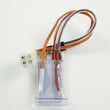
- Refrigerator defrost sensor assembly 6615JB2005C (defrost control and frost symptoms)
- Refrigerator drain 5251JA3003D (leaks and drain backups)
- Refrigerator water inlet valve 5220JA2009D (ice maker and water supply issues)
- Refrigerator gasket assembly ADX73350928 (warm temps, moisture, sealing problems)
Why it matters
Cooling, ice, and leak symptoms often share the same root causes: restricted airflow, inaccurate temperature sensing, or poor door sealing. Fixing the underlying cause protects food safety, reduces compressor run time, and helps prevent repeat icing or leaking.
For model-specific troubleshooting steps and care guidance, use the LBC22520SW owner's manual.
Last updated: February 2026