Owner’s manual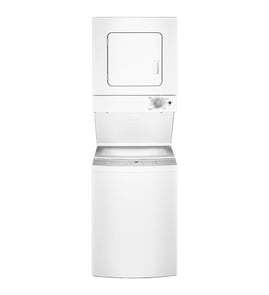




Where is the serial number on a GE Laundry Center?
On the GE WSM2700WBWW stacked laundry center, the model and serial number are on a label on the inside of the dryer door. Open the dryer door and look along the inner door area for the sticker with both numbers; write them down exactly as shown.
- Open the dryer door (top section of the laundry center)
- Check the label on the inside of the dryer door
- Copy both the model number and serial number exactly
- Take a clear photo of the label for parts ordering and service records
- Keep the numbers with your paperwork from the WSM2700WBWW owner's manual
The serial number identifies the production run of your laundry center. We use it to help match the correct GE replacement parts and confirm version-specific details when there were mid-production changes.
| Item | What it identifies | When you’ll use it |
|---|---|---|
| Model number | The exact appliance design (WSM2700WBWW) | Finding diagrams and the correct parts list |
| Serial number | The specific unit built | Confirming the right part for your unit’s build |
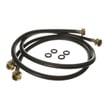
After you locate the label, use the model number to shop the parts list for common repairs like a inlet hose WH41X10207, washer drive belt WH07X10009, or thermostat WE4X757. For broader model searches and ordering, use Sears PartsDirect.
Last updated: February 2026
What is the most common problem with a GE dryer?
The most common GE dryer complaints are no heat, won’t start, drum not turning, and unusual noise. On the GE WSM2700WBWW laundry center, many “dryer problems” trace back to basics like the door not fully closed, power supply issues, airflow restrictions, or a worn drive component; use the WSM2700WBWW owner's manual to match symptoms to checks.
- Confirm the dryer door is fully closed; the dryer will not run with the door open.
- Verify power at the outlet; check house fuses or reset the circuit breaker.
- Clean the lint filter and make sure it’s seated correctly.
- Avoid overloading; dry one washer load at a time for normal airflow and tumbling.
- If clothes are very wet going in, expect longer dry times.
| Symptom | Most likely cause | What to check next |
|---|---|---|
| Dryer won’t start | Door not closed, no power, start control not engaged | Door switch action, outlet power, controls set correctly |
| Runs but no heat | Heating circuit issue or airflow problem | Lint filter, venting, then heating components |
| Drum won’t turn | Drive system problem | Belt condition and drum movement |
| Loud squealing/thumping | Worn moving parts or something loose | Inspect drum area and fasteners |
If your troubleshooting points to a failed component, these are common repair paths for this model:
- No heat or overheating symptoms: check the thermostat WE4X757 in the heating circuit.
- Drum not turning: inspect the belt WH07X10009 for wear, cracking, or breakage.
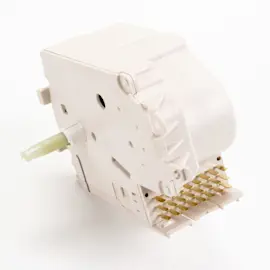
- Timer not advancing or cycles acting erratic: the dryer timer knob and timer can be involved (for example, timer knob WE01X10160).
A dryer that won’t start is often a simple door or power issue, but a dryer that runs without heat or takes too long to dry can waste energy and increase wear. Starting with airflow and control checks helps you avoid replacing parts that are still good.
We list model-matched replacement parts for GE WSM2700WBWW on this page. For broader model lookups and ordering, use Sears PartsDirect.
Last updated: February 2026
How to order GE appliance parts?
You can order replacement parts for your GE WSM2700WBWW stacked laundry center by matching your model number and the part you need, then selecting the correct item from the parts list for this model. For diagrams, part identification, and service notes, use the WSM2700WBWW owner's manual.
- Confirm the full model number: WSM2700WBWW (from the appliance ID tag)
- Identify the failed section: washer (fill, drain, spin) or dryer (heat, tumble, timer)
- Compare part name and part ID carefully to avoid look-alike parts
- Check whether you need related hardware (clamps, screws, hoses) for a complete repair
- Review safety and installation notes in the manual before disassembly
These are examples of parts shown for GE WSM2700WBWW that are often replaced during troubleshooting:
| Symptom | Likely area | Example part on this model page |
|---|---|---|
| Washer will not spin or agitates poorly | Drive system | Belt WH07X10009 |
| Washer leaks from the tub area | Seals | Washer tub seal assembly WH08X10004 |
| Washer fill issues or water supply problems | Water inlet | Inlet hose WH41X10207 |
| Dryer heat cycles incorrectly | Temperature control | Thermostat WE4X757 |
| Dryer timer knob broken or missing | Control knob | Timer knob WE01X10160 |
- Use the model number WSM2700WBWW to stay in the correct parts list.
- Match the part ID (for example, WH07X10009) and the part name to your old part.
- If your part is electrical (timer, thermostat), shut off power before inspecting wiring.
Laundry centers pack washer and dryer components into one cabinet; ordering the exact part ID for GE WSM2700WBWW prevents fit issues, repeat teardown, and problems like leaks, overheating, or poor spinning.
For broader parts searching by model number beyond this specific list, use Sears PartsDirect.
Last updated: February 2026
How to reset GE laundry?
To reset your GE WSM2700WBWW stacked laundry center, stop the current cycle by pushing the cycle selector knob in, wait for the washer to fully stop, then turn the selector clockwise to a new setting and pull the knob out to restart. For control details, use the WSM2700WBWW owner's manual.
- Push the cycle selector knob in to stop the washer.
- Wait for the tub to stop moving completely.
- Turn the cycle selector clockwise to the desired cycle.
- Re-select wash temperature and water level if needed.
- Pull the cycle selector knob out to start.
These quick checks solve most “won’t start” complaints on stacked laundry centers.
- Confirm the dryer door is fully closed (the dryer will not run with the door open).
- Confirm the washer lid is closed (the washer can fill but will not spin with the lid open).
- Make sure the timer knob is not between settings; re-seat it firmly on a cycle.
- If the knob is cracked or slipping, replace the timer knob WE01X10160.
- If the timer will not advance or start reliably, the timer may need replacement.
GE WSM2700WBWW uses mechanical-style controls; a reset is typically a control stop and reselect, not a digital button sequence.
| Reset type | What it does | When to use it |
|---|---|---|
| Cycle stop and reselect | Clears a wrong cycle choice and restarts the sequence | Wrong setting, want to change cycles mid-wash |
| Power reset (unplug 2 minutes) | Clears a temporary electrical glitch | Control seems unresponsive, intermittent no-start |
Resetting correctly prevents forcing the timer or restarting while parts are still moving, which helps protect the timer, belt, and lid/door safety switches.
We list common replacement parts for GE WSM2700WBWW on this model page, and you can also search by model number on Sears PartsDirect if you need additional items.
Last updated: February 2026