 Owner’s manual



Does a Samsung washer have a filter that needs to be cleaned?
Yes. The Samsung WV60M9900AV washer has filters that need routine cleaning: a pump filter behind the lower washer’s filter cover, plus a lint filter for the upper washer. Cleaning these helps prevent slow draining, odors, and vibration issues; see the WV60M9900AV owner’s manual for locations and steps.
On this FlexWash-style Samsung washer, you will typically deal with these filter areas:
- Lower washer pump filter: behind the filter cover at the lower front; it’s paired with an emergency drain tube.
- Upper washer lint filter: in the tub area of the upper washer.
- Water inlet screens (common on most washers): small screens inside the hot and cold inlet ports where the fill hoses connect.
A simple schedule that matches how these washers are used:
- Upper washer lint filter: clean every 10 washes.
- Lower washer pump filter: check and clean about monthly, or sooner if you see slow draining or debris.
- Inlet screens: check every 6 to 12 months, especially if you have hard water or low fill issues.
| Filter | What it catches | Common symptom when clogged |
|---|---|---|
| Pump filter (lower washer) | Coins, hair, lint, small items | Slow drain, “won’t drain”, water left in drum |
| Lint filter (upper washer) | Lint and fibers | Lint on clothes, reduced wash performance |
| Inlet screens | Sand, scale, sediment | Slow fill, long fill times, fill-related error codes |
A clogged pump filter makes the drain pump work harder and can cause drain problems; a dirty lint filter can leave residue on clothes. Regular cleaning is one of the easiest ways to keep wash performance consistent.
- Unplug the washer before maintenance.
- Keep a shallow pan and towels ready for water from the emergency drain tube.
- Reinstall filters fully; you should feel them seat securely.
- Run a rinse cycle after cleaning if you disturbed debris.
For drain-related symptoms or codes, we also recommend checking Samsung front load washer nd error code.
Last updated: February 2026
Is Samsung FlexWash discontinued?
Yes. Samsung FlexWash (the dual washer design used with models like Samsung WV60M9900AV) is a discontinued product line, so you typically will not see it sold as a current new-model series; support shifts to service, troubleshooting, and replacement parts.
Discontinued does not mean your washer is unsupported. It means production and new retail sales ended, while parts availability and service options continue as long as components remain available.
- You can still troubleshoot and use information codes from the display
- You can still order many repair parts (as available)
- You can still maintain performance with routine cleaning and proper loading
- You may see longer lead times or “check availability” on some components
- You should match parts by model number WV60M9900AV to avoid fit issues
Start with documentation and symptoms, then move to parts only when the failure is confirmed.
- Confirm your exact model number on the rating label: WV60M9900AV
- Use the troubleshooting and information code tables in the WV60M9900AV owner’s manual
- If you have a drain or no-drain symptom, check the drain filter and drain path first
- If you have out-of-balance or excessive vibration, reduce load size and redistribute items
- Replace only the failed component after basic checks
These are some of the more common part categories for front load washer service; availability varies by component.
| Symptom | Common area to check | Example part for this model (when applicable) |
|---|---|---|
| Won’t drain, drains slowly | Drain pump, filter, hose | Washer drain pump motor (DC31-00178D) |
| Shakes, bangs, walks | Suspension, leveling, load balance | Samsung washer shock absorber (DC66-00470A) |
| Door boot leaks or comes loose | Door boot clamp | Washer door boot spring clamp (DC97-04981F) |
Knowing FlexWash is discontinued helps set expectations: you focus on correct diagnosis, using the manual’s error-code guidance, and ordering the right Samsung washer parts by model number so you avoid repeat repairs.
Last updated: February 2026
Should I call a repairman for a U6 error?
A U6 error on your Samsung WV60M9900AV washer is usually an out-of-balance condition, so we recommend fixing the load and setup first. If the code keeps coming back after you rebalance the load and restart the washer, service is the right next step (especially if the washer is shaking hard).
- Pause the cycle; redistribute items evenly (mix large and small items).
- Reduce the load size if the tub is packed or a single heavy item is washing alone.
- Confirm the washer is level and solid on the floor (no rocking).
- Power the washer off, wait 2 to 3 minutes, then power it back on and retry the cycle.
- If the washer is vibrating or banging, stop the cycle to prevent damage.
Call for service when any of these are true:
- U6 returns repeatedly with normal, balanced loads.
- The washer violently shakes, walks, or bangs even after leveling.
- You hear grinding, scraping, or loud thumping during spin.
- The tub seems loose or the washer cannot reach full spin.
If balancing and leveling do not help, worn suspension parts are a common cause of repeated unbalance errors.
| Symptom during spin | Common cause | Example part for this model |
|---|---|---|
| Banging, tub slams | Weak suspension | Shock absorber (DC66-00470A or DC66-00470B) |
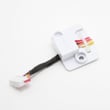
| Constant vibration | Sensor or suspension issue | Vibration sensor (DC93-00278B) |
Repeated out-of-balance spinning can stress the tub, bearings, and control system. Correcting the load and leveling first prevents unnecessary wear and helps you avoid repeat shutdowns.
For model-specific operating tips and safety guidance, follow the WV60M9900AV owner’s manual. For code-specific troubleshooting steps, use our Samsung wi-fi front load washer error codes.
Last updated: February 2026
What is the average lifespan of a Samsung washing machine?
A Samsung washing machine typically lasts about 10 to 13 years with normal household use and basic maintenance. For your Samsung WV60M9900AV washer, following the care and troubleshooting guidance in the WV60M9900AV owner's manual helps you get the full expected service life.
- Load size and balance: frequent overloading or unbalanced loads increase tub and suspension wear
- Drain performance: slow draining strains the drain pump and can trigger error codes
- Water quality: hard water accelerates scale buildup and odor issues
- Detergent use: too much HE detergent causes oversudsing and residue
- Maintenance habits: regular cleaning reduces mold, odors, and component stress
We recommend these routine steps for front load washers like the WV60M9900AV:
- Run the washer’s Self Clean+ cycle on a regular schedule
- Leave the door open between loads to dry the door boot area
- Wipe the door gasket and glass; remove coins, hair, and debris
- Check pockets to prevent foreign objects from damaging the tub or pump
- Level the washer to reduce vibration and shock absorber wear
| Item | Typical impact on lifespan | What to do |
|---|---|---|
| Overloading | Shortens lifespan | Use smaller, balanced loads |
| Poor draining | Shortens lifespan | Clean pump filter, check drain hose |
| Skipping cleaning cycles | Shortens lifespan | Use Self Clean+ regularly |
| Proper leveling | Extends lifespan | Adjust feet, confirm stable floor |
Most “washer failures” start as small issues (vibration, slow drain, odor, or error codes). Addressing them early reduces wear on high-cost components like the tub, motor system, and control boards.
Last updated: February 2026
What is the most common problem with Samsung washing machines?
On the Samsung WV60M9900AV washer, the most common problems we see are draining and spinning issues: the washer may stop mid-cycle, fail to spin out water, or show an information code after the tub fills. These symptoms are often tied to load balance, drain restrictions, or vibration control.
- Redistribute the load; bulky items can throw the drum off balance and stop the spin.
- Run a Spin-only cycle with the tub empty to see if the symptom changes.
- Confirm the drain hose is installed correctly and not kinked or shoved too far into the standpipe.
- If water drains out immediately, lift the end of the drain hose, refill halfway, and retry spin (a siphoning setup can mimic a drain failure).
- If an information code appears, use the built-in diagnostics and code guidance in the WV60M9900AV user manual.
If basic checks do not fix it, these are the most common component areas involved on front load washers like this Samsung:
| Symptom | Most likely area | Example part for this model |
|---|---|---|
| Won’t drain or drains slowly | Drain pump or blockage | Washer drain pump motor DC31-00178D |
| Loud banging, walking, off-balance stops | Suspension/vibration control | Samsung washer shock absorber DC66-00470A |
| Excess vibration or repeated unbalance detection | Vibration sensing | Washer vibration sensor DC93-00278B |
A washer that cannot drain or stabilize the tub often cannot complete the spin cycle. That leaves clothes soaking wet, increases cycle time, and can trigger repeated information codes. Fixing the root cause also helps protect the tub, basket, and control boards from stress.
Your manual describes Smart Care, which runs self-diagnosis and displays an information code you can scan with the Samsung app for more detail. For code-specific troubleshooting, we also recommend using Samsung wi-fi front load washer error codes to match the code to the right checks.
Last updated: February 2026



