Installation guide
 Owner’s manual
 Error Codes




How to reset Kenmore double oven?
To reset a Kenmore Elite double wall oven model 79048473410, we restore power (a basic reset) or restore the control to factory defaults (a settings reset). A power reset clears many temporary control glitches; a factory-default reset restores user options like clock mode and temperature offset.
Option 1: Do a basic power reset (most common)
- Turn the oven OFF.
- Shut off power at the circuit breaker (wall ovens are typically hardwired).
- Wait 1 minute.
- Turn the breaker back ON.
- Set the clock and reselect your cooking mode as needed (the manual notes you reset the clock and oven function after power resumes).
What this reset helps with
- Unresponsive keypad or display glitch
- Oven won’t start after a brief power interruption
- Random beeping or stuck mode after a surge
Option 2: Restore the control to factory default settings
Use this when you want to reset user settings (not just reboot the control).
- Press and hold 7 on the numeric keypad until the acceptance tone sounds (about 3 seconds). You may hear three beeps first; ignore them.
- When PS appears in the display, press START.
Settings that get restored
- 12/24-hour clock display
- Silent or audible control tones
- Fahrenheit/Celsius display
- Oven temperature adjustments (offset returns to 0)
- Meat probe and recipe recall options
| Reset type | What it changes | Best for |
|---|---|---|
| Power reset | Reboots the control | Glitches, lockups, post-outage issues |
| Factory-default reset | Restores user options to defaults | Wrong temp offset, changed settings, odd behavior after programming |
If the oven is “locked” and won’t respond
If you see Loc or DOOR/LOCKED, cancel the lockout first:
- Press Upper Oven or Lower Oven.
- Press and hold OVEN LOCKED for 3 seconds.
- Wait about 15 seconds for the latch to fully unlock before opening the door.
Why it matters
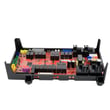
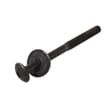
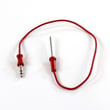
A reset is a fast way to clear control errors without replacing parts. If problems continue after a reset, the issue is often in a heat-sensing or control circuit, such as the range oven temperature sensor 5304504897 or the oven electronic control 316474937. For exact button names and feature behavior on your control panel, follow the owner's manual. You can also find replacement parts for model 79048473410 on the parts list for this model, or search by model number on Sears PartsDirect.
Last updated: February 2026
What are the parts of an electric oven?
An electric wall oven like Kenmore Elite model 79048473410 is built around heating elements, temperature sensing, airflow (cooling and convection), and electronic controls. The exact layout varies by model, but the core parts work together to heat evenly, regulate temperature, and keep the control area safe.
Main parts you will find in most electric ovens
- Bake element: primary heat source for baking; usually at the bottom of the oven cavity.
- Broil element: high-heat element at the top for broiling and browning.
- Oven temperature sensor: tells the control board the oven temperature so it can cycle the elements.
- Electronic oven control (control board): manages bake, broil, convection, timers, and error codes.
- Convection fan and blade (if equipped): circulates hot air for more even cooking.
- Cooling fan/blower system: cools electrical and electronic components; it can keep running after the oven is turned off.
Model 79048473410 parts we commonly see involved in heating and airflow
These are examples of key components available for this model:
| Function | Example part on this model | What it does |
|---|---|---|
| Temperature feedback | Range oven temperature sensor 5304504897 | Helps the oven maintain the set temperature |
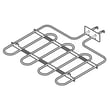
| Baking heat | Wall oven bake element, 2,200-watts 5304501015 | Provides heat for baking/roasting |
| Convection airflow | Blade 318398302 | Moves air when the convection fan runs |
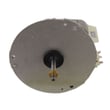
| Convection drive | Oven motor 139008504 | Spins the convection fan |
| Control and display | Oven electronic control 316474937 | Runs oven functions and monitors inputs |
Why it matters
Knowing the major oven parts helps you troubleshoot symptoms faster. For example, uneven baking often points to a bake element or convection airflow issue, while temperature swings often point to the sensor or control.
Quick troubleshooting clues (symptom to part area)
- Oven not reaching set temp: bake element, temperature sensor, control board
- Food browns too fast on top: broil circuit stuck on, control issue
- Convection not working: fan motor, fan blade, wiring harness
- Fan runs after shutoff: normal cooling fan operation on many models
For diagrams, wiring, and model-specific component locations, use the 79048473410 installation guide and your use and care information.
Last updated: February 2026
Where can I find my Kenmore Elite oven model number?
On Kenmore Elite wall oven model 79048473410, the model and serial numbers are printed on an identification plate (serial plate). We recommend checking the oven frame area when you open the door, then confirming the exact location shown in the 79048473410 owner's manual.
Most common places to check
Look in these spots first (in order):
- Door jamb or front frame area visible when the oven door is open
- Along the side trim or inner side panel edge near the front
- Near the oven vent openings or vent trim area
- On the back of the unit (more common if the oven has been pulled out)
- On paperwork that came with the oven (installation and use and care documents)
How to find it quickly (and safely)
- Turn the oven off and let it cool if it was recently used.
- Open the door and use a flashlight to scan the frame and door jamb.
- Wipe dust or grease lightly so the label is readable.
- Write down the full model number and serial number exactly as shown.
- Use the full model number when ordering parts or looking up diagrams.
What the label typically looks like
| Item on the plate | What it’s used for | Example format |
|---|---|---|
| Model number | Matching parts and diagrams | 790.4847xx or 79048473410 |
| Serial number | Identifying production run | Letters and numbers |
| Electrical ratings | Verifying power requirements | Volts/amps |
Why it matters
The exact model number ensures you get the correct Kenmore Elite wall oven parts (for example, controls, wiring, and sensors) that match your oven’s configuration and finish.
If you are also shopping for parts, you can order replacements from the parts list for model 79048473410 or search by model number on Sears PartsDirect.
Last updated: February 2026