Owner’s manual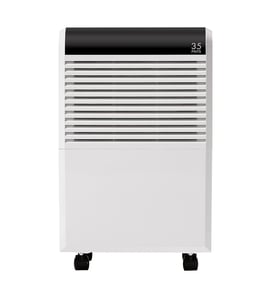



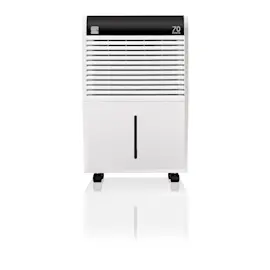
How many square feet will a 70 pint dehumidifier take care of?
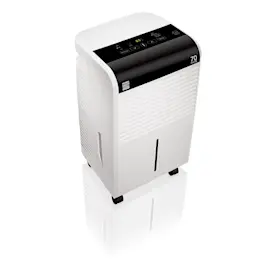
A 70-pint dehumidifier like the GE ADEL70LWL1 is typically sized for large spaces; in real homes, it commonly handles about 1,000 to 2,500 square feet, depending on how damp the area is, how warm it stays, and how well doors and windows are sealed. For best results, follow the placement guidance in the ADEL70LWL1 owner’s manual.
What changes the square-foot coverage most
- Moisture load: wet basements and seepage need more capacity per square foot.
- Temperature: moisture removal drops in cooler areas; these models are designed to run above 41°F (5°C).
- Air circulation: closets and adjacent rooms may not dry unless air can move in and out.
- Airflow clearance: allow 12 to 18 inches of space on all sides for good circulation.
- Openings: open doors and windows to the outside can overwhelm the unit.
Quick sizing guide (practical ranges)
| Space condition | Typical coverage for a 70-pint unit |
|---|---|
| Very damp (wet basement, musty, visible moisture) | ~1,000 to 1,500 sq. ft. |
| Damp (basement with occasional musty odor) | ~1,500 to 2,000 sq. ft. |
| Moderately damp (general humidity control) | ~2,000 to 2,500 sq. ft. |
Setup tips that help you get full performance
- Place the unit on a smooth, level floor strong enough for a full bucket.
- Keep the front and back unblocked by furniture, curtains, or blinds.
- When first putting it into service, run it continuously for 24 hours to pull down humidity.
- If it seems to run constantly, the area may be too large or outside air may be leaking in.
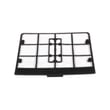
- If it is not removing moisture well, check and clean the filter; replace it if needed with the dehumidifier air filter WK85X21721.
Why it matters
Right-sizing prevents nonstop run time, slow drying, and frequent bucket fills. A 70-pint unit is powerful, but coverage depends on moisture sources, temperature, and airflow, not just square footage.
Last updated: January 2026
What is the downside of a dehumidifier?
A dehumidifier like the GE ADEL70LWL1 can make a space more comfortable, but the main downsides are added electricity use, some operating noise, and ongoing upkeep (filter cleaning and water removal). If it runs in a cold area (below about 41°F), it can frost and dehumidify less effectively (it will defrost automatically). See the ADEL70LWL1 owner's manual for operating limits and care steps.
Common downsides (and what to do about them)
- Higher energy use: Running the compressor and fan can increase your electric bill; use a reasonable humidity setpoint instead of nonstop.
- Noise and warm discharge air: It is normal for the surrounding air to feel slightly warmer while it runs.
- Maintenance needs: A dirty filter restricts airflow and reduces drying performance; clean it on schedule.
- Bucket handling: The unit shuts off when the bucket is removed or full; the bucket must be seated correctly to run.
- Limited reach: In a basement, it may not dry an adjacent enclosed area (like a closet) without good air circulation.
Quick operating tips for better results
- Run continuously for the first 24 hours when you first start using it.
- Operate in an enclosed area; close doors and windows.
- Keep 12 to 18 inches of clearance on all sides for airflow.
- Avoid cold locations; below 41°F the coil can frost and performance drops.
- If drying is weak, clean or replace the dehumidifier air filter WK85X21721.
Bucket vs. hose: what can go wrong
| Setup | Typical downside | Best practice |
|---|---|---|
| Bucket collection | Frequent emptying; unit stops when bucket is full/removed | Empty promptly and reseat the bucket fully |
| Hose drain | If a hose is connected while using the bucket, water can go to the floor | Use one method at a time; confirm routing and slope |
Why it matters
Over-drying a room can make air feel uncomfortable, and restricted airflow (often from a dirty filter) makes the dehumidifier run longer for less moisture removal. Correct placement, temperature, and filter care help the ADEL70LWL1 remove moisture efficiently.
Last updated: January 2026
How many hours a day should you run a dehumidifier?
For the GE ADEL70LWL1 dehumidifier, we run it as long as needed to reach and hold the humidity setting; on many days that means several hours, and in very damp spaces it can run most of the day. When first using the unit, GE recommends operating it continuously for 24 hours (it will cycle as needed after that). See the ADEL70LWL1 owner's manual.
Recommended daily runtime by situation
- First-time startup or after a flood event: run 24 hours continuously to pull down moisture.
- Normal maintenance: run until the room stays near your target humidity (many homes land in the 30% to 50% comfort range).
- Basements and very humid climates: expect longer run times, especially in summer.
- Cool rooms: moisture removal drops in low temperatures; these models are designed to operate above 41°F (5°C).
What makes your ADEL70LWL1 run longer (or shorter)
- Humidity control setpoint (lower percent means longer runtime)
- Doors/windows open to outside air
- Room size versus dehumidifier capacity
- Restricted airflow (curtains, furniture, blocked grilles)
- Dirty air filter (reduced airflow)
Quick settings guide
| Goal | Humidity setting | What you’ll see |
|---|---|---|
| Comfort and odor control | 40% to 50% | Cycles on and off normally |
| Damp basement | 35% to 45% | Longer cycles, more frequent bucket fills |
| Maximum drying | Lowest % or continuous mode (if equipped) | Runs most of the time |
Why it matters
Running long enough to reach the set humidity prevents musty odors and condensation, but running longer than necessary wastes energy. If the unit “runs too much,” closing doors/windows and improving airflow usually fixes it.
If it shuts off early or won’t run
A full or mis-seated bucket can stop operation. If the bucket parts are damaged, check the dehumidifier water bucket WK10X24673 and the float WK11X21723.
Last updated: January 2026