 Installation guide




How to clear an error code on a Frigidaire dishwasher?
On the Frigidaire FDB130RGS2 dishwasher, most error codes clear after you cancel the cycle and restore normal operation. Press and hold Cancel (or Start/Cancel) for about 3 to 5 seconds, then close the door firmly and start a new cycle; if the code returns, fix the underlying issue.
- Press and hold Cancel (or Start/Cancel) for 3 to 5 seconds to stop the cycle and drain.
- Wait about 1 minute for the control to finish canceling.
- Make sure the door closes fully and latches.
- Start a normal wash cycle and listen for fill and wash action.
- If the dishwasher is unresponsive, turn power off at the breaker for 5 minutes, then restore power.
Many “error codes” are the dishwasher protecting itself from a real problem. Check these common causes first:
- Drain issue: Look for a kinked drain hose, a clogged sink/disposer connection, or standing water.
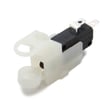
- Door not latching: A weak latch can trigger no-start or mid-cycle stops; inspect the latch assembly A00104102.
- Not filling or slow fill: Confirm the water supply valve is fully open; the installation steps also call out flushing the water line before final connection to prevent clogging the inlet screen.
- Leaks at the door: A damaged lower seal can cause water issues; inspect the gasket 809006501.
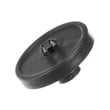
- Poor wash performance: A blocked or damaged spray arm can contribute to wash-related faults; check the dishwasher spray arm 5304518927.
| Reset method | What it does | When to use it |
|---|---|---|
| Cancel/Start-Cancel hold | Stops the cycle, often drains, clears many temporary faults | First step for most codes |
| Breaker power reset | Reboots the control | Control frozen, keypad not responding |
| Fix root cause then reset | Prevents repeat codes | Code returns after reset |
Clearing the code without correcting the cause usually means the dishwasher will fault again. A quick cancel reset gets you running, but checking the drain path, door latch, and water supply prevents repeat shutdowns and protects the motor and wiring.
For model-specific installation and connection details (water inlet location, electrical supply requirements, and anchoring/leveling), use the installation guide.
Last updated: January 2026
How to figure out a Frigidaire dishwasher model?
On a Frigidaire dishwasher like model FDB130RGS2, we find the model and serial information on the appliance rating label located just inside the door opening, typically along the left side of the tub opening. This label lists the model number and serial number.
Check these common spots first (in this order):
- Inside the door opening on the left side of the tub frame
- Along the top edge of the tub opening (visible when the door is open)
- On the inner door panel near the latch area
- Behind the kickplate area (less common for the rating label)
If you are removing the kickplate for access during installation or service, follow the safety steps in the installation guide.
The rating label usually includes several fields. Use this quick guide:
| What you see on the label | What it means | What to write down |
|---|---|---|
| Model or Model No. | Exact dishwasher model | FDB130RGS2 (copy exactly) |
| Serial or S/N | Unique unit identifier | Full serial number |
| Electrical info | Power requirements | Optional, but helpful |
We use the exact model number to match the correct Frigidaire dishwasher parts and diagrams. Even small model-number differences can change fit and compatibility for items like a door seal, spray arm, drain pump, or heating element.
- Wipe the label gently with a damp cloth and mild soap
- Use a flashlight at an angle to reduce glare
- Take a close-up photo and zoom in
Last updated: January 2026
What is the most common problem with Frigidaire dishwashers?
The most common problem we see with Frigidaire dishwashers (including model FDB130RGS2) is poor draining: water left in the bottom because the drain path is restricted or the drain hose is kinked. A close second is a door that will not latch, which prevents the dishwasher from starting.
- Not draining (water left in tub): clogged drain path, blocked disposer inlet plug, kinked drain hose, or a failing drain pump
- Won’t start: door not fully latched, latch mechanism worn, or a safety switch not closing
- Not cleaning well: spray arm ports clogged, low water fill, or loading issues that block spray
- Leaks: door seal wear, loose hose connections, or a tub-to-pump seal issue
- No heat or poor drying: heater circuit problem or heating element issue
- Check the drain hose routing: kinks and sharp bends can cause problems; the installation instructions call this out because a kinked drain hose can stop proper draining.
- If connected to a disposer: confirm the disposer inlet plug has been knocked out for first-time connections.
- Verify hot water supply and fill: dishwashers need hot water and adequate pressure for a proper fill.
- Look for a simple clog: food debris at the sump area or in the drain hose connection can slow or stop draining.
- Confirm the dishwasher is level: the installation instructions emphasize leveling for best performance.
| Symptom | Common part involved | What it affects |
|---|---|---|
| Water left in bottom | Dishwasher drain pump A00126501 | Pushes water out during drain |
| Slow or no drain | Hose 807117001 | Drain path from dishwasher to plumbing |
| Leaks at the door | Gasket 809006501 | Seals the lower door edge |
| Poor cleaning | Dishwasher spray arm 5304518927 | Water distribution and spray pressure |
Drain and latch problems stop the cycle from completing correctly; that leads to standing water, odors, and repeat wash issues. Fixing the drain path and ensuring proper installation setup prevents many repeat service calls.
For installation-related checks (drain routing, disposer connection, leveling, and utility routing), use the installation guide.





