 Installation guide
 Owner’s manual
 Error Codes







Where is the filter on Whirlpool WDF310PAAS1?
On the Whirlpool WDF310PAAS1, the dishwasher filter is located inside the tub at the very bottom, directly under the lower dishrack. Pull the lower rack out to access the filter area, then remove the filter for cleaning as described in the WDF310PAAS1 owner's manual.
- Turn the dishwasher off and let the wash water drain.
- Pull the lower rack all the way out (or lift it out for more room).
- Look at the bottom center of the tub, around the sump area.
- Twist and lift the filter assembly out (most Whirlpool filters unlock with a short turn).
- Rinse the filter under warm water and reinstall it fully seated.
If the filter is cracked, warped, or will not lock back in place, replacement is the right fix. For this model, common filter options include:
| What you need | Sears PartsDirect part | What it does |
|---|---|---|
| Filter cup style filter | Dishwasher filter W10872845 | Helps trap food soil and protect the pump |
| Alternate filter style (varies by configuration) | Dishwasher filter WPW10463906 | Helps prevent redeposit and drain issues |
A clogged or damaged filter can cause poor cleaning, gritty residue on dishes, odors, and even slow draining. Keeping the filter clean helps the circulation system work efficiently and reduces strain on the drain pump.
- Food particles left on glasses or in the bottom of the tub
- Cloudy film or grit after a cycle
- Musty odor even after running hot cycles
- Slow drain at the end of the cycle
Last updated: January 2026
What is the average lifespan of a Whirlpool dishwasher?
A Whirlpool dishwasher typically lasts 10 to 12 years with normal household use. For the Whirlpool WDF310PAAS1, consistent cleaning, good water quality, and fixing small leaks or drain issues early are the biggest factors in reaching the upper end of that range; see the WDF310PAAS1 owner's manual for model-specific care guidance.
- Water hardness and scale buildup (hard water shortens heater, pump, and valve life)
- Filter and sump cleanliness (clogs strain the circulation and drain systems)
- How often you run it (multiple loads daily increases wear)
- Detergent and rinse aid use (helps prevent residue and spotting that can lead to rewash cycles)
- Door sealing and leaks (small leaks can damage wiring and components over time)
- Clean the filter regularly; replace it if it is damaged or won’t rinse clean (example: dishwasher filter W10872845).
- Keep the spray arms clear of debris and mineral deposits.
- Run hot water at the sink before starting a cycle to improve wash performance.
- Use the correct detergent amount; too much can cause buildup.
- Check the door seal area for food debris and wipe it clean.
| Symptom | Often related to | Example part on this model |
|---|---|---|
| Dishes not drying well | Heating circuit | Dishwasher heating element (W10518394) |
| Standing water after cycle | Drain system | Dishwasher drain pump (WPW10348269) |
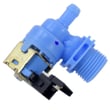
| Slow fill or no fill | Water supply | Dishwasher water inlet valve (W11175771) |
Knowing the typical 10 to 12 year lifespan helps you decide whether to repair or replace. If your WDF310PAAS1 is near that age and showing multiple issues (leaks plus poor washing plus draining problems), targeted part replacement can restore reliability, but repeated failures usually signal overall wear.
Last updated: January 2026
How to reset Whirlpool WDF310PAAS1?
To reset a Whirlpool WDF310PAAS1 dishwasher, we recommend doing a simple power reset: turn the unit fully off by cutting power for a few minutes, then restore power and start a new cycle. This clears many temporary control glitches.
- Breaker reset: Turn the dishwasher circuit breaker OFF for 2 to 5 minutes, then turn it ON.
- Unplug reset (if accessible): Unplug the dishwasher for 2 to 5 minutes, then plug it back in.
- Control reset attempt: Press Cancel/Drain once, wait for the drain to finish, then select a cycle and press Start/Resume.
These checks solve the most common “dead” or “won’t run” symptoms after power is restored:
- Confirm the door is fully closed and latched (a slightly open door stops the cycle).
- Make sure Start/Resume was pressed and the door was closed promptly afterward.
- Check for a tripped breaker again (a weak breaker can trip under load).
- Verify the water supply valve under the sink is fully open.
- If the tub is full of water and it will not drain, focus on the drain path and pump.
A reset helps with temporary control issues; repeated problems usually mean a component is failing.
| Symptom after reset | Most likely area to check | Related part for WDF310PAAS1 |
|---|---|---|
| Won’t drain, standing water | Drain system | Dishwasher drain pump WPW10348269 |
| Poor cleaning, low spray | Filtration or circulation | Dishwasher filter, circulation system |
| Water not filling | Fill system | Dishwasher water inlet valve W11175771 |
Resetting restores the control to a known state, which helps you separate a one-time electronic glitch from a real issue like a drain restriction, fill problem, or failing pump.
For model-specific button sequences and indicator behavior, follow the steps in the WDF310PAAS1 owner’s manual.
Last updated: January 2026
What's the most common problem with a Whirlpool dishwasher?
For the Whirlpool WDF310PAAS1 dishwasher, the most common problems we see are poor cleaning and draining issues. In many cases, the root cause is simple maintenance (a dirty filter or blocked spray paths), but worn parts like the drain pump or heating element can also be the reason.
- Clean and reseat the dishwasher filter and remove any debris in the sump area.
- Confirm spray arms spin freely and the holes are not clogged with food or hard-water scale.
- Run hot water at the sink before starting a cycle so the dishwasher fills with hot water.
- Use the correct detergent amount; too much can cause residue, too little can reduce cleaning.
- Check the drain path (air gap or high loop, disposer knockout plug, and hose routing).
| Symptom | Most common cause | What to do next |
|---|---|---|
| Dishes still dirty | Clogged filter, blocked spray holes, low water temp | Clean filter, clear spray holes, verify hot water supply |
| Water left in bottom | Drain restriction or weak drain pump | Inspect drain hose routing, then test pump operation |
| White film or spots | Hard water or detergent imbalance | Adjust detergent and rinse aid use, consider water hardness |
| Not drying well | Heating issue or cycle selection | Verify heated dry settings and check heater function |
If cleaning and drain-path checks do not solve it, these model-matched parts are frequent fixes:
- Dishwasher filter W10872845 (filter cup style; helps prevent recirculating debris)
- Dishwasher drain pump WPW10348269 (moves water out during drain)
- Dishwasher heating element W10518394 (supports water heating and drying performance)
- Dishwasher water inlet valve W11175771 (controls fill; low fill can reduce cleaning)
Poor cleaning and standing water usually get worse over time. Keeping the filter and drain path clear helps protect the wash system, improves cycle results, and can prevent leaks caused by backups.
For model-specific operating and care steps, follow the WDF310PAAS1 owner’s manual.
Last updated: January 2026









