Owner’s manual
 Error Codes




What are common problems with JennAir refrigerators?
Common problems we see on the Jenn-Air JCB2285KES side-by-side refrigerator include not cooling correctly, water leaks, ice maker issues, doors not sealing, and unusual humming or frequent running. Many of these trace back to airflow, dirty condenser coils, control settings, or a failing ice maker component (see the owner's manual).
Most common symptoms and what they usually mean
- Not cooling or warm temperatures: dirty condenser coils, blocked rear air grille, doors opened often, or controls set too warm.
- Compressor not running (but lights are on): the refrigerator may be in defrost mode; waiting about 40 minutes often confirms normal operation.
- Water leaking: commonly tied to ice maker water supply issues, drain problems, or tubing connections.
- Ice maker not working or humming: ice maker left ON without a water connection, or normal auger/valve sounds during dispensing.
- Door not closing or sealing: gasket not sealing, door alignment, or the unit not level.
- Runs too frequently: dirty condenser coils, warm room conditions, frequent door openings, or a door not sealing.
Quick checks we recommend first
- Clean the condenser coils and make sure the rear air grille is not blocked.
- Confirm temperature settings are not set too warm or too cold.
- Check door sealing by inspecting for gaps, tears, or areas that do not contact the cabinet.
- Listen for “normal” sounds like a compressor hum or ice chute solenoid operation.
- If the compressor is off, wait about 40 minutes to rule out a normal defrost cycle.
Parts that commonly solve these problems
If troubleshooting points to a failed component, these model-matched parts are commonly involved:
| Symptom | Common part to check | Example part for JCB2285KES |
|---|---|---|
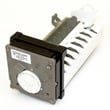
| Ice maker not making ice | Ice maker assembly | Refrigerator ice maker D7824706Q |
| Door not sealing | Door gasket | Refrigerator door gasket W10840101 |
| Warm temps, poor airflow | Evaporator fan motor/blade | Evaporator motor WPW10128551 and refrigerator evaporator fan blade WP2169142 |
Why it matters
Cooling, ice production, and leak issues often get worse when airflow is restricted or doors do not seal. Fixing coil cleanliness, airflow blockages, and gasket sealing helps the compressor run less and keeps food temperatures stable.
Last updated: February 2026
How to move a JennAir refrigerator?
To move your Jenn-Air JCB2285KES side-by-side refrigerator safely, we recommend using an appliance dolly, keeping the refrigerator upright, and securing doors, shelves, and drawers so nothing shifts. After transport, let it stand upright about 30 minutes before plugging it back in (if it was laid on its back).
Safe moving steps (what we recommend)
- Unplug the refrigerator and remove food and loose items.
- Tape shelves and drawers in place to prevent damage during transport.
- Tape the doors shut so they cannot swing open.
- Use an appliance dolly; strap the cabinet firmly to the dolly.
- Truck the refrigerator from its side or back, never from the front.
- Protect the finish by wrapping the cabinet in blankets or padding.
Upright vs. on its back (important)
The safest move is always upright. If you cannot keep it upright and you must lay it down, lay it on its back (not on its side), then stand it upright and wait about 30 minutes before restoring power.
| Transport position | Allowed | What to do before plugging in |
|---|---|---|
| Upright | Yes | Plug in after it is in place and stable |
| On its back | Yes (if needed) | Stand upright; wait ~30 minutes |
| On its side | No | Do not transport this way |
Leveling and clearance tips after you move it
Once the refrigerator is back in position, leveling helps door closing and reduces rocking.
- Remove the toe grille, then adjust the front and rear screws.
- Turn adjustment screws clockwise to raise, counterclockwise to lower.
- Set the front slightly higher than the back (about 1/4 inch) for proper door closure.
- Leave space behind the machine compartment cover for airflow.
For the exact leveling procedure and clearance guidance for JCB2285KES, follow the owner's manual.
Why it matters
Moving a refrigerator incorrectly can dent the cabinet, damage internal components, or cause cooling problems. Keeping it upright, strapping it securely, and allowing oil to settle back into the compressor protects the sealed system and helps the refrigerator cool normally after the move.
Last updated: February 2026
What is the life expectancy of a JennAir refrigerator?
Most Jenn-Air refrigerators typically last 12 to 20 years with normal household use and basic maintenance. For your JCB2285KES side-by-side refrigerator, keeping airflow clear, temperatures stable, and seals tight helps the compressor and cooling system reach the upper end of that range; see the JCB2285KES owner's manual for care and cleaning guidance.
Typical lifespan and what affects it
A refrigerator’s life is mainly driven by how hard the sealed system works and how well the cabinet holds temperature.
- Condenser cleanliness and airflow (dust buildup makes the compressor run hotter and longer)
- Door gasket condition (air leaks cause longer run times and frost issues)
- Evaporator fan performance (poor airflow leads to warm spots and icing)
- Ice maker and dispenser use (more moving parts, more wear)
- Room conditions (hot garages and tight enclosures shorten life)
Quick maintenance checklist (high impact)
We recommend these simple habits to extend life and reduce common cooling complaints:
- Vacuum dust from the condenser area and surrounding vents regularly.
- Confirm doors close fully and do not “bounce” back open.
- Keep food from blocking interior air vents.
- Set fresh food and freezer temps to stable, mid-range settings (avoid extreme cold settings unless needed).
- Replace worn seals if you feel cold air leaking around the door.
Parts that commonly influence “end of life” decisions
If performance drops, these parts are often involved before the sealed system is blamed.
| Symptom | Common area to check | Example part for JCB2285KES |
|---|---|---|
| Warm refrigerator, freezer OK | Airflow/damper | Refrigerator damper control assembly WP67006249 |
| Warm temps, noisy or no airflow | Evaporator fan | Evaporator motor WPW10128551 |
| Ice maker not producing | Ice maker system | Refrigerator ice maker D7824706Q |
| Door not sealing, moisture/frost | Door seal | Refrigerator door gasket W10840101 |
Why it matters
A Jenn-Air side-by-side that is running longer than normal often is not “worn out”; it is usually compensating for restricted airflow, a weak fan, or a leaking gasket. Fixing those issues early reduces compressor run time and helps the refrigerator reach its full expected lifespan.
Last updated: February 2026
Can I replace fridge parts myself?
Yes. On the Jenn-Air JCB2285KES side-by-side refrigerator, we recommend DIY replacement for many non-sealed-system parts (shelves, gaskets, light components, ice bin, and some ice maker parts) as long as you unplug the refrigerator first and follow the steps in the owner's manual.
Parts you can usually replace yourself
These repairs are typically straightforward and low-risk when power is disconnected:
- Shelves, baskets, and drawers (remove and reinstall using the cabinet rails and clips)
- Ice storage bin removal and reinstall (raise the ice maker arm to deactivate first)
- Door gasket replacement (helps with warm temps and moisture)
- Light switch or light socket replacement (common cause of lights not working)
- Ice maker replacement (if the unit is not producing ice and basic checks pass)
If you are ordering parts for JCB2285KES, common DIY replacements on this model include the refrigerator ice maker D7824706Q and door gaskets.
Repairs we do not recommend as DIY
Some repairs involve higher electrical risk, specialized tools, or refrigerant handling:
- Sealed system work (compressor, refrigerant lines, evaporator)
- Diagnosing repeated compressor start failures (often involves start components and electrical testing)
- Any repair where you must move the refrigerator and cannot keep it upright safely
Why this matters
A DIY repair is only a win if it is safe and prevents repeat problems. For example, a poor door seal can cause long run times and temperature swings, while incorrect handling during moving can damage internal components.
Safety and prep checklist (use this every time)
- Unplug the refrigerator before removing panels or electrical parts
- Protect floors and the cabinet; secure the unit to a dolly with straps if moving it
- Never transport the refrigerator on its side; if it must be laid down, lay it on its back and let it sit upright about 30 minutes before plugging in
- Keep doors closed as much as possible during testing to avoid temperature changes
- Confirm the model number (JCB2285KES) before ordering any replacement part
Quick “DIY vs. technician” guide
| Task | DIY-friendly? | Typical reason |
|---|---|---|
| Replace shelf, bin, drawer | Yes | No wiring; clip/rail mounted |
| Replace door gasket | Yes | Improves sealing and efficiency |
| Replace light switch/socket | Yes | Simple electrical part swap |
| Replace ice maker | Often | Modular assembly on many models |
| Compressor or sealed system | No | Specialized tools and refrigerant |
Last updated: February 2026
What are the most commonly replaced parts in a refrigerator?
In a refrigerator like the Jenn-Air JCB2285KES, the most commonly replaced parts are the ones that affect cooling, airflow, door sealing, and basic functions like lighting and ice making. These parts wear over time, get dirty, or fail electrically, and they are usually the first place we look when performance changes.
Most common refrigerator parts that get replaced
These are the parts we see replaced most often on side-by-side refrigerators:
- Door gaskets: worn or warped seals let warm air in and make the unit run too often
- Thermostat or temperature sensing parts: cause temperatures to drift too warm or too cold
- Evaporator fan parts: airflow problems lead to warm fresh food section or uneven temps
- Defrost-related parts: frost buildup blocks airflow and reduces cooling
- Ice maker parts: no ice, small cubes, or intermittent production
- Light switches and sockets: lights not working when doors open
For model-specific guidance on control settings, leveling, and troubleshooting symptoms (like running too frequently or temperature issues), use the JCB2285KES owner's manual.
Model-specific examples of commonly replaced parts
If you are troubleshooting this model, these parts from our list are frequent suspects:
| Symptom | Common part to check | Example part for JCB2285KES |
|---|---|---|
| No ice or ice maker stopped | Ice maker assembly | Refrigerator ice maker D7824706Q |
| Fresh food section warm, freezer OK | Evaporator fan motor or blade | Evaporator motor WPW10128551 and refrigerator evaporator fan blade WP2169142 |
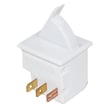
| Lights do not turn on/off with door | Door light switch or socket | Refrigerator light switch W11396033 or refrigerator light socket W11447232 |
| Runs a lot, poor efficiency | Door gasket, dirty coils, airflow issues | Refrigerator door gasket W10840101 |
Quick checks before replacing parts
These steps solve many “bad part” symptoms without replacing anything:
- Clean condenser coils; dirty coils are a common cause of warm temps and long run times
- Confirm doors close securely and the refrigerator is level (poor sealing increases run time)
- Avoid overcrowding shelves; blocked airflow causes longer run times and uneven cooling
- Keep warm food loads small; large warm loads slow cooling
- Do not use shelf liners like foil or paper; they restrict airflow
Why it matters
Replacing the right part first saves time and prevents repeat failures. For example, a refrigerator that “runs too frequently” is often reacting to dirty coils or a leaking door seal, not a failed compressor.
Last updated: February 2026