 Error Codes




Where can I find my Kenmore 2784218590 oven model number?
You can find the model number for your Kenmore electric built-in oven by checking the appliance’s ID label; on model 2784218590 it’s most often located around the oven door opening (door jamb) or on the frame behind the lower drawer area. Use the model number to match the correct Range parts.
- Open the oven door and look along the door frame (door jamb) on the left or right side
- Check the frame behind the storage or warming drawer (pull the drawer out fully)
- Look on the back of the unit near the venting area (if accessible)
- Check the side panel edge (sometimes visible when the oven is pulled forward)
- For built-in installations, check the front frame just inside the cabinet cutout
The label is usually a sticker or metal tag with several fields. Copy these exactly:
| Label field | Why it matters |
|---|---|
| Model number | Ensures parts fit your exact Kenmore 2784218590 configuration |
| Serial number | Helps identify production run details when troubleshooting |
| Electrical rating (volts/amps) | Confirms power requirements for safe testing and repair |
Kenmore ranges and wall ovens can look similar across multiple model series, but parts like the oven light bulb, door glass, or broiler element can vary by model. Using the correct model number helps us match you to the right replacement part the first time.
- Wipe the area with a damp cloth; grease can hide the print
- Use a flashlight and take a photo, then zoom in
- If the label is damaged, compare your appliance’s key parts (for example, the lamp bulb 40A15 or oven broiler element WB44M5) to narrow down the correct parts list
Last updated: February 2026
How do you reset a Kenmore electric stove?
To reset your Kenmore electric built-in oven model 2784218590, we recommend doing a power reset: shut off power at the breaker (or unplug if accessible) for about 1 minute, then restore power. This clears many control glitches and restores normal operation.
- Turn the oven controls to OFF.
- Switch OFF the range/oven circuit breaker (or unplug the unit if it uses a cord).
- Wait 60 seconds.
- Restore power.
- Set Bake and confirm the oven begins heating.
- If the display is blank or unresponsive after reset, recheck the breaker and household power.
A reset helps with temporary electronic issues; it will not correct a failed heating part or a wiring problem.
Common next checks:
- Broil works but bake does not: a heating circuit issue is likely.
- No heat in bake or broil: power supply, wiring, or control issue is likely.
- Trips breaker when heating: a shorted element or damaged wiring is likely.
| What you notice | What it usually points to | What to do next |
|---|---|---|
| Oven will not broil | Failed broil heater or wiring | Inspect and test the oven broiler element WB44M5 |
| Light does not work | Burned-out bulb or socket issue | Replace the lamp bulb 40A15 and check the socket |
| Intermittent operation | Loose connection | Inspect wiring and connections; use a meter test |
A proper power reset is the fastest way to clear a stuck control or minor software glitch. If the oven still will not heat after resetting, focusing on the heating circuit (elements, wiring, and connections) prevents repeated breaker trips and helps you target the right repair.
Last updated: February 2026
Why is my Kenmore electric oven not heating up properly?
If your Kenmore 2784218590 electric built-in oven isn’t heating correctly, the most common causes are a failed heating element, a temperature-sensing problem, or a power supply issue. Start with a visual check, then do a simple continuity test on the heating circuit to pinpoint the failure.
- Confirm the oven is set to Bake, not Broil or Delay start.
- Verify the oven is getting full power; many electric ovens need 240V to heat normally.
- Look for visible damage: blisters, cracks, or burned spots on the element.
- Preheat for 15 to 20 minutes, then check temperature with an oven-safe thermometer.
- If broil works but bake does not (or vice versa), suspect the non-working element.
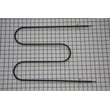
If the broil function is weak or not working, the broil element is a prime suspect. For this model, a common replacement is the oven broiler element WB44M5.
Even with a good element, the oven can underheat if the temperature sensor circuit is out of range or if wiring connections are loose or heat-damaged.
Use these steps:
- Unplug power or shut off the breaker before accessing wiring.
- Inspect terminals for discoloration or melted insulation.
- Test the element for continuity with a multimeter.
- If you find damaged wiring, repair it correctly with high-temperature connectors.
For safe meter use, we recommend following how to use a multimeter to test electrical parts video.
| Symptom | Most likely cause | What to check first |
|---|---|---|
| Oven won’t heat at all | Power supply or control issue | Breaker, terminal block, wiring |
| Broil works, bake doesn’t | Bake element or bake circuit | Element continuity, wiring |
| Bake works, broil doesn’t | Broil element failed | Oven broiler element WB44M5 |
| Heats but won’t reach set temp | Sensor/calibration or weak element | Thermometer test, sensor circuit |
An oven that underheats can lead to undercooked food and long cook times; an oven that overheats can burn food and stress components like wiring and insulation.
Last updated: February 2026
What does F30 mean on a Kenmore oven?
On the Kenmore 2784218590 electric wall oven, the F30 error code means the control is not getting a correct signal from the oven temperature sensor circuit. The most common causes are a loose sensor connection, damaged wiring, or a failed temperature sensor.
- Reset power at the breaker for 1 minute, then restore power and see if F30 returns.
- If the code comes back, stop using Bake and Broil until the sensor circuit is corrected.
- If the oven was recently moved or serviced, check for a loose sensor plug or pinched harness.
- If you see burned insulation or damaged wires, keep power off until the wiring is repaired.
In Kenmore electric wall ovens, F30 typically sets when the control senses an open or out-of-range temperature sensor circuit.
| Likely cause | What it means | What we do next |
|---|---|---|
| Loose/unplugged sensor connector | Intermittent or lost sensor signal | Reseat connector, inspect terminals |
| Damaged sensor harness | Broken wire or short to chassis | Repair wiring, then retest |
| Failed temperature sensor | Resistance is incorrect | Replace the sensor |
| Control problem (less common) | Misreads a good sensor circuit | Confirm sensor and wiring first |
- Disconnect power.
- Access the oven temperature sensor connector (often inside the oven cavity or behind the rear panel).
- Measure sensor resistance; most oven sensors read about 1,080 ohms at room temperature.
- If the sensor reads open, shorted, or far off spec, replace it. If it reads normal, check the harness for continuity and heat damage.
For safe meter technique, use: how to use a multimeter to test electrical parts video.
The temperature sensor is the feedback device that lets the control regulate heat. When the sensor circuit fails, the oven can overheat, underheat, or shut down with an error, which affects cooking results and can stress components.
Last updated: February 2026
How do I get my Kenmore oven out of lock mode?
On your Kenmore electric wall oven model 2784218590, you turn off lock mode by pressing and holding the Oven Lock or Control Lock pad (or the pad with a lock icon) for about 3 seconds until the lock indicator goes out and the latch finishes moving.
- Press and hold Oven Lock, Control Lock, or the lock icon pad for 3 seconds.
- If your control panel uses a combo, press and hold CLEAR/OFF for 3 seconds.
- Wait 10 to 30 seconds for the latch motor to complete the unlock.
- If the keypad is unresponsive, shut off power at the breaker for 1 minute, restore power, then retry.
- If the door is locked, do not force it; forcing can damage the door glass or hinges.
Lock mode can stay on after a power interruption, or the door latch can remain engaged after a high-heat cycle.
- Make sure the oven is cool; after self-clean, the door stays locked until the cavity cools.
- Press CLEAR/OFF once to cancel any active cycle, then try the lock pad again.
- Check that nothing is physically binding the door (racks not protruding, no foil caught at the gasket).
| What you see on the display | What it usually means | What to do |
|---|---|---|
| Lock light/icon is on | Control lock is enabled | Hold lock pad 3 seconds |
| “Locked” but oven won’t start | Keypad lock is active | Hold lock pad or CLEAR/OFF |
| Door won’t open after self-clean | Latch is waiting for cool-down | Wait, then cancel and unlock |
Lock mode prevents accidental keypad presses, but if it stays enabled it can block baking and broiling and make the oven seem like it is not working even when power is present.
If the control unlocks but the door stays stuck, look for binding or damage around the door assembly.
- Door glass WB36X779 (door center glass)
- Oven door glass 328720 (door glass component)
Last updated: February 2026




