 Owner’s manual
 Error Codes







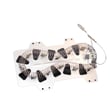




How to tell if Samsung dryer thermal fuse is bad?
On the Samsung DVE45R6100W dryer, a bad thermal fuse is usually suspected when the dryer will not start or the dryer runs but will not heat; the reliable way to confirm is to unplug the dryer and test the fuse for continuity with a multimeter (no continuity means the fuse is blown). See the DVE45R6100W user manual for safety and access guidance.
Common symptoms that point to a blown thermal fuse
A thermal fuse is a one-time safety device that opens if the dryer overheats. Depending on which fuse opens in your Samsung dryer, you may notice:
- Dryer will not start (no motor run)
- Dryer runs but produces no heat
- Cycle stops early or seems inconsistent
- Burning smell or unusually hot cabinet (stop using it)
- Lint buildup and weak airflow at the outside vent hood
How to test the thermal fuse (basic continuity check)
Before testing, disconnect power (and shut off gas if you have a gas model).
- Unplug the dryer (or switch off the breaker).
- Access the fuse location (commonly on the blower housing or heater housing, depending on design).
- Pull the wire connectors off the fuse terminals (do not tug the wires).
- Set your multimeter to continuity (or lowest ohms).
- Touch one probe to each terminal.
Result guide
| Meter result | What it means | Next step |
|---|---|---|
| Beep or near 0 ohms | Fuse is good | Keep troubleshooting heating/starting circuit |
| No beep or OL/infinite | Fuse is blown | Replace the fuse and correct the overheating cause |
For step-by-step repair workflow, we recommend how to replace a thermal fuse in an electric dryer (process is similar across many electric dryers).
Fix the overheating cause before you run the dryer again
A thermal fuse usually blows because airflow is restricted. After replacement, address these common causes:
- Clean the lint screen and confirm it is not coated with fabric softener residue
- Inspect and clean the exhaust duct and outside vent hood
- Replace crushed, kinked, or plastic venting with 4-inch rigid metal duct where possible
- Keep duct runs short with minimal elbows
- Run the dryer’s vent check features if equipped (your manual covers venting requirements)
Why it matters
Replacing a blown fuse without fixing the airflow problem often leads to repeat failures, longer dry times, and overheating that can damage components like the heating element, thermistor, or control board.
Last updated: January 2026
What is the most common problem with Samsung dryers?
For Samsung dryers like model DVE45R6100W, the most common service complaint we see is no heat or poor drying, and the root cause is often restricted airflow (lint screen or vent duct) or a failed heating component (such as a heating element or thermal cut-off). For model-specific operating and vent test steps, use the DVE45R6100W user manual.
Most common symptoms and what they usually point to
- Runs but doesn’t heat: heating element (electric models), gas ignition components (gas models), thermal cut-off, or control issue
- Takes too long to dry: clogged lint screen, crushed/kinked vent, long duct run, blocked exterior hood
- Stops mid-cycle or shows heat-related codes: overheating from poor venting, thermistor sensing issues
- Won’t start: door switch not closing, power supply problem, control panel issue
- Loud thumping/squealing: worn drum support rollers, idler pulley, or drive belt wear
Quick checks we recommend first (fast, no tools)
- Clean the lint screen completely (including any film from dryer sheets).
- Confirm the outside vent hood opens freely while the dryer runs.
- Run the built-in Vent Blockage Test (this model supports it) and correct any “CLg” result.
- Try a heat cycle with Eco Dry off (Eco Dry can start with an air-dry phase that feels like “no heat”).
- If an information code appears, match it to the code list before replacing parts.
Airflow vs. heat failure: a simple comparison
| What you notice | More likely airflow restriction | More likely heating component failure |
|---|---|---|
| Clothes damp, dryer hot | Yes | Sometimes |
| Dryer not hot at all | Sometimes | Yes |
| Outside vent airflow weak | Yes | No |
| “CLg” on vent test | Yes | No |
Why it matters
Poor airflow is the most common reason a Samsung dryer underperforms; it can also trigger overheating protection, increase dry times, and lead to repeat failures of heat-related parts. Keeping the venting correct is often the best “repair” you can do.
For code lookups and Smart Care guidance, we also use the Samsung dryer error codes reference.
Last updated: January 2026
What's the average lifespan of a Samsung dryer?
Samsung does not publish an “average lifespan” for the Samsung dryer model DVE45R6100W in the product documentation we have for this model. In practice, many household dryers are often used for roughly a decade or more, but real life varies most with airflow, load habits, and maintenance.
What we can confirm for DVE45R6100W
From the DVE45R6100W user manual, the biggest longevity drivers are heat control and airflow management.
- Clean the lint filter before or after every load
- Use proper exhaust ducting (metal duct, avoid plastic or crushed duct)
- Keep the area around the exhaust opening free of lint and dust
- Run the Vent Blockage Test after installation to confirm the duct system is exhausting properly
- Clean the exhaust system periodically (the manual recommends regular checks and cleaning)
Typical lifespan range (general guidance)
We treat this as an industry expectation, not a guarantee for any single Samsung dryer.
| Usage and care | What you might see | Why |
|---|---|---|
| Light use, strong venting, consistent maintenance | Often longer service life | Lower heat stress and shorter run times |
| Average family use, mixed maintenance | Around “typical” dryer life | Normal wear on motor, heater, rollers, belt |
| Heavy use, restricted venting, frequent overloading | Shorter service life | Higher temperatures and longer cycles |
Signs your dryer is aging faster than it should
- Drying times keep getting longer
- The cabinet feels unusually hot or the laundry room gets very humid
- Repeated shutdowns, burning smell, or “won’t heat” symptoms
- New noises (thumping, squealing, grinding)
Why it matters
Most premature dryer failures are tied to restricted airflow; it forces longer cycles and higher operating temperatures, which can wear out components faster and increase the risk of overheating.
Related help: dryer takes a long time to dry
Last updated: January 2026









