Owner’s manual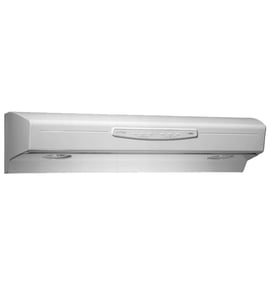



How do I know what model range hood I have?
To identify your Kenmore Elite range hood model, find the rating label and match the model number on it to your paperwork. On model 23355123000, the label is commonly located on the top of the hood, on the underside, or behind the grease filters; confirm the exact location in the owner's manual.
Where to look for the model number label
Check these common spots on a Kenmore Elite range hood:
- On the top of the hood (often easiest to see before installation)
- On the underside of the hood near the lights or intake area
- Behind the grease filters (remove the filters and look on the inner frame)
- Inside the hood near the wiring compartment cover
- Along an inner side wall near the blower housing
What the label usually shows
Most range hood rating labels include:
- Model number (for this page: 23355123000)
- Serial number
- Electrical rating (typically 120 VAC for household hoods)
- Brand and safety markings
Quick match guide
Use the model number to make sure you order the right parts (filters, light socket, touch pad) for your exact hood.
| If the label shows | What to do next |
|---|---|
| 23355123000 | Use this model’s parts list and diagrams for exact fit |
| A different 233.######## model | Use the exact number from the label; parts can differ by size and controls |
| Label missing or unreadable | Use the installation paperwork or compare key parts (filter size, control style) to narrow it down |
Why it matters
Range hoods often look similar across sizes (30-in, 36-in, 42-in), but grease filters, light panels, and control pads are model-specific. Using the correct model number helps ensure the replacement part fits and mounts correctly.
Last updated: February 2026
Why is the fan not working on my Kenmore range hood?
If the fan is not working on your Kenmore Elite range hood model 23355123000, the most likely causes are a loss of power to the hood, a blown control fuse (the indicators may still light), a failed fan switch/touch pad, or a wiring connection problem. Use the troubleshooting and fuse procedure in the owner's manual to pinpoint the failure.
Quick checks (fastest fixes first)
- Confirm the hood has power (breaker on, wall switch on if your hood is switched).
- Press a different fan speed button; on this model, each speed has an indicator light.
- If the fan-level indicators work but the fan does not run, check the hood control fuse.
- Inspect for a loose wire connection at the hood wiring compartment (power off first).
- Make sure grease filters are seated correctly and not interfering with the blower area.
Model-specific issue: blown hood control fuse
This model’s control includes a fuse designed to protect against power surges. A classic symptom is: the green fan-level indicators operate normally, but the fan and lights will not turn on.
Fuse replacement overview (summary)
- Disconnect power at the service entrance.
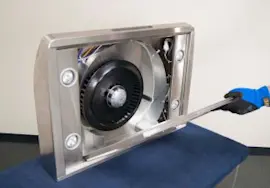
- Remove the grease filters and the bottom panel.
- Remove the light wire harness and air chute to access the control.
- Inspect and replace the fuse if blown.
- Reassemble and restore power; test fan operation.
When it is a switch or touch pad problem
If the hood has power and the fuse is good, the next most common failures are the fan switch/touch pad or a damaged wire connection.
| What you observe | Most likely cause | What to do next |
|---|---|---|
| No fan, no lights, no indicators | No power supply | Check breaker, wiring, and connections |
| Indicators work, fan and lights do not | Blown control fuse | Follow fuse steps in the manual |
| Some speeds work, others do not | Fan switch/touch pad issue | Test switch continuity; replace control if needed |
| Fan hums but does not move air | Blower wheel issue or obstruction | Inspect blower wheel and retainer |
Why it matters
A non-working range hood fan reduces smoke and grease capture, and grease buildup can increase fire risk. Keeping filters clean and restoring proper airflow helps protect the hood motor and your kitchen.
Last updated: February 2026
Why would a range hood stop working?
A Kenmore Elite range hood model 23355123000 usually stops working because it is not getting power, the controls are not switching power to the fan or lights, or the hood has overheated and needs time to cool down. Grease buildup can also restrict airflow and contribute to overheating.
Quick checks we recommend first
- Confirm the hood has power (check the breaker and any wall switch that feeds the hood).
- If the hood plugs in, make sure the plug is fully seated and the outlet works.
- Try each fan speed and each light level; this model uses push buttons for 3 fan speeds and 3 light levels.
- Let the hood cool and try again; this model has a Heat Sentry feature that can force high speed when temperatures are above normal.
- Clean the grease filters and any visible grease buildup so airflow is not restricted.
Most common causes (and what to do)
| Symptom | Likely cause | What to do next |
|---|---|---|
| Nothing works (no fan, no lights) | No power to hood | Reset breaker, verify supply wiring and connections per the owner's manual |
| Lights work, fan does not | Fan control issue or motor/impeller problem | Check for a jammed blower wheel, listen for motor hum, inspect wiring connections |
| Fan works, lights do not | Bulb/socket issue | Inspect bulb and socket condition; replace damaged socket if needed |
| Fan runs oddly or is very noisy | Grease buildup or unbalanced/obstructed impeller | Clean filters and check for debris; keep construction dust off the power unit |
Parts that commonly fix “stopped working” problems
If troubleshooting points to a failed electrical connection at the light, a damaged socket is a common repair on range hoods.
Why it matters
A hood that is not venting well can overheat and can also allow grease to accumulate on the fan and filter. The manual calls out cleaning the ventilating fan frequently and not allowing grease to build up on the fan or filter; good airflow helps the hood run cooler and more reliably.
Last updated: February 2026
What are the parts of a range hood called?
A range hood is typically made up of the hood body (canopy), a blower and venting path, controls, lighting, and filters. On Kenmore Elite model 23355123000, the most commonly referenced service parts include the grease filter, light components, and the bottom cover or panels (see the 23355123000 owner's manual).
Common range hood part names (what you will see in parts lists)
- Hood canopy or hood body (the main shell)
- Bottom panel or bottom cover (the underside panel you remove for access)
- Grease filter (aluminum mesh filter)
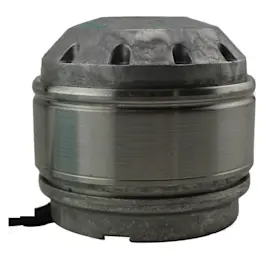
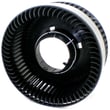
- Blower wheel (fan) and retainer ring
- Damper and duct connector (for ducted discharge)
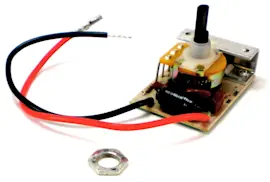
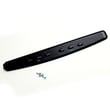
- Control panel or touch pad
- Light panel, light socket, and lamp
Model 23355123000 examples you can order
These are real part names used for this Kenmore Elite range hood:
| What it does | Part name you may see | Example part ID |
|---|---|---|
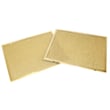
| Catches grease before it reaches the blower | Grease filter, 2-pack | Range hood 30-in hood grease filter, 2-pack 99010302 |
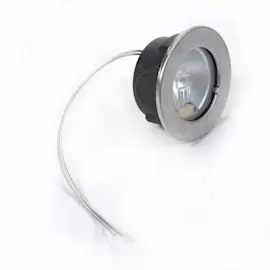
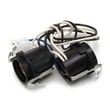
| Powers the hood light | Light socket | Range hood light socket SR111630 |
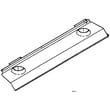
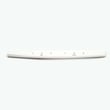
| Covers the underside and supports filters/lights | Range hood bottom panel, 30-in | Range hood bottom panel, 30-in SR680511 |
Why the names matter when you are troubleshooting
Using the correct part name helps you match symptoms to the right area:
- Smoke or odors not clearing: grease filter, blower wheel, damper, ductwork
- Rattling or vibration: blower wheel, retainer ring, loose panel screws
- Lights not working: lamp, light socket, wiring connections
- Grease dripping: clogged filter or missing/warped bottom panel
Quick safety notes before removing panels or wiring
The manual calls out key safety basics for this type of hood:
- Turn power off at the breaker before servicing wiring or internal parts
- Clean the fan and filter regularly; grease buildup increases fire risk
- Use metal ductwork for ducted installations, and vent ducted fans outdoors
Last updated: February 2026