Owner’s manual
 Error Codes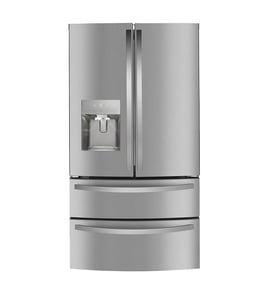


How to tell cubic feet of Kenmore refrigerator by model number?
For Kenmore refrigerator model 10651132213, the most reliable way to get cubic feet is to look up the capacity in the 10651132213 owner's manual; model-number patterns can hint at size, but the manual gives the exact listed capacity for your specific unit.
Fast ways to find the cubic feet
- Check the manual specs: Look for “capacity,” “total capacity,” or “cubic feet.” Use the 10651132213 owner's manual.
- Look for a rating label: Many refrigerators list capacity on a product data label inside the fresh food section (often on a side wall or near crisper drawers).
- Estimate by measuring the interior: Useful if labels are missing or unreadable.
How to estimate cubic feet (quick math)
- Measure the usable interior of the fresh food section and freezer (in inches): width, depth, height.
- Multiply each section:
W x D x H = cubic inches. - Add both sections together.
- Convert to cubic feet: divide by 1728.
Example conversion table
| Measurement result | Convert to cubic feet | Example outcome |
|---|---|---|
| Total cubic inches | ÷ 1728 | 36,288 in³ ÷ 1728 = 21.0 ft³ |
What the model number can and cannot tell you
Kenmore model numbers starting with 106 typically indicate the manufacturing source family, not a guaranteed capacity. Capacity varies by configuration (top freezer, side-by-side, ice maker, dispenser) even within the same model prefix.
Why it matters
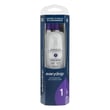
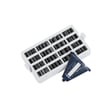
Knowing cubic feet helps us match the right parts and maintenance items for your refrigerator, such as the correct Kenmore refrigerator water filter 9081 and refrigerator air filter W10311524, and it also helps when comparing replacement models.
Last updated: January 2026
How to identify a refrigerator model?
To identify your Kenmore refrigerator model, look for the model and serial tag on the cabinet walls or behind lower panels. For Kenmore model 10651132213, the tag is usually inside the fresh food section or freezer, not on removable shelves or drawers.
Where to look first
Check these common locations in this order:
- Inside the refrigerator compartment on a side wall (often near the top)
- Inside the refrigerator compartment behind or beside the crisper drawers
- Inside the freezer compartment on a side wall
- On the hinge side of the door frame (open the door and look along the cabinet edge)
- Behind the toe grille or kick plate at the bottom front
- On the back exterior panel near the lower area
What the label looks like
Most Kenmore refrigerators use a small sticker or metal plate that includes:
- Model number (example: 10651132213)
- Serial number
- Electrical ratings (volts/amps)
- Sometimes a manufacturing date code
Model number vs. serial number (quick guide)
| Item | What it tells you | When you need it |
|---|---|---|
| Model number | Exact design and parts match | Ordering parts like a water filter or ice maker |
| Serial number | Production run details | Warranty, service history, and some revisions |
Why it matters
Using the exact model number prevents wrong-part orders and mismatched instructions. Even small differences in a Kenmore refrigerator series can change the correct water filter, door bin style, or ice maker configuration.
Helpful next step
Use the exploded views and identification notes in the 10651132213 owner’s manual to confirm the tag location and record the full model number exactly as printed.
Last updated: January 2026
What is the average lifespan of a Kenmore Elite refrigerator?
Most Kenmore Elite refrigerators average 10 to 15 years of service life. For Kenmore model 10651132213, you can often reach the high end of that range by keeping airflow clear, maintaining door seals, and staying on schedule for filter changes listed in the 10651132213 owner's manual.
Typical lifespan and what to expect
In normal household use, this is the most common lifespan pattern we see:
- 0 to 5 years: Mostly routine maintenance (filters, cleaning)
- 5 to 10 years: Higher chance of wear items (fans, valves, ice maker components)
- 10 to 15 years: Cooling-system and control issues become more common; repair vs. replace decisions happen more often
- 15+ years: Possible with excellent maintenance, but major repairs are more likely
What shortens (or extends) refrigerator life
These factors have the biggest impact on longevity:
- Dirty condenser area reducing heat removal
- Door gaskets not sealing, causing long run times and frost buildup
- Ice maker and water dispenser leaks stressing components
- Overpacked compartments blocking vents and airflow
- Power surges affecting electronic controls and LED lighting
Quick maintenance checklist (high impact)
- Keep vents inside the fresh food and freezer sections unobstructed
- Clean dust from the condenser area regularly (frequency depends on pets and dust)
- Confirm doors close fully and the gasket seals all the way around
- Replace the water filter on schedule; use the correct Kenmore refrigerator water filter 9081
- If you notice warm temps, address it early (small airflow issues become big cooling problems)
Repair vs. replace: a simple guide
| If the issue is... | Usually worth repairing? | Why |
|---|---|---|
| Water not dispensing, slow ice | Often yes | Commonly a valve, filter, or line restriction |
| Noisy freezer, weak airflow | Often yes | Fan motor/blade problems are typically repairable |
| Not cooling at all | Depends | Could be airflow, controls, or sealed-system related |
| Repeated major cooling failures | Often no | Costs can add up quickly |
Why it matters
A refrigerator that runs longer than it should (from poor airflow, dirty coils, or bad seals) uses more energy and puts extra wear on the compressor and fans. Staying ahead of basic maintenance is the simplest way to maximize lifespan.
Last updated: January 2026
Is there a way to reset a Kenmore Elite refrigerator?
Yes. For Kenmore model 10651132213, the most reliable reset is a full power reset: unplug the refrigerator (or turn the circuit breaker off) for 5 minutes, then restore power and allow the controls to reboot. For any control-panel or indicator-light reset steps, follow the 10651132213 owner's manual.
Reset steps we recommend
- Power reset: Unplug the cord (or switch the breaker off) for 5 minutes.
- Restore power: Plug back in (or turn breaker on).
- Let it stabilize: Allow 24 hours for temperatures to return to normal.
- If the display is locked or unresponsive: Use the exact key sequence shown in the manual for your control panel.
- If a light (filter, replace, etc.) stays on: Use the manual’s indicator reset procedure after completing the related maintenance.
What a reset fixes vs. what it will not
| Situation | Reset helps | What to check next |
|---|---|---|
| Control glitch after outage | Yes | Confirm temps return to set points |
| Filter indicator needs clearing | Yes | Replace filter correctly, then reset indicator |
| No ice or slow ice | Sometimes | Water supply, valve, ice maker function |
| Not cooling or warm temps | Sometimes | Airflow, condenser cleaning, fan operation |
Parts often involved when symptoms return after a reset
If the problem comes back quickly after a power reset, a component issue is usually the cause.
- Water dispenser or ice maker not filling: refrigerator water inlet valve WPW10341320
- Ice production problems: refrigerator ice maker W10873791
- Odors that persist: refrigerator air filter W10311524
Why it matters
A power reset clears temporary control-board logic errors and reboots the user interface. If cooling, dispensing, or ice production does not normalize within 24 hours, checking airflow and the water system prevents repeat shutdowns and nuisance alarms.
Last updated: January 2026