






What is a common problem with trash compactors?
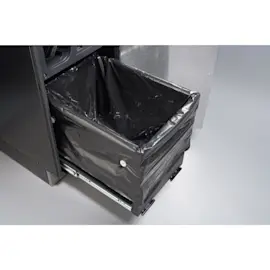
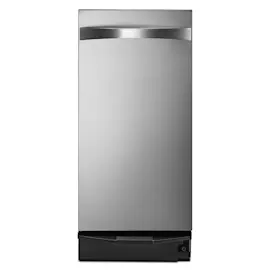
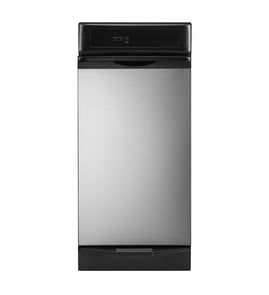
A common problem with the Kenmore 6651350590 trash compactor is that it will not start or complete a cycle because a safety switch, direction/limit switch, or door/drawer latch is not closing properly. Another frequent issue is loud grinding or clicking from worn drive components.
Most common symptoms and what they usually mean
- Won’t start at all: on/off switch, off switch, or a safety interlock is open
- Starts then stops or reverses unexpectedly: top limit/directional switch is failing or misaligned
- Drawer won’t open or won’t stay shut: latch or latch spring issue, or trash is jammed
- Loud grinding/clicking: worn drive gear/chain, loose hardware, or a failing motor
- Bad odors: residue in the drawer, ram area, or bottom pan
Quick checks we recommend first (safe, no parts needed)
- Make sure the drawer is fully closed and latched.
- Turn the unit off, wait 1 minute, then turn it back on.
- Check for a jammed bag or trash caught along the drawer tracks.
- Inspect the power cord and outlet; reset the kitchen GFCI if it is tripped.
- If the compactor runs but sounds rough, stop using it until you inspect the drive area.
Parts that commonly fix “won’t start” or “stops mid-cycle”
If the basics check out, these model-compatible parts are common fixes:
| Symptom | Likely part to check | What it does |
|---|---|---|
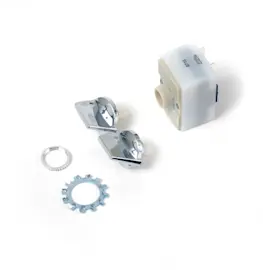
| Won’t start | Switch 675382 | Main on/off user switch that enables operation |
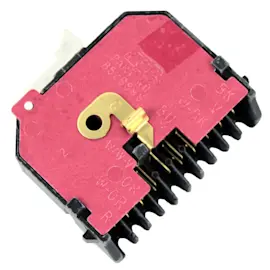
| Stops, reverses, or won’t complete travel | Trash compactor top limit and directional switch WP777811 | Tells the control when the ram reaches limits and which direction to run |
| Shuts off when you try to run | Off switch WP4314961 | Safety switch that opens the circuit when conditions are not safe |
Why it matters
Trash compactors rely on multiple safety interlocks and limit switches to prevent the ram from moving when the drawer is not secured. When one switch is weak or misaligned, the compactor can act “dead” even though it has power.
Last updated: February 2026
What is the life expectancy of a trash compactor?
A Kenmore trash compactor like model 6651350590 typically lasts 10 to 15 years with normal household use. Lifespan depends most on how often you run compaction cycles, how heavily the drawer is loaded, and whether wear items (switches, latches, drive parts) are replaced when symptoms start.
Typical lifespan ranges
| Use pattern | Typical life expectancy | What shortens life fastest |
|---|---|---|
| Light (few cycles per week) | 12 to 15 years | Overloading, slamming drawer |
| Average (daily or near-daily) | 10 to 12 years | Running with binding drawer slides |
| Heavy (multiple cycles daily) | 7 to 10 years | Ignoring grinding, stalling, or switch issues |
What matters most for longevity
- Keep loads reasonable; don’t pack hard items that can jam the ram.
- If the drawer doesn’t close and latch smoothly, address it early; a worn latch can prevent safe operation.
- Stop using the compactor if it stalls, reverses unexpectedly, or won’t stop at the top; a failing limit/directional switch can damage the drive.
- Reduce friction: a sticking drawer increases strain on the motor and drive chain.
- Clean spills promptly; moisture and residue accelerate corrosion and odors.
Parts that commonly determine “end of life” (and what to watch for)
- Won’t start or intermittent power: check the switch 675382 and wiring connections.
- Stops at the wrong point, won’t reverse, or won’t stop at top: suspect the trash compactor top limit and directional switch WP777811.
- Drawer won’t stay shut or won’t engage: inspect the latch and spring (wear can mimic bigger failures).
- Grinding, popping, or slipping under load: inspect drive chain, gears, and bearings.
- Excess vibration or slow compaction: motor and mounting hardware can be the root cause.
Why it matters
Knowing the expected service life helps you decide whether to repair or replace. On a 10 to 15 year old unit, replacing a switch or latch is often a cost-effective fix, while repeated drive or motor problems usually signal the compactor is nearing the end of its practical lifespan.
Last updated: February 2026
Where is the model number on a Kenmore trash compactor?
On Kenmore trash compactor model 6651350590, the model number is printed on a rating label that’s usually on the cabinet frame just inside the drawer opening (behind the drawer/door area). It can also be on a side panel near the bottom front.
Common places to check
- Open the drawer and look along the front frame (left and right sides) where the drawer slides in
- Check the inside edge behind the drawer front (near the latch area)
- Look on the side panel near the bottom (especially if the unit is built-in)
- Check near the kick plate area; you may need to remove the toe panel for a clear view
- If the label is damaged or painted over, use a flashlight and look for faint stamped or printed characters
Quick access tips (built-in compactors)
If your compactor is installed under a counter, these steps help you find the label without fully removing the unit:
| Situation | What to do | What you’re looking for |
|---|---|---|
| Drawer opens normally | Inspect the cabinet frame with the drawer open | A sticker/plate with the model and serial number |
| Label is low and blocked | Remove the toe/kick area panel | Label on the lower side frame |
| Drawer won’t open | Check the latch area first | A jammed latch or misaligned drawer |
Why it matters
We use the exact model number to match Kenmore parts correctly (switches, latch components, drawer hardware, and drive parts). Even small model-number differences can change which parts fit.
If you need the drawer to open so you can access the label, checking the latch mechanism is a good first step; the Kenmore elite trash compactor drawer latch assembly 775665 is one of the common related components for this model.
Last updated: February 2026
Why can't I press the trash compactor button?
If you can’t press the button on your Kenmore 6651350590 trash compactor, the drawer is usually not fully closed or something is blocking it. When the drawer does not seat all the way, the safety interlock will keep the control from starting a cycle.
Quick checks that fix most “button won’t press” issues
- Pull the drawer out and remove any trash or debris that could be wedged behind the drawer.
- Reinstall the bag so it is not bunched up at the top edge where it can prevent full closure.
- Push the drawer in firmly until it latches; the latch must fully engage.
- Check the cabinet opening for anything rubbing the drawer front (misaligned kick plate, bent trim).
- If the unit has a key/lockout, make sure it is in the ON/UNLOCK position.
What to inspect if the drawer closes but the control still won’t start
If the drawer closes normally and the button still won’t operate, the problem is typically in the door/drawer safety switch circuit or the on/off switching.
Common parts involved on this model include:
- Trash compactor top limit and directional switch WP777811 (can prevent operation if it is stuck or not actuating)
- Switch 675382 (on/off switch issues can make the control feel “dead”)
- Off switch WP4314961 (a failed off switch can interrupt power to the control circuit)
Simple symptom-to-cause guide
| What you notice | Most likely cause | What we recommend |
|---|---|---|
| Button feels blocked or won’t physically move | Drawer not fully seated, obstruction | Clear obstruction; reseat bag; close drawer firmly |
| Button moves but nothing happens | Interlock/switch not closing, switch failure | Inspect latch alignment; test switches with a multimeter |
| Works sometimes when you push the drawer harder | Misalignment or weak latch engagement | Check latch and drawer alignment; inspect strike area |
Why it matters
Trash compactors are designed to never run with the drawer unlatched. That safety design protects you and the cabinet, but it also means a small obstruction or a failing switch can stop the button from working.
Last updated: February 2026