 Installation guide
 Owner’s manual




Can you still get parts for a Kenmore dishwasher?
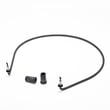
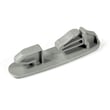
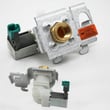
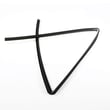
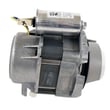
Yes. You can still get replacement parts for a Kenmore dishwasher, and for model 66513732K600 many common repair parts are readily available, such as the drain pump, water inlet valve, door seal, and heating element. Use the model number to match the correct part.
We recommend matching by model number first, then confirming the part name and ID.
- Use the full model number 66513732K600 (from the rating label) when searching
- Match the symptom to the system (drain, fill, heat, leak, controls)
- Compare the part ID and description, not just a photo
- If your dishwasher has an error code, look it up before ordering parts
- Confirm installation steps and access panels in the 66513732K600 installation guide
Here are model-matched examples that cover the most frequent dishwasher failures:
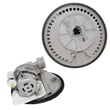
- Dishwasher drain pump WPW10348269 (won’t drain, standing water)
- Dishwasher water inlet valve WPW10158389 (won’t fill, fills slowly)
- Dishwasher door seal W10542314 (leaks at the door)
- Dishwasher heating element W10518394 (poor drying, water not heating)
| Symptom | Most likely area | Example model-matched part |
|---|---|---|
| Water left in tub | Drain system | WPW10348269 drain pump |
| No water entering | Fill system | WPW10158389 inlet valve |
| Leaking at door | Door sealing | W10542314 door seal |
| Dishes not drying | Heating system | W10518394 heating element |
Kenmore dishwashers are built with serviceable components, so replacing the correct part often restores normal washing and drying without replacing the whole dishwasher. Using the exact model number helps avoid returns and repeat repairs.
Last updated: February 2026
How to do a hard reset on a Kenmore dishwasher?
For the Kenmore dishwasher model 66513732K600, the most reliable “hard reset” is to cancel the current cycle and let the dishwasher drain, then restart a fresh cycle. This clears selected options and gets the control ready to run normally (it is the reset method described in the 66513732K600 owner's manual).
- Close the door fully.
- Press CANCEL/DRAIN once.
- Let the dishwasher run the drain cycle (about 2 minutes) until it stops.
- Refill/check detergent if you are starting over.
- Select your new cycle and options.
- Press START/RESUME.
If LOCK ON is lit, the controls are disabled. Turn the lock off, then restart.
- Press and hold HEATED DRY for 4 seconds to toggle Lock On off.
- Confirm the LOCK ON light turns off.
- Press CANCEL/DRAIN, let it drain, then press START/RESUME.
| Action | What it fixes | What it will not fix |
|---|---|---|
| CANCEL/DRAIN then restart | Stuck cycle, wrong options selected, need to start over | No power, tripped breaker, failed control board |
| Turn Lock On off | Unresponsive keypad due to lock | Mechanical issues like leaks or poor washing |
Canceling and draining protects the pump and prevents mixing detergent and dirty water from a stopped cycle into your next wash. It also clears cycle indicators so the dishwasher starts with a clean set of selections.
Last updated: February 2026
Is it worth repairing a Kenmore dishwasher?
Yes, repairing a Kenmore dishwasher like model 66513732K600 is usually worth it when the problem is a common wear item (leak, no heat, won’t drain) and the repair cost stays well below the price of a replacement. For major electronic or motor failures, we compare total repair cost to the dishwasher’s age and overall condition.
- If the dishwasher is under 10 years old, repairs are typically the better value.
- If the issue is leaking, start with seals and hoses before assuming a tub problem.
- If it won’t drain, check the drain path and air gap before replacing pumps.
- If it won’t dry or leaves water cool, heating circuit parts are common fixes.
- If the repair involves a control board or motor assembly, total cost can rise quickly.
These are frequent, straightforward fixes on many Kenmore dishwashers:
- Replace a leaking door seal: dishwasher door seal W10542314
- Fix poor drying or no heat: dishwasher heating element W10518394
- Resolve drain problems after clearing clogs: dishwasher drain pump WPW10348269 or dishwasher drain hose 8269144A
| Repair type | Typical value outcome | Why |
|---|---|---|
| Seal or hose leak | Usually worth repairing | Low parts cost, prevents cabinet and floor damage |
| Drain issue | Usually worth repairing | Often a clog, air gap issue, or pump/hose replacement |
| Heating issue | Usually worth repairing | Restores drying and wash performance |
| Control or motor/sump | Depends on age and total cost | Higher parts cost, more labor, more risk of additional wear |
A dishwasher that is not heating or not draining can look “dead,” but many causes are routine maintenance or a single part. The 66513732K600 manual also calls out checking and cleaning the drain air gap when the dishwasher isn’t draining well, since it helps prevent sink drain backups from pushing water into the dishwasher. Use the 66513732K600 owner’s manual for model-specific troubleshooting steps and care guidance.
Last updated: February 2026
What are common problems with Kenmore dishwashers?
Common problems we see with the Kenmore 66513732K600 dishwasher include not starting, stopping mid-cycle, not draining, poor cleaning, and leaking. Many issues trace back to a door not latching, a tripped breaker or blown fuse, a paused cycle after the door opens, or a water supply valve that is turned off; our 66513732K600 owner's manual troubleshooting steps cover these checks.
- Won’t start or stops during a cycle: door not fully closed and latched, wrong cycle selected, power interruption, or overload reset.
- START/RESUME light flashing: the door was opened during the cycle or power was interrupted.
- Not draining: drain path restriction, drain hose routing issue, or a failing drain pump.
- Poor drying or cool water: heating circuit issue (heater, control, or wiring).
- Leaks at the door: worn or mis-seated door seal.
- Confirm the door closes tightly and latches.
- Verify the correct cycle is selected and the dishwasher is not in a brief normal pause.
- Check the home breaker or fuse; reset once if tripped.
- Make sure the water shut-off valve is fully open.
- If it stopped after heavy loading, wait a few minutes for the motor overload to reset.
| Symptom | Common part to inspect | Example part for this model |
|---|---|---|
| Not draining | Drain pump, drain hose | Dishwasher drain pump WPW10348269, dishwasher drain hose 8269144A |
| Poor drying / water not heating | Heating element | Dishwasher heating element W10518394 |
| Leaking at door | Door seal | Dishwasher door seal W10542314 |
| Dead/no response | Fuse, electronic control | Fuse W10258275, electronic control WPW10084141 |
Catching the simple causes first (door latch, power, water supply, normal pauses) prevents unnecessary part replacement. When a true component failure exists, matching the symptom to the right part (drain, heat, seal, or control) shortens repair time and helps restore normal cycle performance.
For display codes and what they point to, use our Kenmore 665 model dishwasher error codes guide.
Last updated: February 2026
What are the commonly replaced parts in a dishwasher?
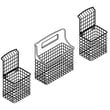
On the Kenmore 66513732K600 dishwasher, the most commonly replaced parts are the components that handle heating, draining, filling, and sealing. We see frequent replacements for the heating element, drain pump, water inlet valve, door seal, and rack items like the silverware basket due to normal wear, clogs, leaks, or breakage.
- Heating and drying: Dishwasher heating element W10518394
- Draining problems (standing water): Dishwasher drain pump WPW10348269 and the drain hose
- Filling problems (no or low water): water inlet valve
- Leaks at the door: Dishwasher door seal W10542314
- Loading wear and tear: Dishwasher silverware basket W10807920, racks, rollers, and stops
- Electrical no-power symptoms: fuse and electronic control
| Symptom | Most likely area | Example part for this model |
|---|---|---|
| Dishes not drying, water not heating | Heating circuit | Heating element |
| Water won’t drain, dirty water left | Drain system | Drain pump, drain hose |
| Dishwasher won’t fill or fills slowly | Water supply | Water inlet valve |
| Water leaking from the front | Door sealing | Door seal |
| Rack won’t roll or items don’t fit right | Rack hardware | Basket, stops, rollers |
These parts do the most work every cycle. The manual also calls out key dishwasher features like the heating element and water inlet opening, which are central to wash performance and are common service points over time.
- Clean the filter area and check spray arms for debris
- Confirm the cycle completed and the door latched fully
- Check for kinks in the drain hose and proper high loop/air gap setup
- Look for visible cracks, warping, or flattening on the door seal
- Verify the dishwasher is level and aligned to the countertop (helps reduce vent moisture and door leaks)
For model-specific diagrams, troubleshooting, and safety steps, use the 66513732K600 owner’s manual.
Last updated: February 2026
What does red lock mean on a dishwasher?
The red lock (padlock) light on a Kenmore dishwasher usually means Control Lock (Lock On) is turned on, so the buttons will not respond. On model 66513732K600, you turn the lock on or off by holding HEATED DRY for about 4 seconds until the lock light changes.
- Make sure the dishwasher door is closed (latched).
- Press and hold HEATED DRY for 4 seconds.
- Release the button when the LOCK ON light turns off.
If you press a button while locked, the lock light typically flashes several times to show the controls are disabled.
Even with Control Lock on, some functions still work normally:
- You can open the door to add a dish.
- The cycle pauses when the door opens.
- To continue the cycle, unlock the controls first.
- Then press START/RESUME to restart the wash.
These steps fix most “stuck lock” complaints:
- Hold HEATED DRY a full 4 seconds (a quick tap will not change the lock).
- Wipe the control panel dry; moisture can trigger false button presses.
- Confirm no button is physically stuck.
- Restore power for 1 minute (unplug or switch the breaker off and back on), then try again.
| Light/indicator | What it means | What to do |
|---|---|---|
| Lock/padlock (red) | Controls are locked | Hold HEATED DRY 4 seconds |
| Clean | Cycle finished | Press any button or close door |
| Sanitized (flashing) | Sanitizing did not complete | Rerun cycle; verify hot water supply |
Control Lock prevents unintended cycle changes and helps keep kids from starting the dishwasher. If it’s on, the dishwasher can look “dead” even though power is fine.
For the exact button layout and indicator behavior for your unit, use the 66513732K600 owner’s manual.
Last updated: February 2026







