 Installation guide
 Owner’s manual
 Error Codes
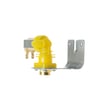


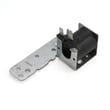
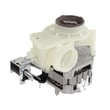

What is error 4 on Hotpoint dishwasher?
On a Hotpoint dishwasher, “Error 4” commonly points to a not-filling (water inlet) problem. For Hotpoint model HDA3640N20SA, start by confirming the water supply is on and the dishwasher can actually take in water during the first few minutes of a cycle; then check the float and inlet wiring per the installation guide.
What to check first (fast, no tools)
- Make sure the shutoff valve under the sink is fully open.
- Confirm the inlet hose is not kinked or crushed.
- Start a Normal cycle and listen for water entering within about 4 minutes.
- Lightly tap the flood float cover inside the tub to free a stuck float.
- Cancel and restart the cycle using the Start/Reset procedure in the owner's manual.
If it still will not fill (common causes)
If the supply is on but the tub stays dry, these are the most likely issues:
- Stuck flood float (dishwasher thinks it is overfilled)
- Loose electrical connector at the water inlet valve (often a red connector)
- Failed water inlet valve or wiring problem
- Door not fully latched (some models will not fill unless the latch is engaged)
Symptoms and what they usually mean
| What you notice | Most likely cause | What we do next |
|---|---|---|
| No water sound at all | No water supply, door not latched, or control not starting | Verify valve is on; re-latch door; restart cycle |
| Hums but no fill | Inlet valve not opening or restricted supply | Check hose/valve; inspect inlet valve wiring |
| Fills sometimes | Float sticking or intermittent connection | Free float; check connectors |
Why it matters
A fill error stops washing performance immediately; without the correct water level, the circulation pump cannot move water through the spray arms, and the dishwasher may drain and reset repeatedly.
Last updated: February 2026
Can I replace dishwasher parts myself?
Yes, for the Hotpoint HDA3640N20SA dishwasher, we can replace many common parts ourselves if we use basic mechanical skills, shut off power and water first, and follow the steps in the HDA3640N20SA installation guide. For electrical repairs beyond basic access and checks, we use a qualified technician.
What you can usually replace yourself
These repairs are typically straightforward DIY jobs on most Hotpoint dishwashers:
- Door seal and leak-related trim (visual fit, press-in or screw-on)
- Spray arms (clogs, cracks, or poor wash coverage)
- Racks and rack components (bent tines, broken wheels)
- Drain hose routing and high-loop checks
- Detergent cup cover issues (binding, broken latch)
Safety steps we follow first
The manual guidance is clear that turning the dishwasher off is not the same as disconnecting power; we treat this as a real electrical and water job.
- Disconnect electrical power at the breaker (not just the control)
- Shut off the water supply valve
- Wear gloves and safety glasses
- Pull the unit only as far as needed; keep it installable for future service
- After any water-line or drain work, run a short test and check carefully for leaks
Parts that often solve common symptoms (examples)
If your symptom matches, these model-specific parts are common starting points:
| Symptom | Common DIY check | Example part for HDA3640N20SA |
|---|---|---|
| Leaking at the door | Inspect gasket for tears, flattening | Dishwasher door seal WD08X10057 |
| Not draining well | Check hose routing, clogs, air gap | Dishwasher drain hose WD24X10014 |
| Poor cleaning | Clear spray arm holes, verify free spin | Dishwasher spray arm, lower WD12X10244 |
Why it matters
DIY replacement can restore cleaning and draining performance quickly, but improper electrical connection, leveling, or leak checks can create repeat failures. Following the documented install and safety steps helps the dishwasher run correctly and stay serviceable.
Last updated: February 2026
Is there a reset button on Hotpoint dishwashers?
Hotpoint dishwashers such as model HDA3640N20SA typically do not have a separate physical “reset button” you press underneath the unit. Resetting is normally done from the control panel by using the START/RESET or RESET pad to cancel and restart a cycle (see the HDA3640N20SA owner's manual).
How to reset (most common methods)
Try these in order; they match how Hotpoint/GE-style controls are designed to clear a cycle and reinitialize the control.
- Cancel the cycle: press START/RESET once to start, then press START/RESET a second time to pump out and turn off (electronic models).
- Timer models: touch RESET to cancel options.
- Let it drain and settle: after pressing START/RESET, allow the dishwasher to drain and reset before starting a new cycle.
- Hard reset for a control error: turn power off at the circuit breaker for 30 seconds, then restore power and try again.
- If it will not start after reset: confirm the door is fully closed and latched; the dishwasher will not run with an unlatched door.
What “reset” does on this dishwasher
A reset is mainly a control cancel and restart; it clears the current cycle and can stop beeping or flashing lights.
| Situation | What to do | What to expect |
|---|---|---|
| You want to stop a running cycle | Press START/RESET again | Unit pumps out, then turns off |
| Options are stuck (timer models) | Touch RESET | Options cancel |
| CLEAN light flashing with beeping | Press START/RESET to stop beeper; then breaker reset if it continues | Dishwasher attempts to reset |
When a “reset” will not fix the problem
If the dishwasher still will not run after the steps above, the issue is usually power, a door-latch/switch problem, or a drain problem.
- Check house power (breaker or fuse) and any wall switch feeding the dishwasher
- Verify the door switch is working; a failed switch can prevent starting (see dishwasher door switch WD21X10261)
- If it will not pump out, inspect the drain path and hose routing (see dishwasher not draining video)
Why it matters
Using START/RESET correctly prevents interrupted cycles, standing water, and repeated control errors; it is the fastest safe way to get your HDA3640N20SA back to a normal wash cycle.
Last updated: February 2026
Why is my Hotpoint dishwasher leaking underneath?
A leak underneath your Hotpoint HDA3640N20SA dishwasher usually comes from a loose water-line connection, a kinked or leaking drain hose, or the dishwasher being out of position so the door rubs cabinets and doesn’t seal correctly. We focus first on connections and leveling per the installation guide.
Quick checks that fix most “leaking underneath” complaints
- Turn off power at the breaker and shut off the water supply valve.
- Pull the toe-kick area dry, then run a short fill to pinpoint where water first appears.
- Confirm the dishwasher is centered in the cabinet opening; cabinet interference can cause leaks.
- Check that the drain hose is not kinked under or behind the dishwasher.
- Inspect the hot water inlet connection on the left side for drips during fill.
- Look for door leaks that run down and appear “underneath” (water trails from the door corners).
Parts that commonly cause leaks on this model
If you find the leak source, these model-matched parts are common fixes:
| Leak symptom | Most likely area | Model-matched part to inspect/replace |
|---|---|---|
| Water on floor during drain | Drain path | Dishwasher drain hose WD24X10014 |
| Water at bottom front or corners | Door sealing surface | Dishwasher door seal WD08X10057 |
| Water appears after wash starts, not just fill | Pump area | Dishwasher circulation pump WD19X10020 |
Installation-related causes (very common)
The HDA3640N20SA installation steps call out several conditions that directly lead to leaks:
- Water pressure: Hot water supply pressure must be 20 to 120 PSI; low pressure can contribute to valve leakage.
- Leveling: If the unit is not level front-to-back and side-to-side, water can push past the door seal.
- Cabinet interference: If the door rubs or hits adjacent cabinets, it can leak around the door and run down underneath.
Why it matters
A small leak underneath can quickly damage flooring and cabinets, and it can also lead to poor washing if the dishwasher is not filling, draining, or sealing correctly.
Last updated: February 2026





