 Installation guide
 Owner’s manual
 Error Codes










How do you fix the F1 code on a Kenmore oven?
On the Kenmore 79092803015 electric range, an F1 error typically points to a control problem (often the electronic oven control or a stuck keypad). We start by resetting power for a few minutes; if F1 returns, troubleshoot the keypad and temperature-sensing circuit next.
- Turn the range off.
- Unplug the power cord, or switch the range circuit breaker off.
- Wait 3 to 5 minutes.
- Restore power and set the clock.
- Test Bake at 350°F.
If the code clears and stays away, the issue was a temporary control glitch.
F1 usually comes back when one of these is happening:
- A stuck or shorted keypad (touch panel) is sending a constant signal.
- The oven control board is misreading inputs or failing internally.
- A wiring connection is loose or damaged between the keypad, control, and sensor.
- The oven temperature feedback is abnormal (less common, but possible).
A quick, practical check: if F1 appears immediately at power-up or beeps continuously, the keypad or control is the top suspect.
A drifting or failed sensor can contribute to control errors. For this model, the sensor is a common service part: frigidaire range oven temperature sensor 316490000.
- With power off, inspect the sensor harness connection at the rear.
- Look for pinched wires, corrosion, or a loose plug.
- If you have a multimeter, most range sensors read around 1,080 ohms at room temperature (typical value).
| Symptom | Most likely fix | Notes |
|---|---|---|
| F1 returns right after reset | Replace control or keypad | Control failures are common on older ranges |
| F1 happens during baking | Check sensor and wiring | Sensor issues can trigger erratic readings |
| Random beeping, unresponsive keys | Keypad issue | Often presents as “stuck key” behavior |
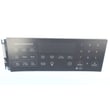
For control-related failures, the common replacement is the frigidaire range oven control board and clock 316560127.
An F1 code can disable baking and broiling, and repeated beeping usually means the control is detecting an unsafe or invalid input. Fixing the root cause restores reliable temperature control and normal oven operation.
Use the wiring, access, and safety steps in the 79092803015 installation guide before removing panels or checking connections.
Last updated: February 2026
How to reset Kenmore oven model 79092803015?
A reset on Kenmore electric range model 79092803015 is usually a power reset: turn the range off at the circuit breaker for a few minutes, then restore power to reboot the oven control. If the control is still unresponsive, a keypad lock or a fault condition may be preventing normal operation.
- Turn OFF the range circuit breaker (or unplug if accessible).
- Wait 3 to 5 minutes.
- Turn power ON.
- Set the clock and try Bake at 350°F.
- If the display is locked, press and hold Control Lock for 3 to 5 seconds (label varies by console).
For model-specific control features and lock behavior, follow the steps in the 79092803015 owner’s manual.
These checks help separate a control issue from a heating or sensor problem:
- Confirm the range has full power (surface elements and oven both need proper supply).
- Try Broil; if broil works but bake does not, the bake circuit is the likely issue.
- If the oven heats erratically or shows temperature-related errors, check the sensor circuit.
- If the display is blank or resets repeatedly, the control board or power connection can be involved.
- After self-clean, a door lock problem can keep the oven from operating.
| Symptom | What it often points to | Example part for this model |
|---|---|---|
| Oven temperature inaccurate, error codes, overheating/underheating | Oven temperature sensor | Frigidaire range oven temperature sensor 316490000 |
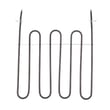
| Bake not heating but broil may work | Bake element or wiring | Frigidaire range bake element 316505500 |
| Oven locked after self-clean, won’t start | Door lock motor/switch | Range oven door lock motor and switch assembly 5304528973 |
A hard reset clears the electronic oven control’s temporary memory and can restore normal keypad response. If a heating circuit (bake element, sensor, door lock) is failing, the reset may only help briefly, so identifying the symptom helps you replace the right Kenmore range part the first time.
For installation-related power connection details (including terminal block cautions), use the installation guide.
Last updated: February 2026
What would cause a Kenmore oven to not heat up?
On Kenmore electric range model 79092803015, an oven that will not heat is usually caused by a failed heating circuit such as a burned-out bake element, a bad oven temperature sensor, or a problem in the electronic oven control. Start with a quick visual check, then test components safely.
- Confirm the range has power (no tripped breaker, clock/display on).
- Make sure you are using Bake, not Delay Start or Sabbath mode.
- Look for obvious damage: blistered spots or breaks on the bake element.
- If the oven heats sometimes, note whether it fails only at higher temps.
- If the oven is in self-clean or shows a lock condition, wait for it to cool fully and retry.
| Likely cause | Typical symptom | What to do next |
|---|---|---|
| Bake element failure | No heat in Bake; broil may still work | Inspect and ohm-test; replace if open |
| Temperature sensor out of range | Oven heats poorly, overheats, or throws an error | Test sensor resistance; replace if out of spec |
| Control board/relay issue | No element voltage even though settings are correct | Verify wiring and output; replace control if needed |
| Door lock circuit issue (self-clean models) | Oven will not start heating; lock behavior is abnormal | Check lock motor/switch operation |
- Frigidaire range bake element 316505500
- Frigidaire range oven temperature sensor 316490000
- Frigidaire range oven control board and clock 316560127
- Range oven door lock motor and switch assembly 5304528973
When an electric oven does not heat, the problem is often a single failed part in the heating circuit. Fixing the correct component restores proper temperature control, prevents undercooking, and avoids repeated breaker trips or overheating.
- Turn off power at the breaker before removing panels or testing wiring.
- Use the clearances and installation safety guidance in the 79092803015 installation guide when moving the range for access.
- For model-specific diagnostics, wiring diagrams, and error code details, follow the 79092803015 owner's manual.
Last updated: February 2026
Where is the model number on a Kenmore electric range?
On Kenmore electric range model 79092803015, the model and serial number plate is typically on the lower right front frame of the appliance; you can see it when you open the oven door. Some units also have an alternate plate location under the cooktop (lift-up access varies by design). See the 79092803015 installation guide for the exact plate locations.
- Open the oven door and look along the lower right front frame.
- Check the front frame area near the storage or warming drawer opening.
- If you do not see it on the frame, check under the cooktop (alternate location).
- Wipe grease and dust off the frame; the label can blend into the finish.
- Use a flashlight and look for a silver or white serial plate.
These are the most common places we see model/serial plates on freestanding electric ranges like Kenmore 79092803015.
| Location | What it looks like | When to check it |
|---|---|---|
| Lower right front frame (oven door open) | Serial plate with model and serial | First choice; most common for this style |
| Under cooktop (alternate) | Serial plate on chassis top | If the front frame label is missing or unreadable |
| Back panel near cord/terminal area | Rating label | If the unit has been serviced and labels were moved |
We use the exact model number to match the correct wiring, controls, and heating parts for your range. For example, the correct oven temperature sensor and control board can vary by model and revision.
Once you find the model number, match it exactly (all digits). Then choose parts that fit Kenmore 79092803015, such as the frigidaire range oven temperature sensor 316490000 if you are troubleshooting inaccurate oven temperatures.
Last updated: February 2026






