 Owner’s manual
 Error Codes



How do you reset a Kenmore electric stove?
To reset your Kenmore electric range model 91145565893, turn the range off, cut power at the breaker (or unplug if accessible) for about 1 minute, then restore power and re-set the clock. Any bake, broil, or clean cycle in progress must be started again.
- Press CLEAR/OFF to cancel any active oven function.
- Turn all surface burner knobs to OFF.
- Switch the range circuit breaker OFF (or unplug the cord).
- Wait 60 seconds.
- Restore power.
- Set the clock and reprogram any cooking settings (see the 91145565893 owner's manual).
A power reset is most useful for control glitches such as an unresponsive keypad, an “ERR” message after an invalid setting, or a flashing display after a power interruption.
| Symptom | Reset likely helps? | Next most common cause |
|---|---|---|
| Display flashing, time wrong after outage | Yes | Clock needs to be set again |
| “ERR” on display after setting temp/time | Yes | Clear the control, then re-enter settings |
| Oven will not heat at all | Sometimes | Failed heating element or temperature sensor |
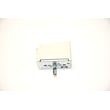
| Surface element not heating | Sometimes | Bad infinite switch or element receptacle |
- Confirm the breaker is fully reset (OFF then ON) and the range has 240V supply.
- Try BAKE, set a temperature, and press START (the oven will not heat until START is pressed).
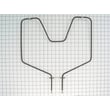
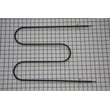
- If broil works but bake does not, inspect the g.e. range bake element WB44K5012 for visible damage.
- If neither bake nor broil heats, check the range oven temperature limit switch WB24K5098 for an overheat trip condition or failure.
- If the control is acting erratically after a reset, review tone and error behavior in the 91145565893 owner's manual.
Resetting clears many temporary electronic control issues and restores normal operation after a power failure, but it also helps you quickly separate a simple control glitch from a true part failure (like a bake element, limit switch, or sensor).
Last updated: February 2026
How to replace Kenmore Range oven control board?
To replace the oven control board on Kenmore electric range model 91145565893, we shut off power at the breaker, access the control area (commonly from the rear), move wires to the new board one at a time, reconnect any ribbon connector, then reassemble and test Bake and Broil. Use the 91145565893 manual for your exact panel and fastener locations.
- Turn OFF the double-pole range breaker (240V) and confirm the display is dark.
- Let the oven and control area cool completely.
- Wear work gloves; rear panels and brackets have sharp edges.
- Take a clear photo of every connector before you remove anything.
- Avoid pulling on wires; pull on the connector body.
- Disconnect power at the main circuit breaker.
- Pull the range forward enough to reach the back safely.
- Remove the rear access panel to expose the control housing.
- Label connectors (masking tape works well) and photograph the wiring.
- If your board uses a ribbon cable, release the locking tab, then slide the ribbon straight out.
- Remove mounting screws and lift out the old control board.
- Install the new board, then transfer wires one at a time to the matching terminals.
- Reinsert the ribbon cable fully and lock the connector.
- Reinstall the rear panel, restore power, and run a quick Bake and Broil test.
| What you see | What to check | What to do next |
|---|---|---|
| Display is blank | Power supply to range | Verify breaker is on and cord/terminal connections are tight |
| “F” followed by a number/letter | Range malfunction | Press CLEAR/OFF, let the range cool 1 hour, then retry |
| Oven heats incorrectly | Sensor or calibration | Confirm settings; inspect sensor wiring and connector seating |
The oven control board manages temperature logic and switches power to the bake and broil circuits. Correct wire placement and a fully seated ribbon connector prevent no-heat problems, error codes, and intermittent operation.
Last updated: February 2026
What causes a Kenmore oven to stop working?
A Kenmore 91145565893 electric range oven usually stops working because it is not getting power, the control has detected a fault (often shown as an “F” code), or a key heating or sensing component has failed (such as the bake element or oven temperature sensor). See the 91145565893 owner's manual for model-specific checks.
- Verify the range has power: check the household circuit breaker or fuses.
- If the control is flashing “F” + a number/letter: press CLEAR/OFF, let the range cool for 1 hour, then try baking again.
- Confirm the range is plugged in (if your installation uses a cord and receptacle).
- Make sure the oven vent area is not blocked (airflow problems can cause poor performance and overheating).
- Avoid touching or moving the oven temperature sensor tube at the back of the oven.
| Symptom | Likely cause | What to do next |
|---|---|---|
| Range totally dead (no display, no heat) | No power to range | Reset breaker, check fuses, confirm power supply |
| Display shows “F” code | Range malfunction detected by control | CLEAR/OFF, cool 1 hour, retry; if it returns, service is needed |
| Oven runs but will not bake | Failed bake heating circuit | Inspect/replace the g.e. range bake element WB44K5012 if damaged |
| Oven temperature is erratic | Oven temperature sensor issue or calibration | Do not bend sensor; follow calibration steps in the manual |
When the oven stops working, the fix depends on whether the problem is power, control diagnostics, or heat generation. Starting with the breaker and any “F” code reset prevents unnecessary part replacement and helps you pinpoint whether you need a bake element, sensor-related repair, or professional service.
- Keep hands and clothing away from hot heating elements and nearby surfaces.
- Do not block the oven vent (often located under the right rear cooktop area on this style of range).
- Let the range cool before inspecting inside the oven cavity.
Last updated: February 2026
Where is the model number on a Kenmore electric range?
On Kenmore electric range model 91145565893, the model and serial number label is located under the cooktop. On many ranges, you may also find an ID label around the oven door frame or storage drawer area, but this model’s primary location is under the cooktop (see the 91145565893 owner's manual).
- Turn the range off and let all surfaces cool.
- If your cooktop lifts, lift it carefully and look underneath for the rating label.
- Use a flashlight; the label is often on a metal frame rail.
- Write down both the model number and serial number exactly as shown.
- Keep the numbers with your paperwork for parts ordering and service.
Even though 91145565893 lists the label under the cooktop, ranges commonly place an ID tag in one of these spots:
- Oven door jamb (around the frame when the door is open)
- Behind the storage drawer or lower access panel
- Back panel near the power cord entry/terminal block cover
| Location | What you’ll typically see | When to check it |
|---|---|---|
| Under the cooktop (primary for 91145565893) | Model and serial label | First choice for this model |
| Oven door frame | Model/serial sticker or plate | If cooktop label is missing |
| Behind storage drawer | Sticker on frame | If door-frame label is worn |
We use the model number to match the correct Kenmore electric range parts and diagrams. Even small model-number differences can change which bake element, surface element switch, or oven temperature sensor fits.
Last updated: February 2026
Why is my Kenmore electric oven not getting hot?
If your Kenmore electric range model 91145565893 isn’t getting hot, the most common causes are a failed bake element, a bad oven temperature sensor, or a control or wiring issue that prevents full power from reaching the heating circuit. Use the 91145565893 owner's manual to confirm the correct bake and preheat operation.
- Make sure you are using BAKE (not BROIL) and allow a full preheat; opening the door often causes heat loss and poor results.
- Verify the oven vent is not blocked (blocking airflow can affect heating performance).
- If foods are consistently undercooked but the oven does heat, use the built-in temperature adjustment feature (offset) instead of relying on an oven thermometer.
- If the oven never heats, check for a tripped breaker (many electric ranges use a 2-pole breaker).
- If the oven heats sometimes, inspect for loose or overheated connections at the power cord terminal block.
A cracked, blistered, or broken bake element often causes no heat or very slow heating.
- Look for visible damage along the element.
- If you have a multimeter, check continuity with power disconnected.
- Replace the bake element if it’s open.
Helpful part for this model: g.e. range bake element WB44K5012
If the sensor reads incorrectly, the control can limit heat or shut heating down early.
- Symptoms: long preheat times, temperature swings, undercooked food.
- If the sensor is out of spec, replace it.
Helpful part for this model: sensor WB21X5301
A failed control, damaged wiring, or an open high-limit device can stop heating.
- Check for burned terminals and loose connections.
- If the range is dead or intermittently loses heat, inspect the terminal block area.
| What you notice | Most likely cause | What to do next |
|---|---|---|
| No bake heat, broil works | Bake element | Inspect and test the bake element |
| Bake and broil both weak or erratic | Sensor or control | Check sensor, then control/wiring |
| Oven heats but food undercooks | Temperature offset needed | Use the temperature adjustment steps in the manual |
An oven that won’t reach temperature wastes energy, ruins baking results, and can point to an electrical connection problem that should be corrected before it worsens.
Last updated: February 2026




