 Owner’s manual




How to reset an LG washer?
To reset an LG WM3575CW washer, we recommend doing a simple power reset: turn the washer off, unplug it (or switch the breaker off) for 1 minute, then restore power and try a cycle again. For model-specific control panel steps, use the WM3575CW manual.
- Press Power to turn the washer off.
- Unplug the power cord (or turn the circuit breaker off).
- Wait 60 seconds.
- Plug the washer back in (or turn the breaker on).
- Press Power, then start a normal cycle to confirm operation.
A reset clears many temporary control glitches, but it will not fix a failed switch, lock, or drain issue. Check these common causes:
- Door not locking: the cycle will not start if the door lock does not engage.
- Washer will not drain: the control may stop or refuse to spin if it senses a drain problem.
- Control panel not responding: a stuck key or moisture can cause odd behavior.
- Power supply issue: loose plug, tripped breaker, or a dead outlet.
| Symptom after reset | What to check next | Example compatible part for WM3575CW |
|---|---|---|
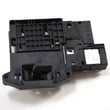
| Door won’t lock / won’t start | Door lock and strike alignment | LG washer door lock EBF61315802 |
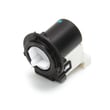
| Hums but won’t drain / stops mid-cycle | Drain pump and filter area | Drain pump motor (4681EA2001T) - washer part by LG electronics 4681EA2001T |
Resetting your WM3575CW is the fastest safe first step because it clears minor electronic “hang-ups” without disassembly. If the problem returns immediately, that usually points to a door lock, drain, or control-related issue that needs troubleshooting.
Last updated: January 2026
How many years does a LG washing machine last?
An LG washing machine typically lasts 10 to 15 years. For your LG WM3575CW, real-world life depends most on load size, how often you run cycles, and routine care like cleaning the tub and keeping the door seal dry (see the WM3575CW manual for model-specific care guidance).
Most washers reach end-of-life due to wear on moving parts, drainage components, or leaks rather than the cabinet itself. For a front-load LG like WM3575CW, this is the practical range we see with normal household use.
- 10 to 15 years is the typical service life
- Heavy use (large family, daily loads) tends to shorten lifespan
- Light use and consistent maintenance tends to extend lifespan
- Small issues fixed early often prevent bigger failures later
- Overloading the drum (extra strain on bearings, suspension, and motor system)
- Detergent misuse (too much HE detergent can cause residue, odors, and drainage issues)
- Poor ventilation (closing the door tight after use can promote mildew at the door boot)
- Hard water buildup (can affect valves and internal flow paths over time)
- Ignoring early symptoms (slow drain, vibration, or door-lock problems)
- Run a monthly tub-clean cycle (or the cleaning method listed in the WM3575CW manual)
- Wipe the door glass and door boot dry after the last load of the day
- Leave the door slightly open between loads for airflow
- Check and clean the drain pump filter area if you notice slow draining
- Level the washer to reduce vibration and suspension wear
| Wear area | What you may notice | Example related part for this model |
|---|---|---|
| Draining system | Slow drain, standing water, drain errors | Drain pump motor (4681EA2001T) - washer part by LG electronics 4681EA2001T |
| Door locking | Door won’t lock/unlock, cycle won’t start | LG washer door lock EBF61315802 |
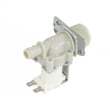
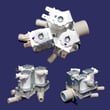
| Filling system | No fill, slow fill, wrong water flow | Washer water inlet valve assembly 5221ER1003A |
If your WM3575CW is approaching the 10-year mark, preventive cleaning and quick fixes can be the difference between a simple repair and a major leak, no-drain condition, or repeated cycle interruptions.
Last updated: January 2026
Is a DE1 error expensive to repair?
A dE1 (door error) on an LG WM3575CW washer is usually not expensive to fix because many causes are simple (door not fully closed, debris on the seal, or a latch alignment issue). If a part is actually failed, the most common repair is replacing the door lock.
- Power reset: unplug the washer for 2 to 5 minutes, then retry.
- Close the door firmly; remove any laundry caught between the door and gasket.
- Wipe the door glass and the door boot sealing surface so the door can seat fully.
- Check the strike area for looseness or obvious misalignment.
- If the tub is full of water, run Drain/Spin; some door errors appear when the control will not allow unlocking/locking mid-condition.
For model-specific door and error-code guidance, use the WM3575CW manual.
On the WM3575CW, a persistent dE1 is most often tied to the door lock system (lock, strike, or wiring). If the door lock does not sense a secure closed door, the washer will stop for safety.
Actual totals depend on whether you DIY or hire service, but dE1 repairs are usually on the low end because access is straightforward compared to motor or tub work.
| Scenario | Typical cost driver | Typical cost level |
|---|---|---|
| Simple reset/clean/realign | Time only | Low |
| Replace door lock or strike | One small part | Low to moderate |
| Wiring/connector issue | Diagnosis time | Moderate |
The door lock is a safety interlock; if the washer cannot confirm the door is locked, it will not tumble or spin. Fixing the root cause prevents repeat stoppages and protects the control from repeated failed lock attempts.
Last updated: January 2026


