 Installation guide
 Owner’s manual



How do you reset a Kenmore Elite microwave?
To reset a Kenmore Elite microwave model 72180832500, we clear the current operation by pressing STOP/CLEAR; if the controls are locked, we unlock them by pressing and holding START for 3 seconds. For menu-based settings, follow the steps in the 72180832500 owner's manual.
Quick reset steps (most common)
- Press STOP/CLEAR once to cancel the current cooking cycle or any active program.
- If the oven will not start, confirm the door is fully closed and latched.
- If Child Lock is on, press and hold START for 3 seconds to unlock.
- If the Kitchen Timer is running, press KITCHEN TIMER, turn the dial to Turn off, then press the dial.
- If the display is acting oddly after a power event, unplug the microwave (or switch off the breaker) for 1 minute, then restore power and set the clock.
What “reset” means on this model
This model uses a dial/menu system; most “reset” requests fall into one of these actions:
| What you want to reset | What to do | What it affects |
|---|---|---|
| Stop cooking or clear an entry | Press STOP/CLEAR | Cancels the current operation |
| Unlock the keypad | Hold START 3 seconds | Turns Child Lock off |
| Cancel timer mode | KITCHEN TIMER then dial to Turn off | Stops timer so cooking can run |
| Reboot after a glitch | Power off 1 minute | Restarts the control board |
Why it matters
A microwave that “won’t run” often is not broken; it is commonly in timer mode, Child Lock, or still has a previous operation active. Clearing the operation first prevents unnecessary parts replacement.
Last updated: January 2026
What is the standard height for a microwave hood?
For the Kenmore Elite 72180832500 microwave/hood combo, the installed height is set by the required clearance above the cooking surface and the upper-cabinet mounting layout. Most microwave hood combos are installed with about 18 inches of clearance from the range top to the bottom of the microwave; always follow the measurements and templates in the installation guide.
Recommended clearances and what they mean
Microwave/hood combos need enough space for safe cooking, proper ventilation, and door clearance.
- Typical clearance from cooktop to microwave bottom: about 18 inches
- The microwave mounts to the wall and upper cabinet using a mounting plate and cabinet template
- If the upper cabinet bottom is recessed 3/4 inch or more, filler blocks are commonly required for proper support
- The unit is heavy; installation is a two-person job
Model-specific dimensions (72180832500)
These dimensions help you confirm fit in the cabinet opening and over the range.
| Measurement | Dimension |
|---|---|
| Height | 16-7/16 in. |
| Width | 29-15/16 in. |
| Depth | 15-3/8 in. |
Quick install checks before you drill
Use these checks to avoid rework and to keep the microwave level and secure.
- Verify the range is centered under the cabinet space
- Confirm the upper cabinet depth and any recessed bottom condition
- Use the cabinet template hole locations for the power cord and mounting bolts
- Confirm you have a dedicated 120V, 60Hz, 20A electrical supply available in the upper cabinet area
- Plan venting (recirculating with charcoal filter vs. ducted) before mounting
Why it matters
Correct height and clearance protect cabinets from heat and steam, improve capture of cooking smoke and grease, and prevent door interference. Following the installation template also ensures the mounting plate and upper-cabinet bolts carry the load correctly.
Last updated: January 2026
What is the code F84 on a Kenmore Elite microwave?
On Kenmore Elite model 72180832500, error code F84 points to a microwave heating-system problem, most often in the magnetron or the high-voltage circuit that powers it. When this happens, the oven may run but not heat, or it may stop to protect itself.
What to check first (safe, no-disassembly steps)
- Cancel the cycle and unplug the microwave (or switch off the breaker) for 2 minutes, then restore power and retry.
- Confirm the door closes firmly and the latch feels normal; a door that does not fully latch can prevent heating.
- Try a simple heat test: 1 cup of water for 1 minute; if it does not heat, focus on the high-voltage heating circuit.
- Review the troubleshooting section in the owner's manual for model-specific operating checks and safety guidance.
Likely causes of an F84 code
In this Kenmore microwave/hood combo, the magnetron produces the microwaves that heat food. When the control detects a fault in that system, it can trigger an error like F84.
Common parts involved include:
- Magnetron (the microwave energy source): microwave magnetron 6324W1A001L
- High-voltage diode (part of the HV rectifier circuit)
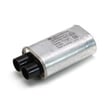
- High-voltage capacitor (stores high voltage for the magnetron)
- Wiring/connectors between the control and high-voltage components
Parts that commonly get replaced for “runs but won’t heat”
| Symptom | Most common part area | Example part on this model |
|---|---|---|
| Runs, no heat | Magnetron or HV circuit | Magnetron, diode, capacitor |
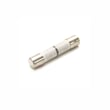
| Dead/no power | Line fuse or thermostat | Fuse, thermostat |
| Intermittent heat | Loose connection, failing HV part | HV diode/capacitor |
Why it matters
The high-voltage section in a microwave can store dangerous energy even when unplugged. For an F84 code, we treat this as a heating-circuit fault and recommend using the manual’s guidance and having a qualified technician handle internal testing and replacement.
Last updated: January 2026


