 Owner’s manual
 Error Codes







How do I reset my Kenmore dryer?
To reset your Kenmore electric dryer model 11062924100, we recommend a simple power reset: unplug the dryer (or switch the breaker OFF) for about 1 minute, then restore power and try starting a cycle again. This clears many temporary control or timer issues.
Quick reset steps (safe and effective)
- Turn the Cycle Selector (timer) to OFF.
- Unplug the dryer (or turn the 240V breaker OFF).
- Wait 1 minute.
- Restore power.
- Close the door firmly.
- Select a cycle and press PUSH TO START (see the 11062924100 owner's manual).
If it still will not start after a reset
A reset will not fix a no-start caused by a power supply problem or an open safety circuit. For this model, the most common checks are:
- House power: confirm the dryer has full 240V supply; reset tripped breakers.
- Door fully closed: opening the door stops the dryer; it will not run until the door is closed and you press PUSH TO START.
- Timer not on OFF: set the controls in an ON position.
- Overheat condition: restricted venting can overheat the dryer and open a safety fuse.
- Thermal fuse: if blown, the dryer typically will not run until the fuse is replaced (common replacement is the dryer thermal fuse WP3390719).
What “reset” means on this dryer (timer-style control)
This Kenmore 11062924100 uses a mechanical cycle selector and a PUSH TO START button, so there is no special keypad reset sequence like some electronic dryers.
| Situation | What to do | What it tells you |
|---|---|---|
| Dryer stopped mid-cycle | Open door to stop, close door, press PUSH TO START | Normal operation |
| Dryer will not run at all | Check power, door, timer setting, then thermal fuse | Reset alone will not help |
| Dryer runs but dries poorly | Clean lint screen and vent path | Airflow issue is likely |
Why it matters
A power reset is fast, but airflow and safety devices (like a thermal fuse) are what usually stop a dryer after overheating. Fixing vent restriction helps prevent repeat shutdowns and improves drying performance.
Last updated: January 2026
Will a dryer still run if the thermal fuse is blown?
On the Kenmore 11062924100 electric dryer, a blown thermal fuse typically stops the dryer from running at all because it cuts power as an overheating safety device. In some failure patterns, the drum may still tumble but the dryer will not heat, so clothes stay wet.
What you’ll usually see with a blown thermal fuse
- Dryer will not start even though the controls are set to run
- Motor will not run (no tumbling)
- In some cases, dryer runs but there is no heat
- Problem often follows restricted airflow (lint buildup, crushed vent)
- Issue returns quickly if the venting problem is not corrected
Quick checks before replacing parts
We recommend confirming basic power and airflow items first because this model can “appear to operate” but not heat if only one side of the electrical supply is lost.
- Verify the dryer is plugged in and the door fully closes
- Check the house fuses or circuit breaker (electric dryers can lose heat if one fuse is blown)
- Clean the lint screen and confirm strong airflow at the outside vent hood
- Inspect the vent for kinks, crushing, or heavy lint restriction
- Review the startup and heat-check steps in the 11062924100 owner’s manual
Common parts involved (and what they do)
| Part | What it affects | Typical symptom |
|---|---|---|
| Thermal fuse | Safety shutoff for overheating | Dryer will not run, or shuts down |
| Heating element | Creates heat | Dryer tumbles but no heat |
| Operating thermostat | Regulates drum temperature | Overheating or poor heat control |
If testing confirms the fuse is open, the correct replacement for this model is the dryer thermal fuse WP3390719.
Why it matters
A thermal fuse usually blows because the dryer overheated. Fixing the airflow restriction (lint screen, exhaust duct, outside hood) helps prevent repeat failures and improves drying performance.
Last updated: January 2026
What is the OEM part number 279838?
For Kenmore electric dryer model 11062924100, OEM part number 279838 is a dryer heating element assembly used to generate heat for drying. On this model page, the heating element we list is dryer heating element WP3387747, which is the correct replacement to match by model fit.
How to confirm the right heating element for 11062924100
We recommend matching by model number and by the heater’s mounting style and terminals shown in the parts diagram.
- Use the model number 11062924100 when ordering to avoid look-alike elements
- Compare the element’s terminals and housing shape to your original part
- If your dryer tumbles but has no heat, also check the thermal safety parts
- If the element failed due to restricted airflow, correct the venting issue before installing the new part
- Follow the disassembly steps and wiring notes in the 11062924100 owner's manual
Related parts that often get checked with a heating element
A “no heat” complaint is often caused by a safety device opening, not only the element.
| Symptom | Common check | Example part for this model |
|---|---|---|
| Runs but no heat | Heating element continuity | Dryer heating element WP3387747 |
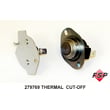
| Runs but no heat, then stops heating | Thermal fuse or cut-off opened | Dryer thermal fuse WP3390719, cut-off kit 279769 |
| Overheats or cycles oddly | Operating thermostat | Dryer operating thermostat WP3387134 |
Why it matters
Using the correct OEM heating element for 11062924100 helps restore proper drying temperature and prevents repeat failures caused by mismatched parts or poor airflow. A clogged vent can overheat the heater circuit and shorten the life of the element and thermostats.
Last updated: January 2026
What does sru cll mean on a dryer?
On a Kenmore dryer model 11062924100, SRU CLL is commonly used to indicate “call for service” after the dryer detects a condition it cannot safely continue with. When the dryer runs briefly (often a few minutes) and then stops, the most common causes are overheating from restricted airflow or a heat circuit problem.
What to check first (fast, high-impact)
- Clean the lint screen before every load; a clogged screen restricts airflow and can overheat the dryer.
- Check vent airflow: run the dryer 5 to 10 minutes and feel for strong air at the outside hood.
- Inspect the vent path for crushed, kinked, or lint-packed ducting; rigid or flexible metal venting is best.
- Confirm power supply: an electric dryer can tumble with only one leg of power, but it will not heat correctly.
- Avoid AIR DRY/AIR FLUFF if you expect heat; verify the timer and temperature settings.
Parts that commonly relate to “runs then stops” or heat faults
Restricted airflow can trip safety devices; a failed heat component can also trigger a stop.
| Symptom you notice | Common area to inspect | Example part for this model |
|---|---|---|
| Runs a few minutes, then stops; no heat | Overheat protection opened | Dryer thermal fuse WP3390719 |
| No heat or overheating symptoms | Heater circuit | Dryer heating element WP3387747 |
| Poor airflow, long dry times | Air movement inside dryer | Dryer blower wheel WP697772 |
Why it matters
When airflow is restricted, heat builds up quickly. That can shut the dryer down to prevent damage, and it can also cause repeat failures of safety parts until the venting problem is corrected.
Where to find model-specific checks
Use the 11062924100 owner's manual for operating guidance and troubleshooting charts (including airflow checks, cycle selection, and power supply basics).
Last updated: January 2026










