 Installation guide
 Owner’s manual
 Error Codes



How long should a Whirlpool electric range last?
A Whirlpool electric range like model RF361PXKQ0 typically lasts 13 to 15 years with normal household use and basic maintenance. Keeping the oven clean, ensuring proper installation, and addressing heating issues early helps you get the full expected lifespan.
Typical lifespan and what affects it
Most electric ranges fall into a predictable service-life range, but real-world results depend on usage and care.
- Cooking frequency: daily cooking shortens life compared to occasional use
- Heat stress: frequent self-clean cycles can accelerate wear on wiring and controls
- Power quality: repeated surges can damage electronic components
- Ventilation and cleanliness: grease buildup can trap heat and strain parts
- Timely repairs: replacing a failed part early prevents secondary damage
Common wear items on an electric range
These parts often fail before the cabinet or oven cavity wears out.
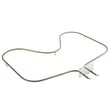
- Bake element (no heat or slow preheat)
- Broiler element (weak broil)
- Oven temperature sensor (temperature swings)
- Surface element or surface element switch (burner not heating or overheating)
- Oven light bulb or lens (light out or cover damaged)
Quick part-to-symptom guide
| Symptom | Most likely area | Example part for RF361PXKQ0 |
|---|---|---|
| Oven won’t heat in Bake | Heating circuit | Bake element WPW10308477 |
| Oven temp is inaccurate | Sensing circuit | Oven sensor WPW10181986 |
| Oven light is out | Lighting | Light bulb |
Why it matters
Knowing the typical lifespan helps you decide whether to repair or replace. If your RF361PXKQ0 is near the 13 to 15-year mark and needs multiple major parts, planning for replacement can make more sense than stacking repairs.
Helpful references for this model
- Use the RF361PXKQ0 owner's manual for care, cleaning, and operating tips that reduce wear.
- Use the RF361PXKQ0 installation guide to confirm safe setup details such as anti-tip bracket requirements.
Last updated: January 2026
How do I reset my Whirlpool electric range?
To reset your Whirlpool electric range model RF361PXKQ0, press OFF/CANCEL to stop any active cycle, then restore power by turning the range’s circuit breaker OFF for 1 minute and back ON. This clears most control glitches and returns the range to normal operation.
Quick reset options (most common)
- Stop and clear the display: Press OFF/CANCEL once.
- Power reset (best overall reset): Turn the range breaker OFF for 60 seconds, then ON.
- If the oven was heating: Wait a few minutes after restoring power, then set BAKE and press START/ENTER.
- If the cooktop is the issue: Reset power first; then test one surface element at a time.
Step-by-step: breaker reset (recommended)
- Press OFF/CANCEL to end any bake, broil, or timed function.
- Turn the range circuit breaker OFF (or remove the fuse).
- Wait 60 seconds.
- Turn the breaker ON.
- Test the oven:
- Select BAKE and set a temperature.
- Press START/ENTER.
For normal control pad names and operating steps on RF361PXKQ0, use the RF361PXKQ0 owner's manual.
If it still will not reset or operate
These checks solve the most common “dead range” or “won’t start” complaints:
- Confirm the breaker is not tripped and the home fuse is not blown.
- Make sure the power cord is fully plugged in.
- If the display shows an error after reset, look up the code in Whirlpool error codes.
- If the oven heats incorrectly after reset, a failed temperature sensor can cause control problems; check the oven sensor WPW10181986.
What to expect after a reset
| What you see | What it usually means | What to do |
|---|---|---|
| Display clears after OFF/CANCEL | Cycle was canceled | Re-select BAKE or BROIL and press START/ENTER |
| No change until breaker reset | Control needs a power reboot | Do the 60-second breaker reset |
| Error code returns | Ongoing fault detected | Use error code guide; inspect wiring and key parts |
Why it matters
A proper reset clears temporary control logic issues, but it also helps you confirm whether the problem is power-related (breaker, cord) or a component issue (sensor, element, wiring) that needs repair.
Last updated: January 2026
How to fix oven temperature sensor Whirlpool?
On the Whirlpool RF361PXKQ0 electric range, fixing an oven temperature sensor issue usually means testing the sensor circuit and replacing the sensor if it is out of spec or physically damaged. For this model, the correct replacement is the oven sensor WPW10181986.
What to check first (before replacing parts)
- Power reset: Turn the range breaker off for 1 minute, then back on.
- Confirm the symptom: Oven underheats, overheats, or temperature swings during bake.
- Basic bake operation: Set Bake to 350°F and confirm the lower element glows red during preheat (the oven cycles after preheat). See the RF361PXKQ0 owner's manual for normal indicator light behavior and bake operation.
- Wiring condition: Look for loose connectors or heat-damaged wires at the sensor plug and along the rear harness.
- Error codes (if your control shows them): Use Whirlpool error codes to match any displayed fault to the most likely cause.
How we replace the oven temperature sensor (overview)
- Disconnect power at the breaker.
- Remove oven racks for access.
- Remove the sensor mounting screws inside the oven cavity.
- Carefully pull the sensor forward and disconnect the harness connector.
- Install the new sensor, reconnect the plug, and secure the screws.
- Restore power and test Bake at 350°F.
Parts that commonly relate to temperature problems
| Symptom | Most common cause | Part to consider for RF361PXKQ0 |
|---|---|---|
| Oven temp inaccurate or drifting | Failed sensor | Oven sensor WPW10181986 |
| Oven will not heat in Bake | Failed bake heater | Bake element WPW10308477 |
| Broil not working | Failed broil heater | Broiler element W10856603 |
Why it matters
The oven sensor tells the control how hot the oven is. When it reads wrong, the range can cycle the bake and broil elements incorrectly, which leads to long preheat times, uneven baking, or overheating.
Last updated: January 2026
What is F9E0 after power outage?
On the Whirlpool RF361PXKQ0 electric range, an F9E0 code after a power outage points to an electrical or control-related problem (often a wiring connection issue or a control that did not recover cleanly after the surge). Start with a full power reset, then check for loose or heat-damaged wiring at the terminal block and control area.
What to do first (safe reset and quick checks)
- Turn the range breaker OFF for 1 full minute, then turn it ON.
- If the display shows PF, reset the clock; the manual notes PF indicates a power failure and the clock needs to be reset.
- If F9E0 returns immediately, stop using the oven and move to the wiring checks below.
- If the code appears only when you start Bake or Broil, focus on the oven heating circuit and sensor wiring.
Wiring and power supply checks that commonly cause F9E0
Power outages can loosen connections or expose a weak connection that was already heating up.
- Verify the range is on a dedicated 120/240V (or 120/208V if specified), 40-amp circuit.
- Inspect the terminal block connections for looseness, discoloration, or melted insulation.
- Confirm the range is connected with copper wire only and the correct wire gauge per the installation instructions.
- Check the harness connections at the control and oven sensor for a partially seated plug.
Quick symptom-to-likely-cause table
| What you notice | Most likely area to check | Common fix |
|---|---|---|
| Code appears right after outage, even at idle | Control not recovering, power quality | Hard reset at breaker; inspect wiring |
| Code appears when starting Bake | Bake circuit, sensor circuit | Check element wiring; test sensor |
| Intermittent code, smell of hot plastic | Terminal block or power cord connection | Tighten/repair connections; replace damaged parts |
Parts that are often involved
If wiring checks out, the next most common items are the oven temperature sensing circuit and heating circuit.
- Test/inspect the oven sensor WPW10181986 connection and sensor circuit.
- If the oven will not heat or heats erratically, inspect the bake element for visible damage; the correct part for this model is the bake element WPW10308477.
Why it matters
An F9E0 after a power outage is often tied to high-current wiring (terminal block, power cord, harness connections). A loose connection can overheat and damage the range wiring or control, so addressing it early prevents repeat failures.
Reference information
- Use the RF361PXKQ0 installation guide for the correct power supply requirements, copper-wire requirement, and terminal block connection details.
Last updated: January 2026






