 Owner’s manual
 Error Codes





How to find Kenmore Range model number?
For your Kenmore electric range model 91193371690, the model number is printed on the appliance’s rating label. On most Kenmore 30-inch ranges, you will find that label around the oven door opening (door jamb) or on the frame behind the storage drawer.
Check these common label locations first:
- Oven door jamb (open the oven door and look along the frame)
- Behind the storage drawer (pull the drawer out and look on the frame)
- Back panel near the power cord entry or vent area
- Side frame near the lower front corner
When you find the label, record these items exactly:
- Model number (example: 91193371690)
- Serial number (helps date the unit and confirm production run)
- Electrical rating (volts/amps), useful for diagnosing power issues
| Label item | Why it matters for parts and repair |
|---|---|
| Model number | Ensures diagrams and parts lists match your exact range |
| Serial number | Helps confirm correct revisions and compatible parts |
| Electrical rating | Helps verify proper power supply and wiring requirements |
Kenmore ranges often have multiple versions that look similar, and small differences can change which bake element, surface unit, or control switch fits. Having the exact model number prevents ordering the wrong part and speeds up troubleshooting.
Our 91193371690 owner's manual also recommends having your model number available before calling for service, along with your use and care information and purchase date.
Last updated: February 2026
How to replace Kenmore Range oven control board?
To replace the oven control board on your Kenmore 91193371690 electric range, we shut off power, access the control area, move each wire to the matching terminal on the new board, reconnect any ribbon connector, then reassemble and restore power for a quick function check. Refer to the 91193371690 owner's manual for safety guidance.
- Turn off the range at the circuit breaker (240V); confirm the display and oven light are off.
- Let the range cool completely.
- Pull the range forward carefully; re-engage the anti-tip bracket when you slide it back.
- Use a Phillips screwdriver and a 3/8-inch wrench or adjustable wrench (common tools listed in the manual).
- Take a clear photo of the wire layout before disconnecting anything.
- Disconnect power at the breaker.
- Access the control area: remove the rear access panel or backguard panel screws (location varies by design).
- Label and transfer wires one at a time from the old board to the new board (this prevents mix-ups).
- Reconnect the ribbon connector (if equipped): fully insert it into the connector, then lock/snap the connector in place.
- Mount the new board securely and reinstall any covers.
- Restore power and test Bake, Broil, and the oven light.
- Verify the breaker is fully reset (some ranges use a double-pole breaker).
- Check for a loose terminal connection at the control board or terminal block.
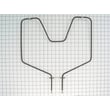
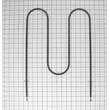
- If Bake is not heating, inspect the bake element for visible damage; the g.e. range bake element WB44K5012 is a common heating component on this model.
| Check | What “good” looks like | What it points to if not |
|---|---|---|
| Display/clock powers on | Stable display | Power supply or wiring issue |
| Bake heats | Oven warms normally | Bake circuit, element, or control issue |
| Broil heats | Top element glows/heats | Broil circuit issue |
| Door/anti-tip | Range feels stable | Anti-tip not engaged |
A correctly installed control board restores accurate temperature control and safe operation. The manual also stresses not attempting repairs unless instructions are provided, and to keep the anti-tip device engaged whenever the range is moved.
Last updated: February 2026
How to tell how old a Kenmore stove is?
To tell how old your Kenmore stove is, we use the model and serial number on the appliance data plate, then decode the serial number format for the manufacturer behind Kenmore. For Kenmore model 91193371690, the serial number is the key to the exact build date.
Check these common locations on a 30-inch Kenmore electric range:
- On the oven frame behind the storage drawer
- On the oven door frame (visible when the door is open)
- Behind the control panel or backguard area
- On a rating plate near the lower front frame
For diagrams and typical label locations, use the 91193371690 owner's manual.
- Confirm the full model number is 91193371690 (matches your tag).
- Write down the entire serial number exactly as shown.
- Use the model prefix to identify the manufacturer:
- Kenmore model numbers use a 3-digit prefix; 911 is commonly associated with ranges built by GE for Sears.
- Decode the serial number using the matching manufacturer’s date code rules (GE-style date coding when applicable).
| What you decode | What it tells you | Why it helps |
|---|---|---|
| Serial number date code | Month and year built | Confirms true appliance age |
| Model prefix (911) | Who built it for Kenmore | Points you to the right decoding chart |
| Full model number | Exact configuration | Ensures you order correct parts |
Knowing the build date helps us match the correct replacement parts and service approach, especially for wear items like a bake element, surface unit, or oven door gasket. It also helps you decide whether a repair is worth doing based on the range’s overall age and condition.
- Use the serial number, not the purchase date, for the most accurate age.
- Record the model and serial before pulling the range out.
- If the tag is worn, take a clear photo and zoom in to confirm characters.
Last updated: February 2026
Why is my Kenmore electric oven not getting hot?
If your Kenmore range model 91193371690 isn’t getting hot, the most common causes are a failed heating element, a problem with the oven temperature sensor, or airflow issues from a blocked oven vent. Start with a quick visual check, then test the heating circuit safely.
- Confirm the oven is set to BAKE (not CLEAN) and allow a full preheat cycle.
- Keep the oven vent under the right rear element clear; blocking it can hurt heating and baking performance.
- Avoid lining the oven bottom with foil; it restricts airflow and can cause poor heating.
- Minimize door openings; heat loss can make it seem like the oven never reaches temperature.
- If the range is totally inoperative, check the household breaker or fuse and confirm the range is plugged in.
If the oven light works but the oven will not heat, we focus on these:
| Symptom | Most likely cause | What to do next |
|---|---|---|
| No bake heat, broil may still work | Bake element failed | Inspect and continuity-test the g.e. range bake element WB44K5012 |
| Temperature swings or won’t regulate | Oven temperature sensor issue | Inspect sensor tube at back of oven; do not bend it; test resistance per 91193371690 owner's manual |
| Weak heating, uneven baking | Vent blocked, foil use, rack/pan issues | Clear vent, remove foil, follow rack and cookware guidance |
- Disconnect power at the breaker before removing panels or testing wiring.
- Inspect the bake element for blisters, cracks, or burn spots.
- Test the bake element for continuity with a multimeter; replace if open.
- Check the sensor tube at the back of the oven; it should be secure and not bent.
- If you see heat damage at the power connection, inspect the terminal block assembly 330031 and wiring.
An oven that will not heat is often a simple electrical failure (element, sensor, or connection). Fixing the root cause restores proper preheating, stable temperatures, and prevents repeated breaker trips or overheating at wiring connections.
Last updated: February 2026




