 Owner’s manual
 Error Codes




How do I set my Frigidaire oven to broil?
To broil on your Frigidaire FEFL77ASG electric range, press BROIL, choose HI or LO with the arrow pads, then cook with the oven door open to the broil stop position. Press CLEAR when you’re finished. See the FEFL77ASG owner's manual for the exact pad layout.
Broil steps (FEFL77ASG)
- Arrange the oven rack while the oven is cool.
- Press BROIL.
- Press and hold the up or down arrow until the broil level shows.
- Use HI for most broiling.
- Use LO to reduce excess browning or drying (well-done foods).
- Put food on the broiler pan insert (do not use the pan without the insert).
- Open the oven door to the broil stop position while broiling.
- When done, press CLEAR to stop.
Rack position guide (from the top)
| Rack position | Best for |
|---|---|
| 1 | Rare steaks |
| 2 | Fish, medium steaks, hamburgers, chops |
| 3 | Well-done foods (chicken, lobster) |
Tips to prevent smoking and flare-ups
- Trim excess fat; slit fatty edges to reduce curling.
- Keep meat farther from the broil element if it smokes heavily.
- Do not cover the broiler insert with foil; grease needs to drain.
- Pull the rack out to the stop position before turning or removing food.
Why it matters
Broiling uses intense top heat; choosing the right rack position and using the broil stop door position helps food brown evenly while reducing smoke and grease flare-ups.
Last updated: January 2026
How do I reset my Frigidaire electric range?
To reset your Frigidaire electric range model FEFL77ASG, turn the oven control to OFF, then disconnect power for 30 seconds (unplug the cord or switch the circuit breaker off), and restore power. After power returns, reset the clock and any oven settings using the FEFL77ASG owner's manual.
Reset steps (safe and effective)
- Turn all surface element knobs to OFF.
- Turn the oven temperature/control knob to OFF.
- Unplug the range, or switch the range circuit breaker OFF.
- Wait 30 seconds.
- Restore power.
- Set the clock and confirm Bake/Broil functions respond normally.
If the range still will not heat after a reset
A reset clears many electronic fault conditions, but it will not fix a power supply problem or a failed heating component. If burners or the oven still do not heat, check these common causes:
- Power supply issue: A range can appear “on” with only one leg of 240V power; lights may work but elements will not heat.
- Loose/burned wiring at the power connection: Inspect the cord connection area for heat damage.
- Failed bake or broil element: The oven may not heat, or may heat unevenly.
- Temperature sensor problem: The oven can heat incorrectly or trigger a fault.
- Control or switch issue: A surface element may not respond to its knob.
Quick symptom-to-check table
| Symptom | Most likely area to check | Example part for FEFL77ASG |
|---|---|---|
| Oven will not bake | Bake circuit, element | Frigidaire range bake element 316202200 |
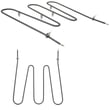
| Oven will not broil | Broil circuit, element | Frigidaire range broil element 316203301 |
| One surface burner not heating | Infinite switch or element | Range surface element control switch 316436001 |
| Oven temperature seems off | Sensor/probe | Oven probe 316233903 |
Why it matters
Resetting correctly helps clear a detected fault and prevents the range from restarting unexpectedly after a power interruption. It also helps you separate a temporary control glitch from a true heating, wiring, or component failure.
Last updated: January 2026
Why is my Frigidaire oven beeping and flashing F1?
On the Frigidaire FEFL77ASG electric range, beeping with an F1 code points to a shorted keypad (touchpad) or an electronic oven control issue. Start by resetting power for about 30 seconds; if F1 returns, the control panel or control board circuit needs attention.
What to do first (quick reset)
- Turn the range off.
- Disconnect power for about 30 seconds (unplug or switch the breaker off).
- Restore power and watch the display.
- If the beeping stops and the code clears, test Bake and Broil.
- If F1 comes back, move to the checks below.
What F1 usually means on this model
F1 is commonly triggered when the control senses a stuck or shorted key circuit. Your FEFL77ASG owner's manual also groups continuous beeping with F1 under control-related faults in the “Before you call” troubleshooting section.
Common causes
| Likely cause | What you may notice | Typical fix |
|---|---|---|
| Keypad (touchpad) shorted | Random beeping, F1 appears even when not cooking | Inspect/replace the control panel keypad/overlay as applicable |
| Electronic oven control (EOC) problem | F1 returns immediately after reset | Replace the oven control (board) or repair wiring connections |
| Moisture/cleaner intrusion | F1 after heavy cleaning or steam | Let panel dry fully; avoid spraying cleaners directly on controls |
Checks that help pinpoint the problem
- Power reset result: If F1 returns right away, the fault is persistent (not a one-time glitch).
- Control area condition: Look for signs of moisture, residue, or a “stuck” key feel.
- Wiring connections: With power disconnected, check for loose or damaged connectors at the control.
- Related symptoms: If the oven also will not heat correctly, test heating components like the Frigidaire range bake element 316202200 and temperature sensing circuit.
Why it matters
When the control detects a keypad short, it can beep continuously and may disable normal oven operation. Addressing the keypad/control issue restores safe, predictable temperature control and prevents nuisance alarms.
Last updated: January 2026
How to fix F022 error frigidaire oven?
On the Frigidaire FEFL77ASG electric range, an F022 error points to a communication problem between the user interface (keypad/display) and the oven control/relay board. We recommend resetting power first; if the code returns, focus on wiring connections and the control components.
Quick reset (first step)
- Turn the range off at the breaker (or unplug it).
- Wait 30 seconds.
- Restore power and see if F022 comes back.
If the code clears and stays cleared, the issue was likely a temporary control glitch.
If F022 comes back: what to check next
Before checking anything internal, disconnect power again.
- Loose or oxidized connectors between the keypad/user interface and the main control board
- Pinched or damaged wire harness in the console area (often after moving the range)
- Moisture/steam intrusion into the control panel (common after heavy cleaning)
- Failing user interface board (keypad/display)
- Failing oven control/relay board
For console access, connector locations, and any model-specific notes, use the FEFL77ASG owner’s manual.
Helpful troubleshooting tips (safe, practical)
- If the display is blank, flickering, or beeping, that supports a control communication issue.
- If the oven heats normally but the code appears intermittently, suspect a loose connection.
- If the code appears right after cleaning, let the console area dry completely and retry the reset.
What you can expect (symptoms vs. likely cause)
| What you notice | Most likely issue |
|---|---|
| Code appears immediately at power-up | Control board or UI not communicating |
| Code appears when pressing keys | User interface/keypad problem |
| Code comes and goes with vibration (door slam) | Loose connector or harness |
Why it matters
When the user interface cannot reliably “talk” to the oven control, the range may disable baking/broiling for safety and to prevent unpredictable heating. Fixing the connection or the failed control restores normal operation.
Last updated: January 2026






