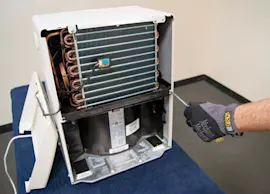
Owner’s manual
 Error Codes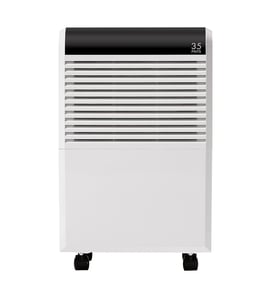

How do I reset a dehumidifier?
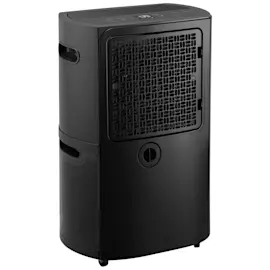
For a Kenmore 25155550510 dehumidifier, the most reliable reset is a power reset: unplug the unit, wait about 1 minute, then plug it back in. This clears many control glitches (no-start, odd behavior, some error-code conditions) without changing your humidity setting.
Quick reset steps (power reset)
- Turn the dehumidifier OFF.
- Unplug the power cord from the outlet.
- Wait 60 seconds.
- Plug it back in.
- Turn it ON and set your target humidity.
If the unit still will not run after a reset
These checks solve the most common “it won’t start” situations after a reset:
- Bucket not seated: remove and reinstall the water bucket fully.
- Bucket full: empty it and reinstall.
- Room temperature too low: many dehumidifiers pause or frost up in cool basements.
- Airflow blocked: clean the air filter and keep the intake and exhaust clear.
- Drain setup issue (if using a hose): confirm the hose slopes downward with no kinks.
Filter light reset (if your model has one)
Many dehumidifiers use a filter reminder light that needs a manual reset after cleaning.
| What you see | What to do | What it means |
|---|---|---|
| “Filter” light stays on | Clean and dry the filter, then press and hold the filter reset button for 3 to 10 seconds | Clears the maintenance reminder |
| Light returns quickly | Recheck airflow and filter seating | The unit still senses restricted airflow |
Why it matters
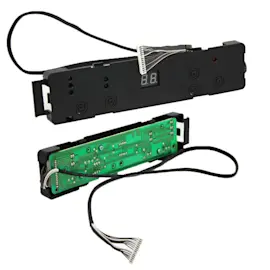
A proper reset helps the electronic control board and user interface recover from a temporary fault. If the bucket switch, humidity sensor, or airflow is the real issue, the reset gets you back to troubleshooting the correct system instead of chasing random symptoms.
For model-specific control locations and indicator meanings, follow the owner's manual.
Last updated: February 2026
Do dehumidifiers have filters that need to be cleaned?
Yes. Kenmore dehumidifiers such as model 25155550510 typically use a washable air filter that should be cleaned regularly so airflow stays strong and the unit can remove moisture efficiently. A clogged filter can reduce performance and make the dehumidifier run longer than necessary.
How to clean the dehumidifier air filter
- Turn the dehumidifier off and unplug it.
- Remove the filter from the intake grille (location varies by model).
- Clean the filter:
- Vacuum off lint and dust first.
- Rinse with warm water if it is a washable mesh filter.
- Let it dry completely before reinstalling.
- Reinstall the filter and restore power.
Cleaning frequency (typical)
- Every 2 weeks in dusty areas, homes with pets, or heavy use
- Monthly for average use
- Before seasonal storage and again before restarting
When cleaning is not enough (replace the filter)
Replace the filter if you notice any of these:
- Tears, holes, or warped frame
- Filter media is brittle or won’t come clean
- Musty odor that returns quickly after cleaning
- Airflow stays weak even with a clean filter
Quick troubleshooting: filter-related symptoms
| What you notice | Common cause | What to do |
|---|---|---|
| Weak airflow | Filter clogged | Clean and fully dry the filter |
| Poor moisture removal | Restricted airflow, dirty coil | Clean filter; check coil for dust buildup |
| Frost on coil | Low airflow, cool room temps | Clean filter; raise room temperature if possible |
| Musty smell | Dirty filter or standing water | Clean filter; empty and wash bucket |
Why it matters
The air filter protects the evaporator coil and keeps airflow steady. Good airflow helps the compressor and fan operate efficiently, improves water collection, and reduces icing and odor issues.
For the exact filter location and cleaning instructions for your unit, follow the steps in the owner's manual.
Last updated: February 2026
What does EC mean on a dehumidifier?
On a Kenmore dehumidifier like model 25155550510, EC is an error code that points to a cooling or control problem that prevents normal moisture removal; the unit may stop running to protect the compressor. For model-specific code definitions and reset steps, check the owner's manual.
What to do first (safe, quick checks)
- Turn the dehumidifier OFF, then unplug it for 5 minutes to reset the control.
- Make sure the bucket is fully seated and the bucket switch/float moves freely.
- Clean the air filter and confirm the air intake and exhaust are not blocked.
- Verify the room is warm enough; many units will struggle below about 65°F and may show coil frost.
- If you use a hose, confirm the drain hose slopes downward with no kinks (a drain issue can trigger shutdown behavior).
What EC usually means (common causes)
Because the manual excerpt for this model is not included here, we treat EC as a general “can’t dehumidify correctly” fault. The most common root causes are:
- Dirty filter or clogged coils reducing airflow
- Icing/frost on the evaporator coil from low room temperature or restricted airflow
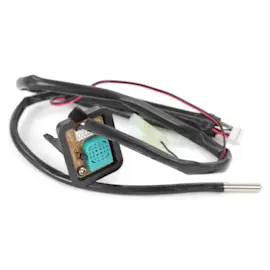
- Humidity sensor or thermistor issue (bad reading causes incorrect operation)
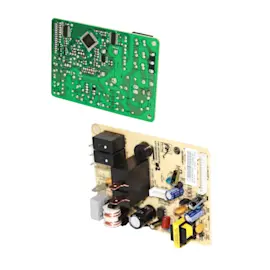
- Control board or user interface problem
- Sealed system problem (compressor or refrigerant circuit not cooling properly)
Troubleshooting guide by symptom
| What you notice | What it points to | What to check |
|---|---|---|
| Fan runs, little or no water collected | Poor cooling or bad sensor | Filter, coil cleanliness, room temp, sensor connections |
| Unit stops quickly and shows EC | Protection shutdown | Bucket switch, airflow, reset, error returns |
| Frost on coil | Low temp or airflow restriction | Filter, coil, room temp, fan operation |
Why it matters
When EC appears, the dehumidifier is telling us it cannot control temperature and humidity correctly. Addressing airflow and sensor issues early helps prevent compressor stress and restores normal water collection.
For deeper step-by-step diagnostics and repair options, use our DIY resources like dehumidifier error codes landing page and how to replace a dehumidifier sensor assembly.
Last updated: February 2026
How big of a dehumidifier do I need for 500 square feet?
For a 500 sq. ft. space, most homeowners do best with a 30 to 50 pint dehumidifier (per day), depending on how damp the area is. Your Kenmore 25155550510 can work well if its pint rating matches your room size and moisture level; confirm the exact capacity in the owner's manual.
Quick sizing guide for 500 sq. ft.
Use the room’s dampness level to pick capacity:
- Lightly damp (musty smell, occasional humidity): 30 to 35 pints/day
- Damp (windows sweat, consistently humid): 35 to 45 pints/day
- Very damp (visible moisture, frequent wetness): 45 to 50 pints/day
- Wet (water seepage, regular puddles): 50+ pints/day
What changes the size you need (and why)
A 500 sq. ft. basement often needs more capacity than a 500 sq. ft. bedroom because basements run cooler and pull in more moisture.
Key factors:
- Basement vs. main floor (basements usually need a higher pint rating)
- Ceiling height (taller ceilings mean more air volume)
- Temperature (cooler rooms reduce moisture removal)
- Air leaks (outside air adds humidity load)
- Moisture sources (laundry, showers, cooking, plants)
How to confirm your Kenmore 25155550510 is the right size
Check the unit’s rated capacity and operating limits, then compare to your space.
| What to check | What it tells you | Where to find it |
|---|---|---|
| Pint rating (pints/day) | How much water it can remove | Rating label or owner's manual |
| Recommended room size | Whether 500 sq. ft. is in range | Owner's manual |
| Drain option (bucket vs. hose) | Convenience for high humidity | Manual setup section |
If it still feels humid after sizing correctly
These steps fix the most common “not removing moisture” complaints:
- Clean the air filter and make sure the intake and exhaust are not blocked
- Set humidity to 45% to 50% and run on a steady fan setting
- Close doors and windows; seal obvious air leaks
- Make sure the unit is level so water collects and drains correctly
- If the coil frosts or performance drops, follow the cleaning and operating guidance in how to clean a dehumidifier
Why it matters
An undersized dehumidifier runs constantly and still feels clammy; an oversized unit can short-cycle and remove less moisture overall. Matching pint capacity to the dampness level gives steadier comfort and better energy use.
Last updated: February 2026
Is it worth repairing a dehumidifier?
For a Kenmore dehumidifier model 25155550510, repair is worth it when the problem is a low-cost, accessible item (bucket switch, drain hose connection, fan, wiring, or a control issue). If the sealed refrigeration system (compressor or refrigerant leak) is involved, replacement is typically the better value.
Quick way to decide (cost vs. benefit)
Use this checklist before spending money on parts or labor:
- If it runs but doesn’t collect water, start with airflow, filter cleanliness, room temperature, and humidity setting.
- If it won’t power on, check the outlet, cord, and control panel response.
- If it fills the bucket but won’t drain, focus on the drain hose routing and clogs.
- If it runs constantly with little moisture removal, suspect sensor/control issues or poor airflow.
- If it hums, trips a breaker, or never starts the compressor, replacement is usually the better choice.
For model-specific operating checks and error indications, use the owner's manual.
What’s usually worth repairing vs. not
| Situation | Usually worth repairing? | Why |
|---|---|---|
| Dirty filter/coils, poor airflow | Yes | Cleaning restores performance quickly |
| Drain problems (hose, routing, clogs) | Yes | Low-cost fix, common issue |
| Sensor or control board symptoms | Sometimes | Parts cost varies; diagnosis matters |
| Fan noise or vibration | Sometimes | May be a fan motor or mounting issue |
| Compressor not running or sealed-system issue | No | High cost and low payoff on residential units |
Why it matters
A dehumidifier’s value comes from reliable moisture removal. Problems like a clogged air path or a misreading humidity sensor can look “serious” but fix easily; sealed-system failures cost more than the unit is typically worth.
Helpful DIY guidance
- For moisture-removal complaints, follow dehumidifier doesn't remove moisture.
- For cleaning and maintenance that often restores performance, use how to clean a dehumidifier.
- If symptoms point to a bad sensor, see how to replace a dehumidifier sensor assembly.
Last updated: February 2026