

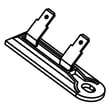
How to tell if a dryer thermal fuse is blown?
On a Maytag MED6230RHW2 electric dryer, a blown thermal fuse commonly causes the dryer to not start at all, or to run with no heat. The reliable way to confirm is a continuity test with a multimeter; a blown fuse reads open (no continuity).
Quick symptoms to look for
- Dryer will not start (most common when the thermal fuse opens)
- Dryer runs but has no heat (on some designs, depending on which safety device opened)
- Cycle stops early because airflow is restricted and temperatures rise too fast
- Burning smell or very hot cabinet (stop using the dryer and check venting)
How we test the thermal fuse (continuity test)
- Unplug the dryer (electric shock hazard).
- Access the fuse location (often on the blower housing or exhaust duct area).
- Pull the wire connectors off the fuse terminals (grab the connector, not the wire).
- Set a multimeter to continuity or the lowest ohms scale.
- Touch one probe to each terminal.
What the meter reading means
| Meter result | What it means | What to do next |
|---|---|---|
| Beep or near 0 ohms | Fuse is good (closed circuit) | Check other heat and airflow parts |
| No beep or OL/infinite | Fuse is blown (open circuit) | Replace the fuse and correct the overheating cause |
What usually causes a thermal fuse to blow
A thermal fuse is a one-time safety device; it opens when the dryer overheats. Fix the cause or the new fuse can blow again.
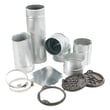
- Crushed, kinked, or overly long vent hose
- Lint buildup in the vent pipe or wall cap
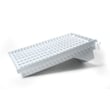
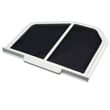
- Blocked lint screen or damaged screen frame
- Weak airflow from a failing blower wheel
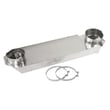
- Overheating from a stuck thermostat or restricted internal ducting
Parts that commonly relate to this problem
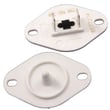
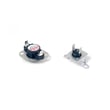
- If you confirm the fuse is open, replace the correct fuse for this model, such as the thermal fuse W10909685.
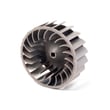
- If overheating is suspected, also inspect the dryer blower wheel WP697772 and clean the vent path end-to-end.
Why it matters
A blown thermal fuse is a safety shutdown that protects the dryer from dangerous overheating. Replacing the fuse without restoring proper airflow can lead to repeat failures and longer dry times.
Last updated: February 2026
Is it worth replacing a heating element in a dryer?
Yes, it’s usually worth replacing the heating element in a Maytag MED6230RHW2 electric dryer when the dryer still tumbles and airflow is good. A heater repair typically costs far less than replacing the dryer, and it often restores normal drying performance in one visit.
When replacing the heating element makes sense
Replace the heater when the dryer runs but won’t heat, or heat is weak and inconsistent, and you’ve ruled out simple airflow problems.
- The drum turns normally but clothes stay damp
- The dryer heats briefly, then stops heating mid-cycle
- You have proper power (most electric dryers need a full 240V supply)
- The vent path is clear and airflow is strong
- The rest of the dryer is in good condition (no major noise, no burning smell, no repeated shutdowns)
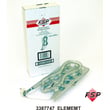
A common replacement for this model is the element, heater 5400w WP3387747.
Check these first (they can mimic a bad heater)
Before ordering a heater, we recommend checking the safety and temperature-control parts that can open the heating circuit.
- Clean the lint screen and clear the exhaust vent to the outside
- Inspect the blower housing for lint buildup or a loose wheel
- Test the thermal protection parts for continuity
- Check the temperature sensor for accurate readings
- Confirm the dryer is on a dedicated circuit and receiving full voltage
Helpful parts often involved in “no heat” repairs include the thermal fuse W10909685, whirlpool dryer thermal cut-off fuse kit 279973, and the dryer thermistor WP8577274.
Cost and outcome: repair vs replace
| Option | Typical result | Best when |
|---|---|---|
| Replace heating element | Restores heat and normal dry times | Dryer tumbles, airflow is good, no other major issues |
| Replace heater plus safety parts | More reliable fix after overheating | Venting was restricted or a fuse opened |
| Replace dryer | New unit, new warranty | Multiple expensive failures (motor, control, drum) |
Why it matters
A failed heating element is often a single-point failure; fixing it can bring your MED6230RHW2 back to normal dry times. If overheating caused the failure, correcting vent restrictions and replacing any opened fuses helps prevent repeat breakdowns.
Last updated: February 2026
What is L2 line voltage error?
The L2 line voltage error on your Maytag MED6230RHW2 electric dryer means the dryer is not sensing proper 240V power on the L2 leg, so the motor can run but the heater will not heat. Clearing the code does not fix the cause; you need to restore correct power.
What you will notice
- Dryer tumbles normally but clothes stay cool or take a long time to dry
- No heat on heated cycles (Timed Dry, Normal, etc.)
- Code may appear intermittently, especially with a loose connection
- Dryer may run on 120V but cannot heat without full 240V
Most common causes (in order)
- Tripped double-pole breaker (one side tripped) or a blown fuse in the home panel
- Loose power cord connection at the terminal block (dryer) or wall receptacle
- Damaged power cord or burned terminal block wiring
- House wiring issue at the outlet (missing L2)
Quick checks you can do safely
- Reset the breaker: turn the dryer breaker fully OFF, then ON.
- Confirm the dryer is on a dedicated 240V circuit.
- If you smell burning or see discoloration at the cord/outlet, stop using the dryer and have the connection repaired.
Electrical test (best confirmation)
If you use a multimeter, you are checking for proper voltage at the outlet and at the dryer terminal block.
| Test point | Normal reading | What it means if low/missing |
|---|---|---|
| L1 to L2 | ~240 VAC | No heat; L2 error likely |
| L1 to Neutral | ~120 VAC | One hot leg present |
| L2 to Neutral | ~120 VAC | Confirms the other hot leg |
For meter basics, use our guide: how to use a multimeter to test electrical parts video.
Why it matters
Your MED6230RHW2 heating element needs full 240 VAC to produce heat. When L2 voltage is missing, the dryer can still run on 120 VAC, but drying performance drops sharply and the error code helps prevent repeated no-heat complaints.
When to look at dryer parts
If your outlet and terminal block voltages are correct and the L2 error persists, a heating circuit problem is next. Common items to test include the thermal fuse and heater.
Last updated: February 2026
What is the warranty on the med6230rhw2?
Warranty coverage for the Maytag MED6230RHW2 depends on the exact purchase date and the warranty document that came with your dryer; Maytag dryer warranties commonly include a limited full-coverage period and may include longer limited coverage on specific major components. Use your warranty paperwork to confirm the exact terms for your unit.
How to confirm the exact warranty for MED6230RHW2
Use these quick checks to match your dryer to the correct warranty terms:
- Locate your proof of purchase (receipt, invoice, or delivery confirmation)
- Find the model and serial tag on the dryer and confirm it reads MED6230RHW2
- Review the warranty section in your included documentation (paper or digital copy you saved)
- Note any registration or extended coverage you purchased separately
- Compare the covered component list to the part you are troubleshooting
Common warranty coverage structure (what you will see most often)
This is the typical way dryer warranties are written; your document will spell out the exact timeframes and covered parts.
| Warranty section | What it usually includes | What it usually excludes |
|---|---|---|
| Limited full coverage period | Parts and labor for defects in materials/workmanship | Wear items, cosmetic issues, installation/venting problems |
| Limited major-component coverage (if included) | Specific components only (parts only is common) | Labor, service calls, maintenance-related failures |
Why it matters
Warranty terms determine whether you should pursue warranty service first or move straight to a repair using replacement parts. For example, a heating failure often involves non-covered wear or safety parts, while some plans extend coverage on select major components.
If you are diagnosing a problem now
These parts are common repair items for MED6230RHW2; matching the failed part to your warranty document helps you decide next steps:
- No heat or overheating: thermal fuse W10909685, dryer thermistor WP8577274
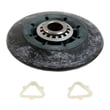
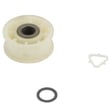
- Thumping or squealing: dryer drum support roller WPW10314173, dryer idler pulley W10837240
- Poor airflow symptoms: inspect lint path and ducting; replace damaged internal duct parts if needed
Last updated: February 2026