 Installation guide
 Owner’s manual





How big is a Kenmore microwave model 72181629600 in inches?
The Kenmore microwave/hood combo model 72181629600 is designed to fit a standard over-the-range opening; plan on a minimum 30-inch cabinet width and mounting height that keeps the microwave at least 30 inches above the cooking surface. For the exact overall exterior dimensions, use the 72181629600 owner's manual.
What we can confirm for this model (fit and clearance)
From the installation requirements for model 72181629600, we use these key measurements when planning the space:
- Minimum cabinet opening width: 30 inches
- Intended use: over ranges up to 36 inches wide
- Minimum height above cooking surface: 30 inches (to the top of the mounting plate)
- Wall studs are typically 16 inches apart (verify in your wall before mounting)
Typical exterior size range (helpful for planning)
Most Kenmore over-the-range microwave/hood combos in this class are approximately:
- Width: 29 7/8 inches to 30 inches
- Height: 16 inches to 17 inches
- Depth: 15 inches to 17 inches (not including handle, if equipped)
| Measurement | What to use for planning | Where to confirm exact |
|---|---|---|
| Cabinet opening width | 30 inches minimum | 72181629600 installation guide |
| Clearance above cooktop | 30 inches minimum | 72181629600 installation guide |
| Overall exterior W x H x D | Typical 30 x 16-17 x 15-17 inches | 72181629600 owner's manual |
Why it matters
Microwave dimensions affect more than appearance; they determine whether the mounting plate aligns correctly, the venting lines up (recirculating or ducted), and the door clears adjacent cabinets. Using the installation clearances prevents rework and helps the hood vent perform properly.
Last updated: February 2026
How many cubic feet is a Kenmore Model 72181629600?
The Kenmore microwave/hood combo model 72181629600 has a capacity of about 1.7 cubic feet. For the exact listed capacity for your specific unit and any closely related model variants, we recommend confirming it in the 72181629600 use and care guide.
Quick specs snapshot
| Item | What to expect |
|---|---|
| Capacity | About 1.7 cu. ft. |
| Appliance type | Over-the-range microwave/hood combo |
| Where to confirm | 72181629600 use and care guide |
How to confirm capacity on your exact unit
We use the model number to match specs, and Kenmore manuals often cover multiple close models in one guide.
- Check the model label on the oven front (inside the door area is common).
- Match the full model number exactly: 72181629600.
- Look in the “Getting to know your microwave” or specifications section.
- If your unit is installed over a range, confirm you are reading the microwave/hood combo guide (not a generic microwave guide).
Why it matters
Capacity affects what fits on the glass turntable, how evenly food heats, and which accessories (like racks and cookware sizes) work best. It also helps ensure you order the right replacement parts for the correct cavity size and configuration.
Related parts that match this model
If you are troubleshooting heating performance or fitment issues, these model-matched parts are commonly involved:
- Microwave magnetron 6324W1A001L (creates microwave energy for heating)
- Kenmore elite microwave glass turntable tray 3390W1A027A (supports proper rotation and heating)
- Microwave turntable shaft 4370W1A006B (couples the turntable to the drive system)
Last updated: February 2026
How to change over stove Kenmore microwave light bulb?
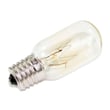
For Kenmore microwave/hood combo model 72181629600, we replace the over-the-range light by unplugging power, removing the light cover or vent grille (depending on which bulb), and installing a candelabra-base 30-watt bulb. Follow the step-by-step procedure in the 72181629600 owner's manual.
Which light are you replacing?
This model typically has two serviceable lights:
- Cooktop light (shines down onto the range)
- Oven/cavity light (inside the microwave)
- Each uses a candelabra-base 30-watt bulb
Steps to replace the cooktop light (under-microwave)
- Unplug the microwave or turn off power at the breaker.
- Remove the bulb cover mounting screws.
- Remove the cover.
- Install a new candelabra-base 30-watt bulb.
- Reinstall the cover and screws, then restore power.
Steps to replace the oven (cavity) light
- Unplug the microwave or turn off power at the breaker.
- Remove the vent grille mounting screws.
- Tip the vent grille forward, then lift it off.
- Lift up the bulb holder.
- Replace with a candelabra-base 30-watt bulb.
- Reinstall the vent grille and screws, then restore power.
Quick comparison
| Light location | Access method | What you remove first |
|---|---|---|
| Cooktop light | From below | Bulb cover screws/cover |
| Oven light | From the front/top trim area | Vent grille screws/grille |
Why it matters
Using the correct bulb type and wattage helps prevent overheating and damage to the light housing. Cutting power first also reduces the risk of electric shock while working around wiring and metal panels.
Last updated: February 2026
Is there a reset on a Kenmore microwave?
Yes. On the Kenmore 72181629600 microwave/hood combo, the practical “reset” is a power reset: turn power off to the microwave, wait about 1 minute, then restore power and re-set the clock and any options. Use the 72181629600 owner’s manual for the exact control-panel steps for your settings.
Quick reset options (from easiest to most effective)
- Cancel the current cycle: press STOP/Clear to clear a cooking program or timer.
- Power reset: unplug the microwave (or switch off the dedicated breaker), wait 60 seconds, then restore power.
- Restore normal operation checks: close the door firmly, then press START after selecting a cook function.
- If the display is blank: confirm the unit is plugged into a grounded outlet and check the home fuse or breaker.
What a “reset” fixes (and what it does not)
A reset clears temporary control glitches, stuck key sequences, and interrupted cooking programs. It does not fix a failed heating circuit, door-switch problem, or a blown internal fuse.
| Symptom | Best “reset” step to try first | Next likely direction |
|---|---|---|
| Display works but microwave will not start | STOP/Clear, then re-enter cook time and press START | Check door latching and interlock switches |
| Display is blank | Power reset, then check breaker/fuse | Verify outlet power and cord connection |
| Runs but does not heat | Power reset | Heating-system diagnosis (high voltage components) |
Why it matters
Microwave controls can “lock up” after a power interruption or an incomplete command sequence. Resetting power and clearing the current function restores the control board to a known starting state, which prevents unnecessary parts replacement.
When to stop and use a technician
Microwaves contain high-voltage components that can store a dangerous charge even when unplugged. If your Kenmore 72181629600 still will not run or will not heat after a reset, use the troubleshooting section in the 72181629600 owner’s manual and have service performed by a qualified technician.
Last updated: February 2026
What is the life expectancy of a Kenmore microwave?
Most Kenmore microwaves, including over-the-range units like model 72181629600, last 9 to 10 years with normal household use. Heavy daily use, poor ventilation, and skipped filter cleaning shorten life; consistent cleaning and proper power supply help it reach the full lifespan.
Typical lifespan and what changes it
- Typical life expectancy: 9 to 10 years
- High-use homes: often shorter due to more heat cycles and door use
- Good care: regular cleaning and filter maintenance helps performance stay consistent
- Electrical issues: weak outlets, loose plugs, or improper grounding can cause nuisance failures
Signs it is near end of life (or needs repair)
- Runs but does not heat food evenly or at all
- Loud humming, buzzing, or burning smell during heating
- Display works but cooking stops, trips a breaker, or blows a fuse
- Door does not close smoothly or the unit only runs with the door pressed
- Excessive arcing or burn marks inside the cavity
What to check first on Kenmore 72181629600
Start with the easy, high-impact items in the care and safety sections of the 72181629600 owner’s manual.
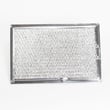
- Clean or replace the vent filters on schedule (grease and charcoal filters)
- Confirm the microwave is on a properly grounded outlet (no extension cord)
- Keep the door seals and latch area clean so interlocks engage correctly
- Avoid running the microwave empty and avoid metal in the cavity
Common repair paths vs replacement
| Symptom | Most common cause | Typical fix direction |
|---|---|---|
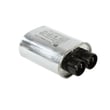
| No heat, everything else works | High-voltage system issue | Technician diagnosis; may involve magnetron/diode/capacitor |
| Dead, no display | Blown fuse or power issue | Check outlet and fuse; inspect wiring |
| Starts then stops when door moves | Door interlock problem | Inspect/replace interlock switch |
If the unit runs but will not heat, our why is my microwave not heating guide matches the most common failure patterns.
Why it matters
A microwave/hood combo does double duty for cooking and ventilation; keeping airflow clear and the electrical connection solid reduces heat stress on key components like the magnetron and door interlocks.
Last updated: February 2026
Where is the fuse on a Kenmore microwave?
On the Kenmore microwave/hood combo model 72181629600, the internal microwave fuse is typically located behind the outer cabinet (cover), near where the power cord enters and close to the high-voltage components. Use the wiring and safety guidance in the 72181629600 owner's manual before attempting any checks.
What to do first (important safety)
Microwaves store dangerous high voltage even when unplugged. Before you do anything beyond basic checks:
- Unplug the microwave or switch off the dedicated circuit at the breaker
- Confirm the display is fully off
- Do not remove the outer cover unless you are trained for microwave service
- Never touch high-voltage parts (capacitor, diode, magnetron area)
- If you smell burning or see arcing marks, stop and have it serviced
Quick checks before assuming the internal fuse is blown
Many “dead microwave” symptoms are caused by power supply issues, not the internal fuse.
- Make sure the cord is fully seated in a grounded 3-prong outlet
- Check the household fuse or circuit breaker for the microwave circuit
- Try a different small appliance in the same outlet to confirm power
- Make sure the door is closing and latching firmly
Common symptom-to-cause guide
| Symptom | Most common cause | What to check |
|---|---|---|
| Display blank, no response | No power to unit | Outlet, breaker/house fuse, cord seating |
| Runs but does not heat | High-voltage circuit issue | Magnetron, diode, capacitor (service-level) |
| Goes dead when starting | Fuse or door switch issue | Door interlock switches, internal fuse |
If you are replacing the internal fuse
For this model, the fuse is a service part and is commonly replaced when it opens due to a surge, failing door interlock switch, or a short in the high-voltage circuit.
- Use the correct fuse type and rating specified for the unit
- Inspect door interlock switches for sticking or damage (a common root cause)
- If the new fuse blows immediately, stop and troubleshoot the underlying cause
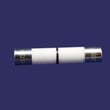
Helpful part reference: the internal fuse for this model is listed as microwave fuse 3B74133Q.
Why it matters
Replacing a microwave fuse without addressing the cause can lead to repeat failures and can indicate a door interlock or high-voltage problem. Using the correct electrical supply (120V, 60Hz, dedicated 20A fused circuit) also helps prevent nuisance failures.
Last updated: February 2026


