 Installation guide
 Owner’s manual




How do I do a hard reset on my GE microwave?
To hard reset your GE JVM6175SK1SS microwave/hood combo, we recommend doing a full power cycle: unplug the microwave (or switch the circuit breaker off) for about 1 to 2 minutes, then restore power and reset the clock. This clears many control glitches and lockups.
- Turn the microwave off.
- Unplug the power cord; if it’s hardwired, switch the breaker off.
- Wait 1 to 2 minutes.
- Plug it back in (or turn the breaker on).
- Set the clock and test a simple cook cycle with a cup of water.
These are useful when the keypad seems confused but the unit still has power.
- Press Off/Clear once to cancel a cooking cycle.
- If the control is locked, press and hold Off/Clear for about 3 seconds (common on many GE over-the-range models).
- If the display is showing an error after a power flicker, do the hard reset above first.
A reset fixes software-like glitches; it will not fix a failed door interlock or a blown safety device.
Common checks:
- Make sure the door closes firmly and the latch clicks.
- Listen for the fan or turntable motor starting when you press Start.
- If it runs but does not heat, the issue is usually in the high-voltage circuit.
| Symptom | Most likely area | Example part for this model |
|---|---|---|
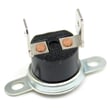
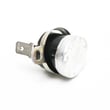
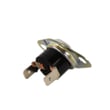
| Dead display, no response | Power supply or safety cut-off | Microwave thermal cut-off (WB21X10162 or WB24X26785) |
| Starts then stops when door moves | Door interlock/latch | Micro-switch WB24X830 |
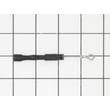
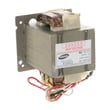
| Runs but does not heat | High-voltage components | Microwave high-voltage diode (WB27X1160) |
Resetting is the fastest way to clear a temporary control-board lockup after a power surge or interrupted cook cycle. If symptoms return quickly, focusing on the door interlock switches, thermal cut-offs, or high-voltage parts helps you avoid repeated nuisance shutdowns.
For control locations and model-specific guidance, use the owner's manual. If you need mounting or power-connection details for an over-the-range setup, use the installation guide. You can also order model-matched replacement parts from the parts list for JVM6175SK1SS or search by model on Sears PartsDirect.
Last updated: February 2026
What are the most common microwave problems?
The most common problems we see on the GE JVM6175SK1SS microwave/hood combo are no heat, turntable not rotating, sparking/arcing, and vent or light issues. Many symptoms trace back to door interlock parts, the turntable drive, or high-voltage components; use the JVM6175SK1SS owner's manual for model-specific operating checks and settings.
- Microwave runs but does not heat: often a high-voltage circuit issue (diode, capacitor, transformer) or a safety interlock problem.
- Turntable not rotating: commonly a failed motor or coupler, or the tray is not seated correctly.
- Sparking or arcing: frequently caused by metal in the cavity, damaged waveguide cover area, or food splatter/carbon buildup.
- Dead display or no power: can be a blown fuse, thermal cut-off, or power supply issue.
- Fan or vent not working well: can be a ventilation component problem or a blocked/dirty filter.
- Door won’t close or unit won’t start with door closed: often door latch or interlock switch/lever wear.
- Confirm the outlet has power; reset the breaker if needed.
- Make sure the door closes firmly and latches without rubbing.
- Reseat the turntable and roller ring; verify nothing is binding.
- Remove any metal (foil, twist ties, metal-trimmed dishes).
- Clean the cavity and around the door area to prevent arcing.
- If venting is weak, check and replace filters as needed.
| Symptom | Likely area | Example part on this model |
|---|---|---|
| Won’t start, intermittent start | Door interlock | Micro-switch WB24X830 |
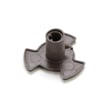
| Turntable not turning | Turntable drive | Microwave turntable motor WB26X10233 |
| Runs but no heat | High-voltage circuit | Microwave high-voltage diode WB27X1160 |
| No power after overheating | Safety cut-off | Microwave thermal cut-off WB21X10162 |
| Poor recirculating venting | Filtration | Microwave charcoal filter WB02X11536 |
Microwaves use multiple safety interlocks and high-voltage components. Correctly matching the symptom to the circuit (door switches, thermal protection, turntable drive, or high-voltage heating system) helps you avoid unnecessary parts and reduces repeat failures.
For safe installation clearances and venting configuration checks (recirculating vs. outside vent), follow the JVM6175SK1SS installation guide.
Last updated: February 2026
What is the life expectancy of a GE microwave?
A GE microwave typically lasts 9 years. For an over-the-range microwave/hood combo like GE JVM6175SK1SS, heavy daily cooking, grease buildup in the venting system, and door-slam wear can shorten life; good cleaning and airflow habits help it reach that 9-year mark.
- Light use (reheat/defrost only): 10 to 12 years
- Average use (daily cooking): about 9 years
- Heavy use (multiple cycles per day): 6 to 8 years
- Over-the-range units: often wear faster than countertop models because they also handle ventilation heat and grease
| Usage pattern | What usually fails first | Common symptom |
|---|---|---|
| Heavy daily use | Door interlock system | Won’t start, stops when door moves |
| Poor ventilation/grease buildup | Cooling/vent components | Overheats, shuts off |
| Age-related electrical wear | High-voltage components | Runs but does not heat |
- Keep the cavity and door edges clean so the door closes squarely and seals well.
- Clean or replace filters on schedule (grease filters and charcoal filters if recirculating).
- Avoid running the microwave empty; it stresses the magnetron and high-voltage circuit.
- Make sure the vent damper opens freely and the exhaust path is not blocked.
- Use cookware that will not arc; arcing can damage the waveguide cover and interior.
If your microwave is otherwise in good shape, replacing a few common wear parts can be a cost-effective way to keep it going:
- Door-start issues: micro-switch WB24X830, microwave latch body WB06X10676
- No-heat complaints: microwave high-voltage diode WB27X1160
- Overheating shutdowns: microwave thermostat WB27X11094, microwave thermal cut-off WB21X10162
Microwaves often fail in predictable systems (door interlocks, ventilation cooling, or the high-voltage heating circuit). Knowing the typical lifespan helps you decide whether a repair is worth it and which parts to check first.
For model-specific care, cleaning, and installation details that affect longevity, use the JVM6175SK1SS installation guide. You can also order replacement parts from the parts list for this model, or search by model number on Sears PartsDirect.
Last updated: February 2026


