Installation guide
 Owner’s manual
 Error Codes




How do I find the right GE part number?
For your GE PHP9036DJ1BB electric cooktop, the fastest way to get the right GE part number is to match parts by the exact model number on the rating label (located under the cooktop) and then confirm the part in the parts diagram and list in the PHP9036DJ1BB owner's manual.
- Locate the model and serial label under the cooktop (not on the countertop or cabinet).
- Write the model number exactly as shown: PHP9036DJ1BB.
- Use the model-based parts list to identify the part by name and location.
- Cross-check the part number against the part description (for example, seal, fuse, element, or control).
- If you are replacing an electrical part, shut off power at the breaker before inspecting wiring.
These names can sound similar, so matching by diagram position and description helps prevent ordering the wrong item.
| What you need | What it is used for | Example part for PHP9036DJ1BB |
|---|---|---|
| Surface won’t power on | Power protection component | Fuse 250v, 20a fb WB27X27316 |
| Glass top needs resealing | Seals the main top to help prevent spills from entering | Cooktop main top seal WB02X26088 |
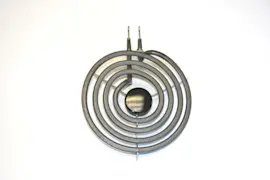
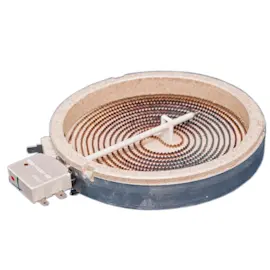
| One cooking zone not heating | Heating/induction element for a specific zone | “Element” listings (match by location and wattage) |
GE cooktop parts can look nearly identical across model families, but wiring, mounting points, and control compatibility can differ. Using the exact PHP9036DJ1BB model identification and the manual’s guidance helps ensure the replacement part fits and works correctly.
If you suspect a blown fuse or need to test continuity, use a meter and follow safe practices. Our DIY resources like how to tell if a fuse is blown can help you confirm the failure before ordering.
Last updated: February 2026
How to order GE appliance parts?
For your GE PHP9036DJ1BB electric cooktop, we recommend ordering parts using the complete model number and matching the part ID to your exact component; you can order online anytime, and you can also contact Sears PartsDirect support if you need help confirming the right part.
- Confirm the full model number: PHP9036DJ1BB (use the rating label on the appliance).
- Use the exploded views and part lists in the PHP9036DJ1BB owner's manual to identify the correct part name and location.
- Match by part ID (most accurate), then confirm the part description.
- If you are replacing an electrical component, shut off power at the breaker before checking wiring or removing panels.
- If a part is temporarily unavailable, check back for availability and confirm any approved substitutions by part ID.
These are examples of parts listed for GE PHP9036DJ1BB; always match your symptom to the correct part location.
| What you need | Example part for this model | What it affects |
|---|---|---|
| Cooktop won’t power on | Fuse 250v, 20a fb WB27X27316 | Protects the cooktop from electrical overload |
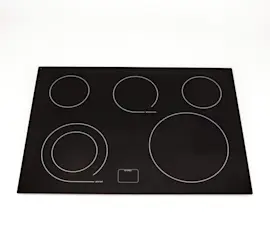
| Cracked or damaged glass top | Main top WB62X38588 | Cooking surface and appearance |
| Loose seal or spills getting under the top | Cooktop main top seal WB02X26088 | Helps seal the cooktop top to reduce seepage |
Ordering by the exact model number and part ID helps prevent fit issues, wiring mismatches, and return delays, especially on GE electric cooktops where control boards, elements, and harnesses can vary by revision.
Last updated: February 2026
Why is my GE Profile electric cooktop not working?
If your GE PHP9036DJ1BB electric cooktop is not working, the most common causes are a tripped breaker or missing power, Control Lock or touch-control input issues, or a failed internal safety fuse or control component. Start with the power supply checks, then move to simple control resets and basic electrical testing.
- Confirm the cooktop’s dedicated double-pole breaker is fully ON, then switch it OFF and back ON to reset.
- Make sure the cooktop is not in Control Lock mode; follow the lock/unlock steps in the PHP9036DJ1BB owner’s manual.
- If the display is flashing a fault code, write it down; the manual notes that a fault code indicates a control error and is used for service diagnostics.
- Try turning on a different element and use a different pan; induction cooking can act “dead” with the wrong cookware.
- Check for signs of overheating or a recent spill that could have affected the controls.
Turn off power at the breaker before any internal checks.
- Verify the supply voltage at the junction box (a multimeter is best).
- If the cooktop has no lights, no beeps, and no response, a blown internal fuse is a common failure point.
- On this model, the Fuse 250v, 20a Fb is available as fuse 250v, 20a fb WB27X27316.
| Symptom | Most likely cause | What we recommend |
|---|---|---|
| Completely dead (no display) | No power, blown fuse, wiring issue | Reset breaker; test voltage; check fuse |
| Touch controls unresponsive | Control lock, moisture, failed control | Unlock; dry/clean; inspect control components |
| One element not heating | Element issue, pan issue, wiring | Try different pan; check element and connections |
This cooktop uses electronic controls and induction elements; when power is unstable or a protective fuse opens, the unit can appear completely nonfunctional. Starting with breaker, lock settings, and cookware prevents unnecessary parts replacement.
Last updated: February 2026