Owner’s manual




How to find serial number on treadmill?
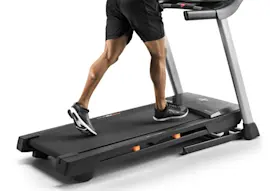
On the Proform treadmill model 831294052 (Proform 540s), the serial number is on a decal attached to the treadmill frame. The manual points you to the front-cover diagram for the exact spot, typically near the power cord and reset/off circuit breaker area.
Where to look on model 831294052
Check these common decal locations first:
- On the lower frame base near the power cord entry point
- Next to the reset/off circuit breaker on the frame
- Along the right side of the base frame (near the power switch area)
- Under the front of the treadmill, near the motor hood edge
- On the underside of the frame rail (you may need a flashlight)
For the exact decal location shown for this model, use the diagram in the 831294052 owner's manual.
Quick steps to find it fast
- Unplug the treadmill.
- Stand on the right side of the treadmill near the power cord.
- Look for a rectangular decal that includes the model number and serial number.
- If you do not see it, crouch and look underneath the frame near the front and along the side rails.
What the serial number is used for
The serial number helps match the correct Proform 540s treadmill parts and documentation for your exact build.
| Item | What it does | Example for this treadmill |
|---|---|---|
| Model number | Identifies the product design | 831294052 |
| Serial number | Identifies your specific unit | Printed on the frame decal |
Why it matters
When ordering parts or getting troubleshooting help, having the serial number ready prevents mismatches, especially for electrical items like the console key/clip and wiring.
Last updated: January 2026
What do I do if I lost the safety key on my treadmill?
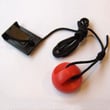
If you lost the safety key on your Proform treadmill model 831294052, replace it before using the treadmill again. The console is designed to stop the walking belt when the key is removed, so running without the correct key is unsafe and can prevent normal operation. See the 831294052 owner's manual for key use and safety steps.
What to do now
- Stop using the treadmill until you have a replacement key.
- Order the correct replacement: treadmill safety key assembly 208603.
- After you get the new key, insert it fully into the console and attach the clip to your clothing.
- When you finish exercising, step onto the side rails, press Stop, then remove the key.
- Store the key in a consistent place so it does not get misplaced again.
Quick checks if the treadmill will not start (even with a key)
If the treadmill still will not run after inserting the key, these model-specific steps from the manual often restore operation:
- Check the reset/off circuit breaker on the frame near the power cord; reset it if it tripped.
- Unplug the power cord for 5 minutes, then plug it back in.
- Remove the key and reinsert it to reset the console.
Key handling and shutdown basics (recommended)
| Situation | What we recommend | Why |
|---|---|---|
| Pausing or ending a workout | Press Stop, then remove the key | Helps prevent unintended belt movement |
| Treadmill not in use | Remove the key, unplug the power cord, switch breaker to Off | Reduces accidental starts and power issues |
| Folding or moving | Lower incline fully first, then fold | Prevents damage during storage |
Why it matters
The safety key is a primary stop device. On the 831294052, the manual specifically instructs removing the key when finished and not leaving the treadmill unattended while running; replacing a missing key restores that built-in safety routine.
Last updated: January 2026
Is it worth replacing a treadmill belt?
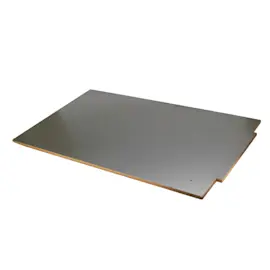
Yes, it’s usually worth replacing a worn walking belt on the Proform 831294052 (Proform 540s treadmill) because a fresh belt restores smooth operation, reduces strain on the drive system, and helps prevent bigger repairs caused by slipping, drag, or uneven tracking.
Quick ways to tell the belt is the problem
- The belt hesitates or slows when you step on it (even after proper tensioning)
- The belt drifts left or right and won’t stay centered
- You see fraying, glazing, cracks, or a “shiny” worn surface
- You smell hot rubber or notice excessive heat at the deck area
- You’ve already adjusted tension and alignment but performance is still poor
Before you replace it: do these checks first
Our manual for this model includes a key troubleshooting step: if the walking belt is overtightened, performance can drop and the belt can be damaged. Use the rear roller adjustment bolts to set correct tension and tracking.
- Remove the safety key and unplug the treadmill
- Back off both rear roller bolts evenly (start with 1/4 turn counterclockwise)
- Confirm you can lift each belt edge about 3 to 4 inches off the walking platform
- Re-center the belt as needed, then test at a slow speed
- Recheck after a few minutes of walking
For the exact adjustment procedure and safety steps, follow the 831294052 owner’s manual.
Belt replacement vs. other common fixes
| Symptom | Most likely cause | What to try first |
|---|---|---|
| Slips only when stepped on | Belt too loose or worn | Adjust tension; replace belt if worn |
| Slows under load | Belt too tight, friction, electrical supply issue | Set correct tension; use proper surge suppressor |
| Drifts to one side | Tracking out of adjustment | Adjust rear roller bolts evenly |
| Jerky motion | Belt wear or roller issue | Inspect belt and rollers |
Parts that commonly go with a belt job
- Treadmill walking belt 206847 if the belt surface is worn or damaged
- Rear roller condition (worn rollers can mimic belt problems)
- Proper belt alignment during setup (an alignment tool can help)
Why it matters
A worn or incorrectly tensioned belt increases friction and load, which can overwork the drive system and reduce workout quality. Correct belt tension and a good belt surface protect the treadmill’s motor and rollers and keep operation smooth.
Last updated: January 2026
What are common problems with ProForm treadmills?
Common problems on the Proform treadmill model 831294052 include no power, the treadmill shutting off during use, and the walking belt slowing or slipping under load. Most of these issues trace back to power supply setup (surge suppressor and breaker), the safety key, or walking belt tension as outlined in the 831294052 owner's manual.
Most common symptoms and what they usually mean
- Console will not power on: outlet or surge suppressor issue, safety key not fully inserted, or a tripped reset/off breaker.
- Treadmill turns off during use: reset/off breaker tripping, often tied to power supply problems.
- Walking belt slows when you step on it: belt tension too tight or power protection not meeting requirements.
- Speed reading seems wrong: reed switch and magnet alignment needs adjustment.
- Belt tracking feels off-center: rear roller adjustment is typically needed.
Quick checks we recommend first (in order)
- Use the right power setup: plug the treadmill into a single-outlet, UL 1449 listed surge suppressor (TVSS type), then into a properly grounded outlet.
- Avoid GFCI outlets: this model is noted as not compatible with GFCI-equipped outlets.
- Confirm the safety key is fully seated: a partially inserted key can prevent operation.
- Reset the breaker: if the reset/off breaker is popped out, wait 5 minutes, then press it back in.
- Check belt tension: if the belt slows, slightly loosen both rear roller bolts (about 1/4 turn counterclockwise), then re-test.
Common fixes and the parts that often relate
| Problem | Typical fix | Part that may be involved |
|---|---|---|
| Won’t start | Insert key fully; verify power and surge suppressor | Treadmill safety key assembly 208603 |
| Belt slips or slows | Adjust rear roller bolts; verify surge suppressor specs | Treadmill walking belt 206847 |
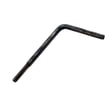
| Belt won’t stay centered | Use proper alignment procedure and small adjustments | Treadmill walking belt alignment tool 128457 |
Why it matters
Power surges and incorrect belt tension can cause erratic speed changes, unexpected stops, and premature wear on the walking belt and drive system. Following the manual’s power and adjustment guidance helps protect the control system and improves safety.
Last updated: January 2026