 Installation guide
 Owner’s manual


What does red lock mean on a dishwasher?
On the Kenmore Elite dishwasher model 63013902010, a red lock (often a padlock icon) means the control lock or child lock is activated, so the buttons will not respond and the dishwasher may not start. Use the steps in the 63013902010 owner's manual to turn the lock off.
When control lock is on, you can see symptoms like these:
- The dishwasher will not start even though power is on.
- Most keys do nothing (or you hear beeps with no action).
- A cycle may not be selectable if the door was closed before choosing a cycle.
- The unit appears “dead” even though the breaker is not tripped.
Many Kenmore dishwashers disable the lock by pressing and holding the Control Lock button (or a designated key) for a few seconds.
Use this checklist:
- Open the door so the console is accessible.
- Press and hold the lock-designated button for about 3 seconds.
- Wait for the lock light/icon to turn off.
- Close the door, select a cycle, then press Start.
If your console does not have a clearly labeled lock key, follow the exact key sequence shown in the 63013902010 owner's manual.
The manual’s troubleshooting section lists several common no-start causes; control lock is one of them. Check these items in order:
- Door fully closed and latched
- Cycle selected before closing the door (common on top-control models)
- Delay start not enabled
- House power is on (breaker/fuse)
- Water supply valve is open
| What you see | Most likely cause | What to do |
|---|---|---|
| Red lock icon is lit | Control lock/child lock | Turn off control lock in the manual |
| No lights until door opens | Top-control display behavior | Open door to view controls, then select cycle |
| Lights on but no fill | Water supply issue | Confirm shutoff valve is open |
Control lock prevents accidental button presses and cycle changes, but it can also make the dishwasher seem broken. Turning it off is often the fastest fix before checking parts like the dishwasher on/off switch 00611295 or the dishwasher door latch assembly 00611312.
Last updated: February 2026
What is the code F2E2 on a Kenmore Elite dishwasher?
On a Kenmore Elite dishwasher, error code F2E2 means the user interface (keypad) is not communicating correctly with the main control. On model 63013902010, this typically points to a problem with the console/keypad circuit, a loose connection, or a control-related wiring issue; use the 63013902010 owner's manual for the model’s reset and diagnostic steps.
- Power reset: turn off the breaker for 1 minute, then restore power and try a cycle.
- Door fully latched: close the door firmly; a weak latch can interrupt control signals.
- Stuck key: press each key once; if one feels jammed or stays “active,” the UI can throw F2E2.
- Moisture in the console: if the code appears after steam-heavy use, let the door sit open to dry, then retry.
- Control lock: if enabled, disable it and retest.
| What’s happening | What it usually indicates | Typical fix path |
|---|---|---|
| F2E2 appears immediately when you press Start | Keypad/UI not responding | Inspect UI and harness connections; replace UI if failed |
| F2E2 appears mid-cycle | Intermittent connection or control glitch | Reseat wiring, check for pinched harness; consider control replacement |
| Buttons work sometimes, sometimes not | Moisture, worn keypad, or loose connector | Dry console, tighten connections; replace UI if persistent |
We start with the simplest electrical path: connections, then harness, then control.
- Wiring/connection issue: inspect connectors for corrosion or a loose plug.
- Harness damage: look for rubbed-through insulation where the door flexes.
- Main control problem: if the UI checks out, the main board can be the cause; see dishwasher electronic control board 00700375.
F2E2 is a control communication fault; if the dishwasher cannot reliably read the keypad, it may not start, may stop mid-cycle, or may run with incorrect selections. Fixing it restores normal cycle selection, drying options, and reliable operation.
For model-specific button sequences, diagnostics, and feature behavior, follow the 63013902010 owner's manual. If you’re ordering parts beyond what’s listed for this model, search by model number on Sears PartsDirect.
Last updated: February 2026
How to hard reset a Kenmore Elite dishwasher?
To reset your Kenmore Elite dishwasher model 63013902010, cancel the current cycle so the unit drains and returns to a ready state. On this model, we do that by holding CANCEL until the WASHING light goes out, then waiting about 1 minute for the drain to finish (the COMPLETE light comes on). See the 63013902010 owner's manual for the exact button sequence on your control panel.
- Open the door to pause the cycle.
- Press and hold CANCEL until the WASHING LED goes out.
- Close the door.
- Wait about 1 minute while the dishwasher drains.
- Confirm the COMPLETE LED illuminates (this indicates the unit has been reset).
- If you want to start over, press POWER off, then POWER on, then select a new cycle.
These checks fix most “won’t start” complaints after a reset:
- Make sure the door is fully closed and latched.
- Confirm Delay start is not selected.
- Verify the water supply valve under the sink is turned on.
- Check the home breaker or fuse for the dishwasher circuit.
- If the dishwasher fills but will not run, look for an error code and follow Kenmore he dishwasher error codes.
On the 63013902010, a reset is essentially a cycle cancel and drain. It clears the active cycle so you can:
- Stop a cycle safely
- Drain standing water from the sump
- Select a different wash cycle
| What you want to do | What to press | What you should see |
|---|---|---|
| Stop and reset the cycle | Hold CANCEL | WASHING LED turns off |
| Let the unit clear water | Close door and wait ~1 minute | Draining, then COMPLETE LED |
| Start a new cycle | POWER off, then on | Cycle LEDs ready for selection |
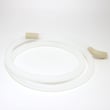
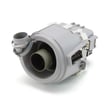
Resetting the dishwasher the correct way prevents hot water from splashing out and ensures the drain system clears the tub before you restart. If the unit repeatedly needs resetting, a drain restriction or a failing drain component can be involved; common related parts include the drain pump 00611332 and dishwasher drain hose 00668108.
If you need to order replacement parts for your Kenmore Elite 63013902010, use the parts list for this model or search by model number on Sears PartsDirect.
Last updated: February 2026
How to force a Kenmore dishwasher to drain?
To force your Kenmore Elite dishwasher model 63013902010 to drain, cancel the current cycle: open the door, hold CANCEL until the WASHING light goes out, close the door, then wait about 1 minute for the drain to run and the unit to reset (the COMPLETE light comes on). See the owner's manual for the exact button sequence for your control panel.
- Open the dishwasher door.
- Press and hold CANCEL until the WASHING LED turns off.
- Close the door.
- Wait about 1 minute while the dishwasher drains.
- Confirm the COMPLETE LED illuminates (reset is finished).
A cancel-drain only works if water can flow out. These checks fix most “won’t drain” complaints:
- Make sure the drain hose is routed toward the sink and not kinked or crushed.
- Check that the hose was not rotated after installation; rotation can crimp it.
- Verify you have a proper high loop (or air gap setup) so water does not flow back.
- Clean the drain air gap (if your setup has one) and remove any soil buildup.
- If you hear the motor hum but no water moves, the drain pump may be jammed or failing.
| Symptom | Most common cause | What we recommend |
|---|---|---|
| Water stays in tub after cancel | Kinked/crimped drain hose | Inspect routing; replace hose if damaged |
| Drains slowly | Partial blockage in hose or air gap | Clear blockage; clean air gap |
| Hums but does not drain | Drain pump obstruction or failure | Check pump area; replace pump if needed |
| Drains then refills | Backflow due to poor loop/air gap | Correct high loop or air gap |
If you determine a part is needed for model 63013902010, these are common drain-related replacements:
Standing water can cause odors, poor wash results, and can strain the drain system. A correct drain hose route and a working drain pump help your dishwasher empty quickly at the end of a cycle.
You can order replacement parts from the parts list for model 63013902010, or search by model on Sears PartsDirect.
Last updated: February 2026
Is it worth repairing a Kenmore dishwasher?
Yes, repairing a Kenmore Elite dishwasher like model 63013902010 is usually worth it when the problem is a common wear item (drain pump, door seal, inlet valve) and the total repair cost stays well below the price of a replacement. Use the troubleshooting and safety guidance in the 63013902010 owner's manual to confirm the failure before buying parts.
We use this quick rule of thumb for dishwashers:
- Under ~10 years old: repairs are typically cost-effective.
- 10 to 15 years old: repair is worth it for smaller fixes; be cautious with major electrical or pump assemblies.
- Over ~15 years old: replacement often makes more sense unless the fix is inexpensive and you are doing it yourself.
| What you’re fixing | Typical repair complexity | Usually worth it? |
|---|---|---|
| Drain and water removal issues | Medium | Yes |
| Door leaks | Low to medium | Yes |
| No power or won’t start | Medium | Sometimes |
| Major pump/motor assembly | High | Depends |
These are frequent, fixable problems that often restore normal washing and draining:
- Replace a failed drain pump: drain pump 00611332
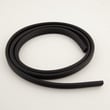
- Fix a leak at the door opening with a new seal: sealing 00645141
- Correct slow or incomplete draining with a new hose: dishwasher drain hose 00668108
- Address fill problems by checking the inlet valve and supply: water inlet 00645147
- Resolve “won’t start” symptoms caused by a bad latch/door switch: dishwasher door latch assembly 00611312
Replacement is usually the smarter move when:
- The dishwasher has multiple symptoms (leaking plus not draining plus error codes).
- You suspect electrical supply or grounding issues in the home wiring (safety first).
- The repair involves multiple high-cost parts (for example, control plus pump).
A dishwasher that does not drain, does not latch, or does not fill correctly can stop mid-cycle, leave standing water, and increase the chance of leaks. Confirming the root cause first helps you avoid replacing the wrong part and keeps the repair safe and cost-effective.
For ordering, we recommend starting with the parts list for model 63013902010 on this page; you can also search by model number on Sears PartsDirect.
Last updated: February 2026





