 Installation guide
 Owner’s manual



Does a GE over the range microwave need to be vented?
No. The GE JVM3160EF1ES over-the-range microwave does not have to be vented outside; it can run in recirculating (ductless) mode or be configured to exhaust outdoors (top/vertical or back/horizontal) during installation. See the venting options in the installation guide.
Venting options for JVM3160EF1ES
This model is designed to support three ventilation setups:
- Recirculating (non-vented/ductless): air is filtered and returned to the kitchen
- Outside top exhaust (vertical duct): vents up through the cabinet and roof cap
- Outside back exhaust (horizontal duct): vents out through the rear wall
How to choose the right setup
Pick the option that matches your kitchen layout and what ducting (if any) already exists.
- Choose recirculating if you do not have an exterior duct route
- Choose outside exhaust if you already have a duct path to the exterior (best for removing heat, smoke, and odors)
- Confirm cabinet and range clearances before committing to a duct direction
- Make sure the vent path is not blocked by cabinets or stored items
- Use proper duct tape and fittings so air does not leak back into the cabinet space
Quick comparison
| Setup | Requires ductwork? | Where air goes | Best for |
|---|---|---|---|
| Recirculating (ductless) | No | Back into the room | Kitchens without exterior ducting |
| Outside top exhaust | Yes | Up and outside | Vertical duct already in place |
| Outside back exhaust | Yes | Out the back wall | Rear wall duct already in place |
Why it matters
Venting choice affects how well your microwave/hood combo removes cooking odors and moisture. Outside exhaust typically performs better for ventilation, while recirculating is a practical solution when exterior ducting is not available.
Last updated: February 2026
Is the JVM3160EF1ES easy to use?
Yes. The GE JVM3160EF1ES is designed for straightforward everyday cooking with dedicated buttons for common tasks (Express Cook, Add 30 Sec., defrost, and timer functions), so most people can use it comfortably with minimal setup. For the exact button functions and settings, use the JVM3160EF1ES owner's manual.
What “easy to use” looks like on this model
These are the controls and features most customers rely on day to day:
- Express Cook for quick-start cooking using number pads
- Add 30 Sec. to extend cook time without reprogramming
- Defrost (Weight/Time) for common frozen foods
- Power Level to reduce heat for delicate items
- Vent and Surface Light controls for cooktop use
Quick-start tips we recommend
If you want the simplest workflow, these habits help right away:
- Use Add 30 Sec. for reheats; press repeatedly to add time.
- Start with Power Level reductions (like 50 to 70%) for leftovers to avoid hot spots.
- Use Defrost (Weight/Time) instead of guessing cook time for frozen meats.
- Keep the turntable seated properly so food heats evenly.
- If the keypad is hard to see in low light, turn on the Surface Light while programming.
Common tasks and the best control to use
| What you want to do | Best control(s) to try | Why it’s simpler |
|---|---|---|
| Reheat a plate | Add 30 Sec. | Fast, minimal button presses |
| Quick cook | Express Cook | Predictable time entry |
| Thaw frozen food | Defrost (Weight/Time) | Reduces overcooking edges |
| Gentle warming | Power Level | Better texture and fewer boil-overs |
Why it matters
Microwave/hood combos like the JVM3160EF1ES get used multiple times a day. Simple, dedicated buttons reduce mis-entries, improve heating results, and make it easier to use the vent fan and cooktop light while you cook.
Last updated: February 2026
What is the average lifespan of a GE microwave?
A GE microwave typically lasts about 7 to 10 years with normal household use. For an over-the-range model like GE JVM3160EF1ES, lifespan depends most on daily run time, keeping the cavity and vents clean, and avoiding misuse that can cause arcing or overheating (see the owner's manual).
Typical lifespan and what changes it
Most microwaves wear out from heat stress, door-switch wear, and high-voltage component aging. These factors have the biggest impact:
- Heavy daily use (multiple long cook cycles) shortens life
- Poor airflow (blocked vents or grease buildup) increases heat stress
- Door slamming can wear door latches and interlock switches
- Running empty or using metal/foil can cause cavity arcing and damage
- Power quality issues (surges) can stress the control board and fuse
Signs your microwave is nearing end of life
If your JVM3160EF1ES shows these symptoms repeatedly, it is usually a reliability issue rather than a one-time glitch:
- Food takes much longer to heat than it used to
- Loud humming or buzzing that is new or worsening
- Intermittent operation when closing the door
- Unit goes dead (no display) or blows power when starting
- Burning smell, visible arcing, or scorch marks
Repair vs. replace: a practical guide
For many “no heat” or “dead” complaints, the fix can range from simple to major. Here is a quick way we size it up:
| Symptom | Common direction | Parts that are often involved |
|---|---|---|
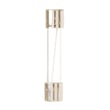
| No power, totally dead | Basic electrical protection | Microwave fuse WB27X11138 |
| Runs but does not heat | High-voltage system diagnosis | Magnetron, capacitor, transformer |
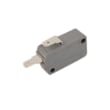
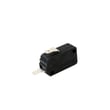
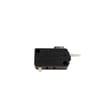
| Starts then stops, door-related | Door safety circuit | Microwave door interlock switch WB24X10146, latch parts |
For troubleshooting “runs but won’t heat,” our why is my microwave not heating guide helps you narrow down the most likely causes.
Why it matters
Microwaves are high-wattage appliances; good airflow, clean surfaces, and a properly closing door reduce heat stress and prevent nuisance shutdowns. That directly improves cooking performance and helps the unit reach the typical 7 to 10 year lifespan.
Last updated: February 2026
What are common problems with GE JVM3160EF1ES microwaves?
Common problems with the GE JVM3160EF1ES microwave/hood combo include the oven not starting, the control panel lighting up but not running, unusual operating noises, and heating complaints. Many “won’t start” issues trace back to power supply, a door-latch/door-switch problem, or a blown fuse; use the owner's manual troubleshooting chart to narrow it down.
Most common symptoms and what they usually mean
- Oven will not start: loose plug, tripped breaker, power surge, door not fully closed
- Control panel lights but won’t run: door not securely closed, START/PAUSE not pressed, a selection needs to be canceled
- No heat or weak heat: common causes include high-voltage component failures (often diagnosed by a technician)
- Loud buzzing, grinding, or rattling: turntable drive issues, fan/vent noise, or something vibrating against the cabinet
- Intermittent operation: loose door switch mount, failing interlock switch, or heat-related shutdown
Quick checks we recommend first (safe, no disassembly)
- Confirm the plug is fully seated in the outlet.
- Reset the household breaker (or replace the home fuse if applicable).
- Unplug the microwave for 60 seconds, then plug it back in (power surge reset).
- Open and close the door firmly; make sure it latches cleanly.
- Try a simple cook cycle: set time, then press START/PAUSE.
Parts that commonly fix “won’t start” and door-related problems
Door and power-interruption problems on over-the-range microwaves often involve the interlock system or fuse.
| Symptom | Common part area | Example part for this model |
|---|---|---|
| Won’t start, door feels “off” | Door latch and switch mounts | Microwave door latch housing WB06X10610 |
| Starts only when door is pushed | Door interlock switch | Microwave door interlock switch WB24X10146 |
| Dead/no power after surge | Internal fuse (plus root cause) | Microwave fuse WB27X11138 |
Why it matters
A microwave that will not start is often a simple power or door-closure issue, but repeated fuse blowing or inconsistent door-switch operation can indicate an unsafe condition. Fixing the latch or interlock parts restores reliable starting and helps prevent nuisance shutdowns.
Last updated: February 2026
Can you replace the door on a GE microwave?
Yes. On the GE JVM3160EF1ES microwave/hood combo, the door can be replaced as an assembly, but we only recommend doing it if the door closes perfectly and the hinges, latches, and sealing surfaces are in good condition. Use the owner's manual safety guidance before attempting any door work.
When a door replacement is the right fix
Replace the door (or door-related parts) when you see or notice:
- The door is bent or doesn’t sit flush when closed
- Hinges or latches feel loose, broken, or misaligned
- The door won’t latch consistently, or the unit won’t start because it “thinks” the door is open
- The door seals or sealing surfaces are damaged or won’t stay clean
- The door is physically damaged (cracks, impact damage, or a warped frame)
Safety first (important for microwaves)
A microwave door is part of the safety system that keeps microwaves confined in the oven cavity. If the door does not close properly, do not operate the microwave.
Before you start:
- Disconnect power at the breaker or unplug the microwave
- Avoid bending the door or stressing the hinge side during removal
- Keep the sealing surfaces clean; do not let cleaner residue build up
- If the door, hinges, latches, or seals are damaged, have a qualified technician handle the repair
Parts that commonly relate to door problems
Sometimes the door itself is fine, but the latch and interlock system is what’s failing. These model-matched parts are commonly involved:
- Microwave door assembly WB56X32789
- Microwave door latch WB10X32782
- Microwave door latch housing WB06X10610
- Microwave door interlock switch WB24X10146
- Microwave door interlock switch lever WB03X10348
Quick troubleshooting: door issue vs. switch issue
| Symptom | Most likely area | Common next step |
|---|---|---|
| Door closes, but microwave won’t start | Interlock switch or latch alignment | Inspect latch hooks and test switches |
| Door feels loose or won’t stay shut | Latch housing or latch | Check for cracked housing or worn latch |
| Door is visibly bent or won’t sit flush | Door assembly or hinges | Replace door assembly and verify alignment |
Why it matters
If the door on your JVM3160EF1ES doesn’t close properly, the microwave can become unsafe to use and may also fail to run because the interlock switches are designed to prevent operation with an unlatched door.
Last updated: February 2026





