Owner’s manual
 Error Codes


How do I get my Fisher and Paykel DishDrawer to drain?
To get your Fisher & Paykel DD24DCTX7-88626-A DishDrawer to drain, we start by clearing the drain path: straighten any kinks in the drain hose, then clean and correctly reinstall the drain filter and filter plate so water can exit the drawer normally. See the DD24DCTX7-88626-A owner's manual for the exact filter removal steps.
Step-by-step: clear the most common drain blockage
- Turn off power at the supply (or unplug the unit).
- Open the drawer and remove the rack as needed for access.
- Lift the plastic grid above the drain area.
- Remove the drain filter, empty it, and rinse under running water.
- Reinstall the drain filter flush with the filter plate, then lower the grid back into place.
- Restore power and run a short cycle to confirm it drains.
Quick checks that fix most “won’t drain” complaints
- Straighten the drain hose; remove kinks or crushing behind the cabinet.
- Make sure the drain filter is seated flush (a tilted filter can restrict flow).
- Clean the filter plate and check for labels, glass, or food debris.
- Confirm the spray arm and internal parts are installed correctly after cleaning.
- If the drawer beeps and shows a fault code, follow the fault steps in the manual.
When a part is likely needed
If the drawer drains slowly even after cleaning, a drain component can be sticking or restricted.
| Symptom | Most likely cause | What we do next |
|---|---|---|
| Standing water under filter after cleaning | Normal small amount | Re-test after a rinse cycle |
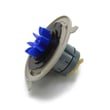
| No drain sound, water remains | Drain valve issue or blockage | Inspect/replace the dishwasher drain valve and o-ring 522150 |
| Intermittent drain, odd motor behavior | Motor or sensor-related issue | Check drive components and diagnostics |
Why it matters
A DishDrawer that cannot drain will leave dirty water in the tub, trigger fault beeping, and can prevent the next wash from starting correctly. Keeping the drain filter and filter plate clean is the fastest way to restore normal draining.
Last updated: February 2026
How do you clear the fault on a Fisher and Paykel dishwasher?
To clear a fault on your Fisher & Paykel DD24DCTX7-88626-A dishwasher, we stop the beeping, note the fault code shown on the wash program panel, correct the cause (such as water supply or spray arm issues), then resume the cycle. Use the steps in the DD24DCTX7-88626-A owner's manual to match your exact drawer style and code.
Quick steps to clear a fault
- Press the control shown in the fault flowchart to stop the continuous beeping.
- Read and write down the fault code shown on the wash program panel (inside the drawer).
- Follow the code’s fix, then resume the wash program.
- If the code is U1, turn the water supply on, then resume.
- If the code is U4, check the other drawer; the drawer showing U4 is not the faulty one.
- If the code is U6, open the drawer and check the spray arm; refit it if it has loosened or come off.
Common fault codes and what they mean
| Fault code | What it usually indicates | What we do first |
|---|---|---|
| U1 | No water (water supply off) | Turn on water supply; resume cycle |
| U4 | Fault in the other drawer | Diagnose the other drawer; retry |
| U6 | Spray arm loose/off (or low water pressure) | Refit spray arm; resume cycle |
| E1 | Flood detected | Stop using; check for leaks and standing water |
| E2 | Motor fault | Check for obstructions; plan motor diagnostics |
| E3 | Temperature sensor fault | Verify hot water conditions; plan sensor/valve checks |
If the fault returns right away
When you clear the beeping and the fault comes back within a few seconds, we treat it as an active fault (not a one-time glitch). These checks help narrow it down:
- Confirm the water supply valve is fully open and the fill hose is not kinked.
- Clean and reseat the filter area so water can circulate properly.
- Check the drawer closes fully and the lid system seals.
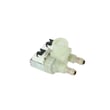
- If you suspect a fill problem, inspect the dishwasher water inlet valve 529730 for electrical or flow issues.
- If you suspect a drain problem, inspect the dishwasher drain valve and o-ring 522150 for blockage or sticking.
Why it matters
Clearing the fault the right way protects the pump and motor, prevents repeat beeping, and helps you capture the exact code pattern so you fix the cause instead of only resetting the symptom.
Last updated: February 2026
How do I find the model number on my DD24DCTX7-88626-A?
Your Fisher & Paykel dishwasher’s model number is printed on the serial label inside the cabinet, underneath the top drawer. Pull the top drawer out so you can look up under it along the inside cabinet area, then copy the model number exactly.
Where to look (quick steps)
- Open the top drawer.
- Pull the drawer out far enough to see underneath it.
- Look inside the cabinet area under the top drawer for the serial label.
- Write down the model number and serial number exactly as shown.
- Use that exact model number when selecting diagrams and parts.
What the label typically includes
| Label item | What it’s used for |
|---|---|
| Model number | Matching the correct parts and diagrams |
| Serial number | Identifying the production run for service history |
| Date of purchase (sometimes recorded separately) | Warranty documentation and records |
Why it matters
Fisher & Paykel dishwashers often have similar-looking drawers and panels across model families. Using the exact model number (for example, DD24DCTX7-88626-A) helps ensure parts like the dishwasher electronic control board 523725USP or dishwasher water inlet valve 529730 match your unit.
Helpful tip
If the label is hard to read, take a clear photo with your phone and zoom in; that usually makes the characters easier to confirm. For more details on identification and care, use the DD24DCTX7-88626-A manual.
Last updated: March 2026