 Installation guide
 Owner’s manual
 Error Codes




Where is the model number on a Magic Chef stove?
On a Magic Chef range like model CER1115AAW, the model number label is typically on the oven frame behind the door (door jamb area) or around the storage drawer opening. It can also be on a side panel or on the back near the vent/backguard.
- Open the oven door and look along the front frame (left or right door jamb)
- Pull out the storage drawer and check the frame behind it
- Check the back of the range near the vent/backguard area
- Look on a side panel near the lower rear corner
- If the range is installed tight to the wall, use a flashlight and mirror for the rear label
Most Magic Chef range ID labels include:
- Model number (example: CER1115AAW)
- Serial number
- Electrical rating information (volts/amps)
| Location | Why it is used | What to do |
|---|---|---|
| Oven door jamb | Protected, easy to access | Open door fully and scan the frame edges |
| Behind storage drawer | Common on freestanding ranges | Remove drawer and check the front frame |
| Back near vent/backguard | Common alternate location | Use a flashlight; do not pull on wiring |
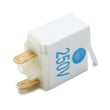
We use the exact model number to match the correct wiring layout and parts for your range, such as a terminal block WPW10245259 or a bake element WP74010750. Even small model-number differences can change the correct part fit.
Your CER1115AAW owner's manual and CER1115AAW installation guide also help you identify key range areas (like the backguard and storage drawer) so you can find the label without disassembling the appliance.
Last updated: February 2026
Why is my Magic Chef oven not lighting?
On the Magic Chef CER1115AAW electric range, the oven does not use a flame or igniter, so it will not “light.” If the oven light is out or the oven will not heat, the most common causes are a tripped breaker, a loose power connection, or a failed heating element. See the CER1115AAW owner's manual for control settings and basic checks.
- Confirm the range is plugged in firmly and the cord is not damaged.
- Reset the home circuit breaker (electric ranges often use a 240V double breaker).
- Verify the oven controls are set correctly (Bake temperature and time).
- Make sure Control Lock or special modes are not preventing operation.
- If the oven light is out, let the bulb cool completely before handling it.
A working display or indicator light does not guarantee the bake circuit is heating. If the oven stays cold in Bake, the bake element is the first part we check.
- Look for visible damage on the element (blisters, cracks, burn spots).
- If the element looks normal, test it with a meter for continuity.
- If the element tests open, replace the bake element WP74010750.
| Symptom | Most likely cause | What we do next |
|---|---|---|
| Oven light works, oven stays cold | Failed bake element | Inspect and continuity test element |
| Nothing works (no heat, no lights) | Power supply issue | Check plug, breaker, terminal connections |
| Oven heats poorly or unevenly | Element weakening or airflow issue | Check element condition and venting |
When the oven will not heat, continuing to run it can lead to longer cook times and inconsistent baking. Also, power connection problems at the range can cause overheating at wiring connections, so it is worth checking early.
Last updated: February 2026
What is the average lifespan of CER1115AAW?
A Magic Chef CER1115AAW electric freestanding range typically lasts 13 to 15 years with normal home use and basic maintenance. Keeping the oven clean, ensuring solid electrical connections, and replacing worn heating parts on time helps you reach that lifespan.
- Power supply quality: loose or overheated connections can damage wiring and components.
- Heating component wear: bake and broil elements gradually weaken over years of high heat.
- Door seal condition: a leaking gasket makes the oven work harder and run hotter.
- Cleaning habits: heavy buildup can cause hot spots and longer heat times.
- Usage patterns: frequent high-temperature baking and broiling shortens element life.
| Component | Typical service life | Common symptom when failing |
|---|---|---|
| Bake element | 5 to 10 years | Slow heating, uneven baking |
| Broil element | 5 to 10 years | Weak broil, no top heat |
| Surface element | 5 to 12 years | Burner cycles oddly, won’t heat |
| Control switch | 7 to 15 years | Burner stuck on high or won’t turn on |
- Follow cleaning and care steps in the CER1115AAW owner's manual.
- Keep the oven cavity and element area free of heavy spills and carbon buildup.
- Avoid slamming the oven door; it protects hinges and helps the door seal evenly.
- If baking gets inconsistent, test and replace the bake element when needed (for this model, see bake element WP74010750).
- If you ever see heat damage at the power cord connection, stop using the range and inspect the terminal block (see terminal block WPW10245259).
A range that is struggling to heat properly draws more time and stress from the same electrical and heating system. Replacing a worn element or fixing a poor connection early often prevents bigger failures and helps the CER1115AAW reach its normal service life.
Last updated: March 2026




