Owner’s manual
 Error Codes

Why is my refrigerator not getting cold at the bottom?
If your Kenmore Elite 79571063010 isn’t cold at the bottom of the fresh-food section, the most common cause is restricted airflow: items blocking the air vents or a problem moving cold air from the freezer into the refrigerator. Start with vent clearance and temperature settings in the 79571063010 use & care manual.
Quick checks we recommend first
- Make sure interior air vents are not blocked by food containers, bags, or liners.
- Confirm the doors close fully and the gaskets seal all the way around.
- Verify the temperature settings; allow 24 hours after any change for temperatures to stabilize.
- Avoid overpacking; cold air needs space to circulate to the lower shelves and drawers.
- Clean dust from the condenser area if airflow underneath/behind the unit is restricted.
Temperature settings to verify (model-specific)
Your model’s recommended starting points are:
| Compartment | Recommended setting | Notes |
|---|---|---|
| Refrigerator | 37°F (3°C) | Control range is 33°F to 46°F |
| Freezer | 0°F (-18°C) | Control range is -6°F to 8°F |
If the bottom is warm but the freezer is cold, we typically adjust the refrigerator setting first, then wait 24 hours before changing anything else.
When it points to a part or repair
If vents are clear and settings are correct but the bottom stays warm, cold air may not be circulating properly. On this model, a common airflow-related suspect is the evaporator fan.
- If you don’t hear the fan running when the compressor is on, the fan motor may be failing.
- If you see heavy frost on the freezer’s back wall, a defrost problem can restrict airflow.
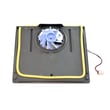
A compatible airflow component listed for this model is the lg refrigerator evaporator fan motor 4681JB1027C.
Why it matters
Bottom-shelf warming is usually an airflow issue, not a lack of cooling power. Fixing airflow early helps prevent food spoilage, reduces compressor run time, and can stop frost buildup from getting worse.
Last updated: January 2026
Why does my Kenmore fridge have water pooling inside the bottom?
Water pooling on the bottom of your Kenmore Elite refrigerator model 79571063010 is most often caused by a clogged or frozen defrost drain that can’t route meltwater down to the drain pan. Less commonly, a leaking water filter head/tubing connection or warm air leaking past a door gasket can create excess moisture that ends up as a puddle. See the drainage and care guidance in the 79571063010 use & care manual.
Quick checks we recommend (in order)
- Unplug the refrigerator before removing panels or using hot water.
- Look for ice or debris at the drain opening (typically at the back of the fresh-food compartment, under the evaporator cover area).
- Flush the drain with hot water using a turkey baster; repeat until it drains freely.
- Check the freezer for heavy frost; a defrost issue can create extra meltwater.
- Inspect the door gaskets for gaps, tears, or areas not sealing flat.
- Check for water filter area drips after dispensing water or after a filter change.
Parts that commonly relate to this symptom on 79571063010
If you confirm the puddle is coming from a specific area, these model-compatible parts are common suspects:
| Where you see water | Most likely issue | Part to consider |
|---|---|---|
| Bottom of fresh-food section, near back wall | Defrost drain not draining | Refrigerator drain tube 5251JA3003D |
| Near filter housing or after filter change | Filter head/tubing connection leaking | Refrigerator water filter head ADQ36011715 |
| Moisture beads, recurring puddles, frost near door edge | Door not sealing, warm air intrusion | Refrigerator door gasket, right ADX73550624 or gasket asy,d ADX73550621 |
Why a clogged defrost drain causes puddles
During normal defrost, meltwater should flow into a drain and down a tube to the drain pan. If that drain freezes over or clogs with food particles, the water backs up and collects on the refrigerator floor.
When to stop and schedule service
- Water is actively dripping from wiring areas or the control housing
- You see cracked plastic around the filter head or tubing connections
- The drain won’t clear and ice returns within days
Last updated: January 2026
How to tell if a Kenmore refrigerator compressor is bad?
On Kenmore Elite model 79571063010, a “bad compressor” usually shows up as poor cooling (fridge and freezer warming) along with abnormal compressor behavior such as repeated clicking, overheating, or running constantly without reaching the set temperatures. Use the checks below before assuming the sealed system has failed; see the 79571063010 use & care manual.
Quick checks we recommend first (before condemning the compressor)
- Confirm the controls are set correctly and give changes 24 hours to stabilize.
- Make sure doors seal fully and are not being held open by bins or food.
- Listen for the condenser fan near the compressor; if it is not running, the compressor can overheat.
- Clean dust from the condenser area (restricted airflow can mimic compressor failure).
- Check for a steady “hum” versus repeated clicking every few minutes (often a start issue).
Signs that point more strongly to a compressor or start circuit problem
- Warm fridge and freezer even though the unit has power and lights work.
- Compressor is very hot and you hear a click, then it goes quiet, then repeats.
- Breaker trips when the compressor tries to start.
- No normal cooling sounds (no compressor hum) but fans may still run.
Compressor vs. common look-alikes
| What you notice | More likely cause | What to check next |
|---|---|---|
| Clicking, won’t start cooling | Start components or control issue | Consider the lg refrigerator compressor control board EBR64173902 and wiring connections |
| Freezer cold, fridge warm | Airflow/evaporator issue | Evaporator fan, frost buildup, vents blocked |
| Runs constantly, temps still high | Dirty condenser, fan issue, sealed system | Clean coils, verify condenser fan, then sealed system diagnosis |
Why it matters
Replacing a compressor is a major repair; many “compressor symptoms” are actually caused by airflow problems, dirty condenser coils, or an electronic control issue. Ruling those out first saves time and prevents unnecessary parts replacement.
Last updated: January 2026