Installation guide
 Owner’s manual
 Error Codes







How do I unlock a Kenmore 79048453411 oven door?
To unlock the door on your Kenmore Elite 79048453411 wall oven, cancel the oven lockout: press Upper Oven or Lower Oven, then press and hold OVEN LOCKED for 3 seconds. Let the motorized latch run; wait about 15 seconds before opening the door (see the owner's manual).
Quick unlock steps (oven lockout)
- Make sure the oven door is completely closed.
- Press Upper Oven or Lower Oven to select the cavity.
- Press and hold OVEN LOCKED for 3 seconds.
- Do not pull on the door while DOOR and LOCKED are displayed.
- Wait about 15 seconds for the latch to fully release.
- Open the door after Loc clears from the display.
If the door is locked after Self Clean
A locked door after Self Clean is normal; the latch stays engaged until the oven cools.
- Keep the door closed and allow more cooling time.
- When the display returns to normal, repeat the unlock steps.
- Do not force the door; the latch mechanism can be damaged.
What the display is telling you
| Display/message | What it means | What to do |
|---|---|---|
| DOOR and LOCKED flashing | Latch is moving | Wait; do not open the door |
| Loc | Door is locked | Use the 3-second OVEN LOCKED cancel procedure |
| Triple beep when pressing keys | Lockout is active | Unlock using OVEN LOCKED |
Why it matters
This model uses a motor-driven door latch. Waiting for the latch cycle to finish prevents damage to the latch and helps avoid a door that stays stuck.
Last updated: February 2026
What are the parts of an electric oven?
An electric wall oven like the Kenmore Elite 79048453411 is built around heating elements, temperature sensing, airflow (cooling and sometimes convection), and door and rack hardware. These parts work together so the oven can heat accurately, cook evenly, and protect the electronic controls from excess heat (see the owner's manual).
Core parts you will find in most electric wall ovens
- Bake element (bottom heat source for baking)
- Broil element (top heat source for broiling)
- Oven temperature sensor (tells the control how hot the oven is)
- Electronic oven control and relay board (runs bake, broil, timers, and safety logic)
- Cooling fan and ducting (cools internal electronics; it can run after cooking)
- Convection fan and blade (some models; circulates hot air for even baking)
- Oven racks (flat, offset, and glide styles depending on configuration)
- Door system (hinges, glass panels, and trim)
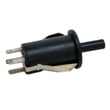
- Light and door switch (turns the light on and off when the door opens)
Model-specific examples (79048453411)
These are common service parts we see for this model:
| What it does | Example part for this model | When it’s often replaced |
|---|---|---|
| Measures oven temperature | Cooking appliance oven temperature sensor 5304504897 | Oven won’t hold temp, temp swings, error related to sensor |
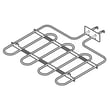
| Provides bake heat | Wall oven bake element, 2,200-watts 5304501015 | No/weak bake heat, uneven baking |
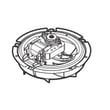
| Moves convection air (some modes) | Blade 318398302 | Fan noisy, vibration, poor convection performance |
| Runs the oven’s functions | Wall oven control board 316474936 | Dead display, won’t start, erratic operation |
Why it matters
Knowing the major oven components helps you troubleshoot faster. For example, temperature problems often point to the sensor or control, while “no heat” symptoms often point to a heating element. Airflow parts matter because the cooling fan protects the electronic controls and may keep running after the oven is turned off.
Quick safety and care notes
- Turn off power at the breaker before inspecting wiring, controls, or elements.
- Remove racks and accessories before self-clean to prevent discoloration.
- Do not line the oven bottom with foil; it restricts airflow and can damage the interior.
Last updated: February 2026
What is the PF code on a Kenmore 79048453411 stove?
On Kenmore model 79048453411, a PF code means the oven control detected a power interruption (power failure). Clear it by pressing STOP/CLEAR; then reset the clock if needed so normal bake or broil operation can resume.
How to clear PF and get cooking again
- Press STOP/CLEAR once to clear the code.
- If the display shows 12:00 or the time is flashing, set the clock.
- Try BAKE or BROIL to confirm the oven heats normally.
- If the code returns, turn power off at the breaker for 5 minutes, then restore power.
- After power is restored, set the clock again and retest.
For control and clock steps specific to this oven, use the 79048453411 owner's manual.
What usually causes a PF code
A PF code is almost always caused by a brief loss of power to the control, such as:
- A tripped breaker or loose breaker connection
- A momentary outage or power flicker
- A loose or overheated power connection at the terminal block
- Wiring issues in the junction box for the wall oven
Quick check: power connection points
| What to check | What you are looking for | Why it matters |
|---|---|---|
| Breaker (double-pole) | Fully ON, not half-tripped | Low or missing voltage triggers PF |
| Junction box wiring | Tight wire nuts, no heat damage | Prevents intermittent power loss |
| Terminal block | Tight lugs, no discoloration | Loose connections can arc and drop power |
If you find heat damage or loose connections at the power terminal area, the terminal block 5304409888 is a common replacement part used to restore a solid electrical connection.
Why it matters
When the control loses power, it can stop a cooking cycle and require the clock to be reset. Repeated PF codes point to an electrical supply or connection problem that can also cause no-heat symptoms or random beeping.
Last updated: February 2026
Where can I find my Kenmore 79048453411 oven model number?
On Kenmore Elite model 79048453411, the model and serial number are printed on the serial plate inside the oven frame. Open the oven door and look along the left interior side trim/frame; the label is visible with the door open. See the installation guide for the exact serial plate location diagrams.
Where to look on the oven
Check these common label locations first (in this order):
- Open the oven door and inspect the left side of the oven frame (most common for this model)
- Look along the interior side trim where the door seals against the frame
- Use a flashlight and look for a silver or white identification plate with model and serial fields
- If the label is greasy, wipe gently with a damp cloth so the numbers are readable
What the label looks like and what to write down
The serial plate typically includes several fields. Record all of these before ordering parts:
- Model number (for example, 79048453411)
- Serial number
- Lot number or letter (often printed near the serial information)
Quick reference
| Item | Why we need it | Where it’s used |
|---|---|---|
| Model number | Confirms exact wall oven version | Matching parts diagrams and lists |
| Serial number | Identifies production run details | Verifying correct replacement parts |
| Lot number/letter | Helps narrow revisions | Avoiding fit or wiring mismatches |
Why it matters
Kenmore Elite wall ovens can have small design changes within the same series. Using the exact model and serial information helps ensure parts like the oven temperature sensor, control board, or wiring harness match your 79048453411 correctly.
Last updated: February 2026