 Installation guide
 Owner’s manual
 Error Codes




Can I look up Frigidaire parts by model number?
Yes. For your Frigidaire electric range model FFEH3054USD, looking up parts by the full model number is the most reliable way to match the correct replacement part because it ties the search to your exact configuration and serial plate information.
Where to find the model number on FFEH3054USD
Your range’s serial plate is typically on the right-hand surface of the oven front frame near the storage or warmer drawer area; some units also list an alternate location under the cooktop. Confirm the full model number before ordering using the FFEH3054USD owner’s manual.
Tips for reading the data tag correctly
- Write down the full model number (FFEH3054USD), not just the series.
- Record the serial number too; it helps confirm production details.
- Include any lot number or letter shown on the serial plate when ordering.
- If the tag is hard to read, take a clear photo in good light.
- Keep the information with your purchase records for future repairs.
How model-number lookup helps you choose the right part
Model-number lookup narrows results to parts that fit your range’s wiring, controls, and heating system.
| What you search | What you get | Best for |
|---|---|---|
| Model number (FFEH3054USD) | Parts filtered for your exact range | Most repairs and guaranteed fit |
| Part ID/part number | One specific part listing | Reordering the same part |
| Description only (example: “bake element”) | Many similar options | Research, not final ordering |
Common parts customers replace on this model
If you already know what failed, model lookup helps confirm the correct item quickly. Examples include:
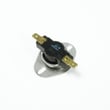
- Frigidaire range oven temperature sensor 316490000 for temperature accuracy issues
- Frigidaire range bake element 316413800 if the oven will not bake properly
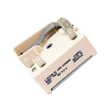
- Frigidaire range surface element control switch 316436001 for a burner that will not regulate heat
Why it matters
Ranges can look identical but use different sensors, switches, or wiring by production run. Using the exact model number from the serial plate reduces wrong-part returns and gets your Frigidaire range heating and cooking correctly again.
Last updated: February 2026
How do I clear the error code on my Frigidaire oven?
On your Frigidaire FFEH3054USD electric range, you can usually clear an F or E error code by pressing OFF on the control panel; if the code returns, do a power reset by turning the range off at the breaker for about 5 minutes, then restoring power and trying Bake or Broil again (see the FFEH3054USD owner's manual).
Step-by-step: clear the code safely
- Press OFF to clear the displayed error.
- Wait a few seconds and try Bake or Broil again.
- If the code repeats, switch OFF the range circuit breaker (or unplug if accessible).
- Wait 5 minutes.
- Restore power, then set the clock (the oven may not operate until time-of-day is set).
- Retry the cooking function and watch for the code to reappear.
If the error comes back: what it usually points to
Recurring F/E codes typically mean the control detected a fault that needs troubleshooting. Common culprits include:
- Oven temperature sensing issues (sensor or wiring)
- A stuck or failing keypad/control input
- Control board problems
- Over-temperature conditions during high-heat use
Quick symptom-to-part check
| What you notice | What to check first | Related part for this model |
|---|---|---|
| Oven temp is wildly off, heats inconsistently | Temperature sensor connection and sensor | Range oven temperature sensor 316490000 |
| Code appears during or after high heat/self-clean | Cooling/overheat protection, airflow | High-limit thermostat (model-specific diagnosis) |
| Code clears with OFF but returns quickly | Keypad/control circuit | Control board (model-specific diagnosis) |
Why it matters
Clearing the code gets you cooking again when it is a one-time control glitch. If the code repeats, the range is protecting itself by flagging a real fault; addressing the cause prevents poor baking results, nuisance shutdowns, and repeat error beeping.
Helpful reference
For code definitions and model-family troubleshooting steps, use Frigidaire self-cleaning range error codes.
Last updated: February 2026
How do I tell what model my Frigidaire stove is?
Your Frigidaire electric range model number is printed on the serial plate. On model FFEH3054USD, you’ll typically find that plate on the lower right front frame near the storage or warmer drawer area; some units also place it under the cooktop. Confirm the exact location in the FFEH3054USD owner’s manual.
Where to look on FFEH3054USD
Check these common serial plate locations (use a flashlight and look for a sticker or metal tag):
- Open the storage drawer or warmer drawer and look at the right-hand oven front frame
- Look at the lower right front frame of the range (front frame area)
- If you do not see it there, check the alternate location under the cooktop
- Write down the model number, serial number, and any lot number/letter shown
What the serial plate tells you (and what to copy)
Along with the model number, the serial plate can include details that help when ordering Frigidaire range parts or scheduling service.
| Item on serial plate | Why we need it |
|---|---|
| Model number | Matches the correct parts list for your range |
| Serial number | Identifies the production run/version |
| Lot number/letter (if shown) | Helps confirm the exact configuration |
| Voltage and kilowatt rating | Confirms electrical requirements |
Why it matters
Using the exact model number (for example, FFEH3054USD) prevents ordering the wrong bake element, oven temperature sensor, control board, or surface element switch. Even small model-number differences can change wiring, fit, and electrical ratings.
Quick tips to avoid common mistakes
- Copy the model number exactly (letters and numbers)
- Watch for look-alikes such as 0 (zero) vs O (letter O)
- Take a clear photo of the serial plate before you start shopping for parts
Last updated: February 2026
How to fix F3 error code frigidaire oven?
On the Frigidaire FFEH3054USD electric range, an F3 error points to an oven temperature sensing problem. We start by clearing the code with OFF, then power-cycling the range; if F3 returns, the most common fix is replacing the oven temperature sensor.
Step-by-step: clear the F3 code first
- Press OFF to clear the fault.
- Try Bake or Broil again.
- If the code returns, turn power off at the breaker.
- Wait 5 minutes, then restore power.
- Set the clock, then test Bake again.
- If F3 repeats, move to sensor and wiring checks.
For the exact key presses and “Before you call” guidance for your control panel, use the FFEH3054USD owner’s manual.
Parts to check on FFEH3054USD
In most cases, F3 is resolved by addressing the temperature sensor circuit.
- Inspect the sensor harness connection at the back of the control area (loose plug, corrosion, pin fit).
- Look for pinched or heat-damaged wiring near the oven cavity.
- If wiring looks good, replace the oven temperature sensor 316490000.
- If the error persists after sensor replacement, the electronic control board can be involved (less common).
Quick comparison
| What you see | Most likely cause | What we do next |
|---|---|---|
| F3 appears immediately after starting Bake | Sensor circuit open/short | Check connector, then replace sensor |
| F3 appears after preheat starts | Sensor drifting out of range | Replace sensor |
| Multiple random F/E codes | Power or control issue | Power-cycle, verify supply, then diagnose control |
Why it matters
The oven control relies on the temperature sensor to regulate heat. When the sensor signal is out of range, the range may shut heating down or overheat; clearing the code and correcting the sensor circuit restores safe, accurate baking.
If you want model-specific wiring access and safe installation details (anti-tip, power connection), follow the FFEH3054USD installation guide.
Last updated: February 2026




