 Installation guide
 Owner’s manual
 Error Codes




How to reset a whirlpool wall oven?
To reset your Whirlpool RBD307PVS02 wall oven, turn off power at the breaker for 1 minute, then restore power; the display may briefly show “PF” (power failure) as it reboots. If the controls still do not respond, check for Control Lock and confirm the oven is wired correctly.
Quick reset steps (most common)
- Turn the oven circuit breaker OFF.
- Wait 60 seconds (up to 5 minutes if the control seems “stuck”).
- Turn the breaker ON.
- Confirm the display lights; “PF” can appear after power is restored.
- If needed, set the clock again using the steps in the RBD307PVS02 owner’s manual.
If the keypad is “locked” (Control Lock)
This model uses a Control Lock feature that disables most pads.
- Make sure both ovens are off.
- Press and hold START until “LOCKED” appears (repeat to unlock).
- Try a simple function again (for example, BAKE and then START).
| What you see | What it usually means | What to do |
|---|---|---|
| “PF” | Power was interrupted | Set clock, test bake |
| “LOCKED” | Control Lock is on | Hold START to unlock |
| No display | No power to control | Check breaker, wiring, terminal connections |
When a reset does not fix it
If the oven still will not operate after a power reset, we focus on the most common causes: power supply issues, a failed sensor, or an overheat safety opening.
- Verify the breaker is not tripping again immediately.
- Check for loose or overheated power connections at the terminal block WPW10245259.
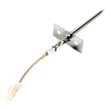
- If the oven heats erratically or shows temperature-related problems, test the wall oven temperature sensor WPW10131825.
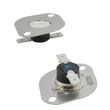
- If the oven overheated and shut down, a high-limit device may need attention (this model uses high-limit thermostats).
Why it matters
A proper reset clears a temporary control glitch after a power interruption, but it will not correct an underlying issue like a loose power connection, failed temperature sensor, or an overheat condition.
Last updated: January 2026
How much are electric wall ovens?
Most electric wall ovens cost about $1,000 to $4,000, with budget models sometimes near $500 and premium double ovens reaching $5,000+. For a Whirlpool RBD307PVS02 30-inch electric built-in double oven, total cost also depends on installation needs and any required electrical work; see the RBD307PVS02 installation guide for key requirements.
What changes the price the most
- Single vs. double oven: double ovens typically cost more.
- Size and fit: 27-inch vs. 30-inch cutouts can affect replacement options.
- Features: convection, self-clean, and advanced controls raise price.
- Installation complexity: cabinet modifications and junction box location matter.
- Electrical work: hiring a licensed installer can add cost.
Installation costs to plan for (common add-ons)
The installation instructions call out items and conditions that can add to the total project cost.
| Cost driver | What it usually means | Why it can add cost |
|---|---|---|
| Junction box placement | Must be positioned so the oven fits the cabinet opening | May require electrician time and wall/cabinet access |
| Cabinet opening and support | Opening must match required dimensions; support surface must be solid and level | May require carpentry or reinforcement |
| Electrical connection parts | Conduit connector and wire connectors are typically needed | Small parts plus labor |
Quick budgeting checklist for replacing an electric wall oven
- Confirm your exact model and cutout requirements in the RBD307PVS02 installation guide.
- Measure the cabinet opening (width, height, depth) before shopping.
- Plan for electrical labor if the junction box needs to be moved or updated.
- If your oven has power connection issues, inspect the terminal block area; a damaged connection can require a replacement such as the terminal block WPW10245259.
- Include delivery, haul-away, and any trim or cabinet touch-up costs.
Why it matters
Wall ovens are priced as a package: the appliance cost is only part of the total. For built-in double ovens like the Whirlpool RBD307PVS02, correct cabinet fit and safe electrical connection often determine whether your project stays near the low end or moves toward the high end.
Last updated: January 2026
How long do Whirlpool wall ovens last?
Whirlpool wall ovens like model RBD307PVS02 typically last 13 to 15 years with normal household use and basic maintenance. Consistent cleaning, good airflow around the cabinet, and fixing heating or door-seal issues early are the biggest factors in reaching that lifespan.
Typical lifespan and what affects it
Most electric wall ovens fall into a predictable range, but real-world life depends on heat stress and how hard key components work.
- Self-clean frequency: high heat cycles add wear to door locks, hinges, and electronics
- Door seal condition: a leaking gasket makes the oven run longer and hotter
- Cooling airflow: blocked vents can overheat controls and wiring
- Power quality: loose connections can damage terminals and controls
- Repair timing: replacing a failing sensor or fan early prevents bigger failures
Parts that commonly determine “end of life”
If your oven is heating unevenly, overheating, or struggling to hold temperature, these parts are often involved:
- Temperature regulation: wall oven temperature sensor WPW10131825
- Overheat protection: range high-limit thermostat WP9759243 or range high-limit thermostat WP9759242
- Cooling and control protection: oven blower assembly WPW10176670
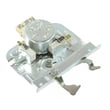
- Door operation during self-clean: range oven door lock assembly WPW10195934
Quick symptom-to-part guide
| Symptom | What it often points to | Example part for RBD307PVS02 |
|---|---|---|
| Oven temp swings, under/overcooks | Sensor drifting out of range | WPW10131825 |
| Oven shuts down when hot | High-limit thermostat opening | WP9759243 / WP9759242 |
| Control area gets very hot | Cooling fan/blower issue | WPW10176670 |
| Door won’t unlock after self-clean | Door lock mechanism problem | WPW10195934 |
Why it matters
A wall oven that is running hotter, longer, or with poor airflow wears out expensive components faster. Your RBD307PVS02 owner’s manual also notes that self-clean uses very high temperatures and the oven light will not work during the cycle, which is normal behavior but a reminder that self-clean is a high-stress operating mode.
Last updated: January 2026
How to fix E6 F2 error whirlpool oven?
On the Whirlpool RBD307PVS02 double wall oven, an E6 F2 error typically points to a problem with the user interface (touchpad) or its communication with the control. Start with a power reset; if the code returns, the most common fix is replacing the touchpad/control panel assembly.
Quick reset and safety steps
- Turn the oven off at the circuit breaker (both poles) for 60 seconds.
- Turn power back on; if “PF” shows, the control reset successfully.
- Try a simple function like Broil for a few minutes to see if the error returns.
- If an “F” code reappears during operation, stop the test and leave the oven off.
- Disconnect power before removing panels or touching wiring.
For model-specific control operation and error handling, follow the RBD307PVS02 owner’s manual.
What usually causes E6 F2
Common causes on Whirlpool built-in ovens include:
- Stuck or failing touchpad keys
- Moisture, grease, or cleaner intrusion behind the keypad
- Loose or oxidized ribbon cable/connector between the touchpad and control
- Failed electronic control (less common than the touchpad)
What to check before replacing parts
- Kill power at the breaker.
- Inspect the control area for signs of moisture or heat damage.
- Reseat the touchpad ribbon connector (unplug and firmly reconnect).
- Restore power and retest.
If you need to confirm safe access, mounting, and electrical requirements for this built-in oven, use the RBD307PVS02 installation guide.
Repair options (typical)
| Result after reset/reseat | Most likely issue | Typical next step |
|---|---|---|
| Error clears and stays gone | Temporary control glitch | Monitor operation |
| Error returns quickly | Touchpad/user interface | Replace touchpad/control panel |
| Error appears with heat or after time | Heat-related control fault | Check cooling airflow; consider control diagnosis |
Why it matters
When the control senses a keypad or communication fault, it can disable heating for safety and to prevent runaway operation. Fixing the underlying touchpad/control issue restores reliable bake and broil performance.
Last updated: January 2026







