 Installation guide
 Owner’s manual






How to hard reset a Jenn-Air dishwasher?
To hard reset your Jenn-Air dishwasher model JDB8700AWS3, disconnect power for about 30 seconds, then restore power. This clears a temporary control glitch and is the fastest reset method when the control panel is unresponsive or the cycle will not start.
Reset options for JDB8700AWS3
- Hard reset (power reset): Turn off the breaker (or unplug if corded) for 30 seconds, then turn power back on.
- Control reset (Cancel/Drain): If the dishwasher is responsive, press CANCEL/DRAIN twice to reset the control, then choose a new cycle and press START/RESUME.
- Stop and drain: Press CANCEL/DRAIN once, close the door, and let it drain; the Cancel/Drain light typically turns off after about 2 minutes.
For button names and the exact reset sequence used on your console, follow the steps in the JDB8700AWS3 owner's manual.
When a hard reset helps (and when it does not)
A hard reset is most useful for control issues, not mechanical problems.
| Symptom | Best first step | Likely next step if it returns |
|---|---|---|
| Control panel frozen or lights stuck | Hard reset (power off 30 seconds) | Check door latch engagement, then try Cancel/Drain reset |
| Cycle will not start | Cancel/Drain reset, then Start/Resume | Verify door closes firmly; inspect latch |
| Water left in tub | Cancel/Drain to force drain | Check drain path, hose routing, and drain pump |
Quick checks after resetting
- Close the door firmly; the dishwasher will not run if the door is not latched.
- Select a cycle again (a reset can clear the previous selection).
- Press START/RESUME and listen for filling or draining.
- If water remains, run CANCEL/DRAIN and confirm the sink drain and disposer inlet are clear.
- If the door will not latch consistently, inspect the dishwasher door latch WPW10653840.
Why it matters
Resetting restores normal control logic after a power interruption or keypad glitch, which can prevent unnecessary part replacement and get your dishwasher washing again quickly.
Last updated: January 2026
What is the life expectancy of a Jenn-Air dishwasher?
A Jenn-Air dishwasher typically lasts 10 to 12 years with normal household use and basic maintenance. For model JDB8700AWS3, keeping the wash system clean and addressing early symptoms (poor draining, weak washing, heating issues) helps you reach that expected lifespan; see the JDB8700AWS3 owner's manual for care and operating guidance.
Typical lifespan and what affects it
Most premium built-in dishwashers land in the same general range, but these factors move the needle:
- Water quality (hard water speeds up mineral buildup on the heater and in the wash system)
- Detergent use (too much detergent or the wrong type can cause suds and performance problems)
- Loading habits (overloading restricts spray and strains the circulation system)
- Filter and sump cleanliness (food debris increases wear and reduces cleaning)
- Heat and drying demands (heavy heated drying cycles add stress to heating components)
Repair vs. replace: a practical guide
Use age plus symptoms to decide where to put your money.
| Dishwasher age | What we recommend | Why it matters |
|---|---|---|
| 0 to 5 years | Repair first | Most failures are isolated parts; restoring performance is usually cost-effective. |
| 6 to 10 years | Repair if the tub is solid and performance was good recently | You can often extend life with targeted fixes (drain, wash, heat). |
| 11 to 12+ years | Replace if multiple issues show up | Stacked failures (leaks, poor wash, no heat, control issues) add up quickly. |
Common “end-of-life” symptoms (and parts that often solve them)
These are the issues we see most often as dishwashers age:
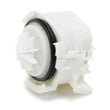
- Not draining well: check the drain path; a failing pump is common (example part: dishwasher drain pump WPW10531320)
- Dishes not getting clean: wash system wear, clogged filter area, or circulation issues
- No heat or poor drying: heating circuit problems (example part: heater W10703867)
- Door won’t latch or cycle won’t start: latch wear or alignment issues
- Recurring suds/foam: wrong detergent type or too much detergent (this can prevent proper filling and washing)
Why it matters
Knowing the typical life expectancy helps you avoid over-investing in an older dishwasher while still making smart repairs on a mid-life unit. A single targeted repair can restore cleaning and drying performance and extend service life.
Last updated: January 2026
How do I find the model number on my JDB8700AWS3?
Your Jenn-Air dishwasher model number and serial number are on a label inside the tub, near the door opening. On model JDB8700AWS3, look along the right-hand or left-hand side of the dishwasher interior, close to the door.
Where to look (fast checklist)
- Open the dishwasher door fully.
- Look on the tub frame near the door opening.
- Check the right-hand side first, then the left-hand side.
- Find the label that lists both model and serial.
- Write the full model number exactly as shown (including any letters and numbers).
What the label typically includes
| Label item | What it’s used for | Example |
|---|---|---|
| Model number | Matching the correct parts diagrams and parts | JDB8700AWS3 |
| Serial number | Identifying the production run for service and compatibility checks | (varies) |
Why it matters
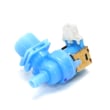
Using the exact model number helps us match you to the correct dishwasher parts for JDB8700AWS3, such as a dishwasher water inlet valve WPW10327249 or dishwasher drain pump WPW10531320, and prevents ordering a similar-looking part that will not fit.
Tips if the label is hard to read
- Wipe the area with a damp cloth and dry it so the print stands out.
- Use a flashlight and take a close-up photo to zoom in.
- Copy the model number character-for-character; one letter difference can change the parts list.
For a diagram showing the model and serial number label location, check the JDB8700AWS3 owner's manual.
Last updated: March 2026









